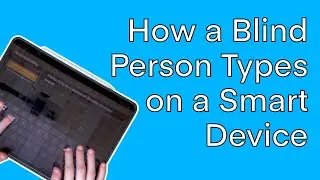
Using Braille Commands with VoiceOver: "Apple"-ly Your Braille Skills to the Mantis and Chameleon
Автор: APH — American Printing House for the Blind
Загружено: 2021-12-10
Просмотров: 2233
Описание:
It’s beginning to look a lot like the end of the semester, so come join us for a refresher on using your braille display with VoiceOver. Our primary focus will be the Chameleon 20 braille display from APH but we’ll also cover some tips relevant to the Mantis Q40 and all of our Perkins keyboard braille tips will be relevant for other braille displays. Check it out and by the end you will be zipping around your Apple device with braille at your fingertips!
Instructor: William Freeman
Instructor’s Title: Tactile Technology Product Manager
Instructor’s Affiliation: APH
Primary Core or ECC Area: Assistive Technology
Target Audience: Teachers, Assistive Technology Specialist, Parents, Students
Pre-requisite knowledge: None
Lesson Plan Goal: The participant will learn tips to use the Chameleon 20 and Mantis Q40 with VoiceOver.
Learning Objectives:
The participant will learn three major hotkeys they can use with their Chameleon braille display and VoiceOver
The participant will understand how to make their own keyboard hotkeys with VoiceOver.
The participant will list three reasons why they should combine their iPad and iOS devices with a braille display.
The participant will learn how to get their braille display communicating with their iPad and iOS devices.
Materials Needed: None
Повторяем попытку...

Доступные форматы для скачивания:
Скачать видео
-
Информация по загрузке: