Python Classes & Objects Explained | Complete Beginner's Guide
Автор: Start Coding Today
Загружено: 2025-12-29
Просмотров: 73
Описание:
0:00
Have you ever heard Python programmers throwing around words like classes and objects and just nodded along, feeling like you missed an important memo?
You’re in exactly the right place.
0:11
In the next few minutes, we’ll break all that jargon down into a simple, powerful tool you can start using right away.
0:20
Here’s the big question: a program is just lines of code, right? Text and logic.
So how does it represent a real-world thing like a person, a car, or a bank account?
0:34
The answer: classes and objects. That’s why they were invented.
The Game Plan
0:41
We’ll cover:
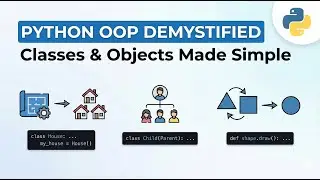
The difference between a blueprint and a real object
Creating an empty blueprint
Using it to make real objects
Giving objects unique data
Teaching objects to perform actions
0:58
By the end, your code will feel completely different.
Classes vs Objects
1:01
Here’s the most important idea in all of object-oriented programming: the difference between a plan and the thing you build from it.
1:18
Class → the blueprint or rulebook.
Example: A student class says:
“Every student must have a name and an age.”
A class alone does nothing. It’s just instructions.
1:38
Object → the real thing.
Example: A student like Ali or Sarah.
1:52
Analogy:
Class = blueprint, Object = house you can live in
Class = recipe, Object = cake you can eat
Creating a Class
2:14
class Student:
pass
class → tells Python we’re making a blueprint
Student → name of the class (capitalize by convention)
pass → placeholder for details we’ll add later
2:57
We now have a blueprint. Empty, but valid.
Creating Objects
3:08
ali = Student()
sara = Student()
Left → variable holding the object
Right → class name + parentheses → Python creates a new object
3:48
Each object is independent.
Ali, Sara, Ahmed → all separate, same blueprint
Analogy: a mold making toy cars; one breaks, the others are fine
Adding Data with _init_ and self
5:00
To give objects unique information, we use:
_init_ → the setup function called automatically
self → refers to the specific object being created
5:20
class Student:
def __init__(self, name, age):
self.name = name
self.age = age
self.name = name → stores incoming name inside this object only
Why It Works
5:49
ally = Student("Ally", 12)
sarah = Student("Sarah", 11)
self ensures Ally’s data stays with Ally, Sarah’s with Sarah
Data never mixes
Adding Behavior
6:19
class Student:
def __init__(self, name, age):
self.name = name
self.age = age
def introduce(self):
print(f"My name is {self.name} and I am {self.age} years old")
Functions inside a class → methods
self gives methods access to the object’s data
Calling ally.introduce() prints Ally’s info, sarah.introduce() prints Sarah’s
Factory Analogy
7:15
Class → factory blueprint
Object → product off the assembly line
_init_ → setup process customizing each product
self → unique label for each product
7:45
You’ve built a complete student model, from blueprint to functioning object.
7:47
Now think bigger: cars, bank accounts, playlists, video game characters… what blueprints could you design and bring to life in your code? 🚀
Повторяем попытку...

Доступные форматы для скачивания:
Скачать видео
-
Информация по загрузке:





![Курс Python с Абсолютного нуля! [12 часов из 80] Python курс - качественный старт для начинающих!](https://image.4k-video.ru/id-video/lYMLLI-MJek)