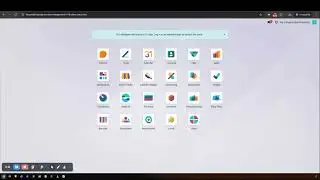
Access Management Control Suite Part-02
Автор: BeyonData Solutions
Загружено: 2025-12-30
Просмотров: 6
Описание:
🎬 Description
This video provides a complete walkthrough of the "Access Management Control Suite" application in Odoo 18, using the powerful "Access Studio" interface.
You’ll learn how to configure a user, create access rules, and control every tab, such as Menu, Model Access, Fields, Buttons, Filters, Chatter, and Global restrictions - all in a clean and simple way.
Perfect for "Odoo Developers", "Consultants", and "Admins" who need precise UI-level and action-level access control.
⏱️ Video Timeline
00:00 – Domain Access
02:25 – Button / Tab Access
04:53 – Hide Filter / Group By
06:35 – Chatter
08:20 – Global
This video is Part-02 of the full content. To understand the complete video, please watch "Access Management Control Suite Part-01" first.
Watch Part-01 here: https://www.beyondatagroup.com/r/N2N
⭐ Key Highlights
Domain Access :- Limit visible records using filters
Button/Tab Access :- Hide form buttons and tabs
Hide Filter/Group By :- Remove Search, Filter, Group By options
Chatter Restrictions :- Disable messages, log notes, activities
Global Restrictions :- Apply system-wide access rules
⚙️ How It Works
1️⃣ User Configuration:-
Start by enabling "Access Management" for the required user.
Go to "Settings → Users & Companies → Users", open the user, and activate 'Access Management'.
This gives the user access to the "Access Studio" app.
2️⃣ Creating an Access Rule Record
Inside "Access Studio", create a new rule and assign:
The user(s) the rule applies to
The company
Whether developer mode should be disabled
Whether the rule is active
Once the record is created, you can manage every restriction tab.
🔧 Each Restriction Details :-
• Domain Access
Apply domain filters to restrict which records the user can see.
• Button / Tab Access
Hide action buttons or entire form view tabs.
• Hide Filter / Group By
Remove Filters, Group By, and Search options from the top bar.
• Chatter
Disable the ability to send messages, add notes, or create activities.
You can also hide the full chatter panel.
• Global
Apply system-wide restrictions across all models and views.
#Odoo18 #StreamlineUserAccessManagement #OdooAccessStudio #OdooSecurity #OdooDevelopment #OdooCustomization #OdooERP #UserPermissions #OdooTutorial #BusinessAutomation
Повторяем попытку...

Доступные форматы для скачивания:
Скачать видео
-
Информация по загрузке: