ycliper

Популярное

Музыка Кино и Анимация Автомобили Животные Спорт Путешествия Игры Юмор

Интересные видео

2025 Сериалы Трейлеры Новости Как сделать Видеоуроки Diy своими руками

Топ запросов

смотреть а4 schoolboy runaway турецкий сериал смотреть мультфильмы эдисон
Скачать

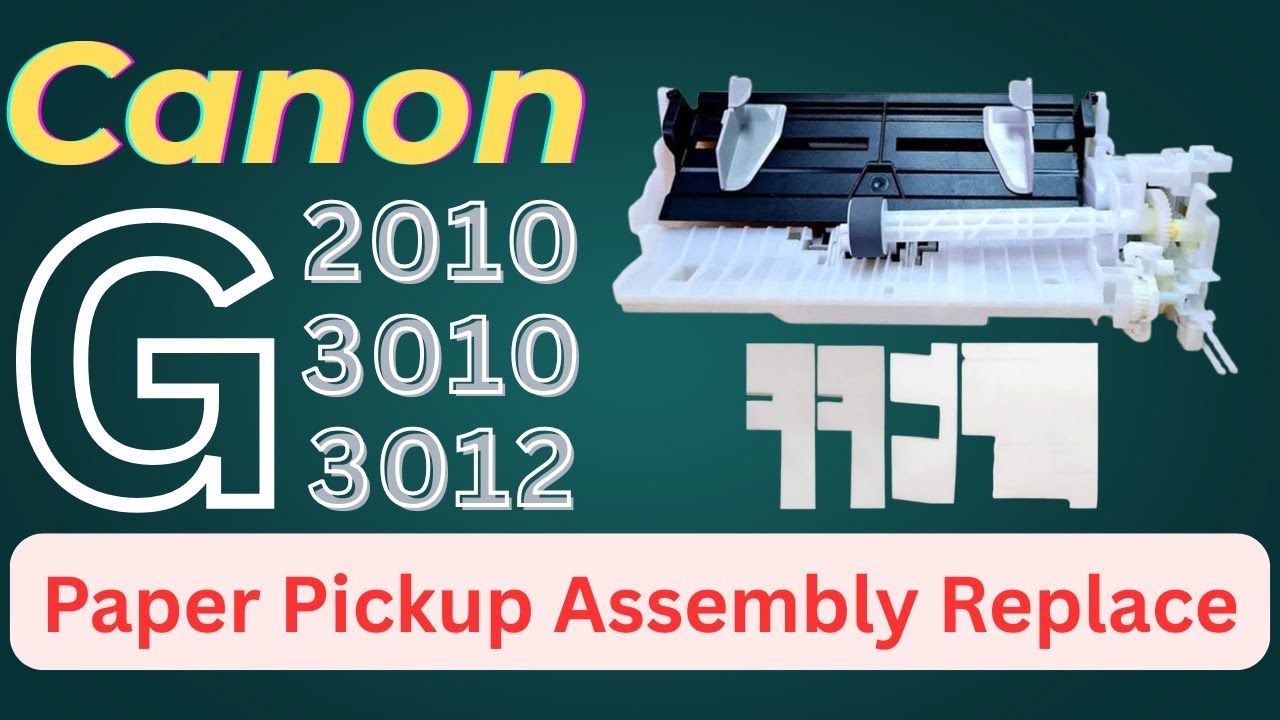
Canon printer p03 G2010 G3010 G3012 Paper Pickup Assembly & waste inkpad Replace

Автор: Get Fix

Загружено: 2025-04-19

Просмотров: 11222

Описание: Canon G2010 Paper Jam Nightmare? FIX IT NOW!
Canon G2010 Paper Jam - Easy Solution!
Canon G2010 Printer Paper Jam - Quick Fix (2025)
Paper Jammed G2010? Here's the fix!
How to replace pickup assembly and waste inkpad canon inkjet printer
canon g3000 orange light flashing
canon g3000 printer orange light blinking
canon g3010 error code e03
canon g3010 error code p03
canon g3010 reset
canon g3010 light blinking problem
canon g3010
canon printer paper not pickup
canon g3010 pickup assembly change

Step 1: Turn Off and Unplug the Printer
Before you begin, make sure the printer is off and unplugged to avoid any risk of electric shock or injury.

Step 2: Open the Printer Cover
Lift the printer cover to expose the internal components. This will allow you to access the paper feed mechanisms and the rollers.

Step 3: Locate the Paper Pickup Assembly
The paper pickup roller is located near the input tray. The roller is responsible for pulling paper into the printer.

Look for any visible parts that need replacing. Often, you’ll see the paper pickup roller and separator pad easily once the cover is open.

Step 4: Remove the Old Paper Pickup Roller
The roller is typically attached to a shaft. You may need to slide it off or use a small screwdriver to gently pry it off.

Be careful not to damage surrounding parts while removing the roller.

Step 5: Replace the Paper Pickup Roller
Take the new roller and carefully slide it onto the shaft where the old roller was located. Make sure it is seated properly.

If the new roller requires any sort of locking mechanism, ensure it is correctly engaged.

Step 6: Replace the Separator Pad (if needed)
The separator pad helps prevent multiple sheets of paper from being pulled through at once. It may need to be replaced if it's worn out.

Locate the separator pad near the pickup roller. It may be attached with clips or screws.

Gently remove the old separator pad and replace it with a new one. Ensure it's positioned correctly to make sure the paper feeds correctly.

Step 7: Reassemble the Printer
After replacing the roller and separator pad, reassemble any parts you’ve removed.

Close the printer cover, making sure everything is secure.

Step 8: Test the Printer
Plug the printer back in and power it on.

Load a few sheets of paper into the input tray and try printing a test page.

Check for any errors or paper feed issues.

Step 9: Adjust Settings (if necessary)
If you continue to have paper feed problems, you might need to clean the rollers with a damp cloth or check for any misalignment in the parts.

Не удается загрузить Youtube-плеер. Проверьте блокировку Youtube в вашей сети.
Повторяем попытку...
Canon printer p03 G2010 G3010 G3012 Paper Pickup Assembly & waste inkpad Replace

Поделиться в:

Доступные форматы для скачивания:

Скачать видео

  • Информация по загрузке:

Скачать аудио

Похожие видео

Canon G2010 Paper Tray Repair II Canon G2010 P03 Error II Canon G2010 Paper Jam Solution

Canon G2010 Paper Tray Repair II Canon G2010 P03 Error II Canon G2010 Paper Jam Solution

Canon G2010 Disassembly Replace Ink Pads

Canon G2010 Disassembly Replace Ink Pads

Создай нейрофото с собой | полный урок NanoBanana Pro

Создай нейрофото с собой | полный урок NanoBanana Pro

Для Чего РЕАЛЬНО Нужен был ГОРБ Boeing 747?

Для Чего РЕАЛЬНО Нужен был ГОРБ Boeing 747?

Canon G2020 Paper Feader Unit Repair Part 1 #ApexComputer

Canon G2020 Paper Feader Unit Repair Part 1 #ApexComputer

Canon printer p03 G2012 G2010 G3010 G3012. paper pickup assembly replace. Auto sheed feeder change

Canon printer p03 G2012 G2010 G3010 G3012. paper pickup assembly replace. Auto sheed feeder change

Обычная батарейка ЛОВИТ ВСЕ КАНАЛЫ?! Секрет DIY-антенны, который шокирует! ⚡🔋

Обычная батарейка ЛОВИТ ВСЕ КАНАЛЫ?! Секрет DIY-антенны, который шокирует! ⚡🔋

Как из обычного принтера сделать WiFi принтер? Принтер к телефону через WiFi

Как из обычного принтера сделать WiFi принтер? Принтер к телефону через WiFi

Почему Азовское море — самое опасное в мире

Почему Азовское море — самое опасное в мире

Canon printer g2010 pickup unit change | canon printer g series all models pickup unit replacement

Canon printer g2010 pickup unit change | canon printer g series all models pickup unit replacement

How to Change Canon G1010, G2010, G3010, G4010 Waste Ink Pad/ Absorber Kit Sponge

How to Change Canon G1010, G2010, G3010, G4010 Waste Ink Pad/ Absorber Kit Sponge

Canon Pixma G2010 G1010 G3010 G2012 G3012 Printer Service || Canon Printer Disassembly || 100%

Canon Pixma G2010 G1010 G3010 G2012 G3012 Printer Service || Canon Printer Disassembly || 100%

PIXMA G2000-G3000-G1000 full assembling

PIXMA G2000-G3000-G1000 full assembling

Spring Vintage Floral Art Frame TV | Art of Peonies & Roses | Elegant TV Display & Screensaver

Spring Vintage Floral Art Frame TV | Art of Peonies & Roses | Elegant TV Display & Screensaver

canon printer paper feed problem

canon printer paper feed problem

Canon G2010,G2012,G3010,G4010,G2000,G3000,G4000 Support code  6000 Error P03 100% solved I MCT TECH

Canon G2010,G2012,G3010,G4010,G2000,G3000,G4000 Support code 6000 Error P03 100% solved I MCT TECH

Canon G2010/G3010 Printer Paper jam & P03 Error Problem || 100% Solution

Canon G2010/G3010 Printer Paper jam & P03 Error Problem || 100% Solution

Printer Canon G3010 Error P07 | Cara Mengganti Ink Absorber Printer Canon G3010

Printer Canon G3010 Error P07 | Cara Mengganti Ink Absorber Printer Canon G3010

Лижут ли Вас Собаки? ВОТ ЧТО ЭТО ЗНАЧИТ (вас шокирует)!

Лижут ли Вас Собаки? ВОТ ЧТО ЭТО ЗНАЧИТ (вас шокирует)!

Canon G2010 Paper Not Pickup Problem I Canon G2010 Paper Jam Solution

Canon G2010 Paper Not Pickup Problem I Canon G2010 Paper Jam Solution

© 2025 ycliper. Все права защищены.


  • Контакты
  • О нас
  • Политика конфиденциальности


Контакты для правообладателей: [email protected]