21 Pepsi Hangtag Output with Kodak Preps | Ai
Автор: Artistic i Institute
Загружено: 2023-05-06
Просмотров: 716
Описание:
In this video tutorial, we'll show you how to create a Pepsi hangtag imposition using Kodak Preps. We'll walk you through the steps of setting up the imposition, importing the hangtag design files, and positioning the hangtags on the press sheet. You'll learn how to adjust the placement and spacing of the hangtags, add registration marks and crop marks, and preview the imposition before saving it and outputting it to a PDF file. By the end of the video, you'll have a solid understanding of how to use Kodak Preps to create a properly laid-out imposition for a Pepsi hangtag print job.
You can follow these steps:
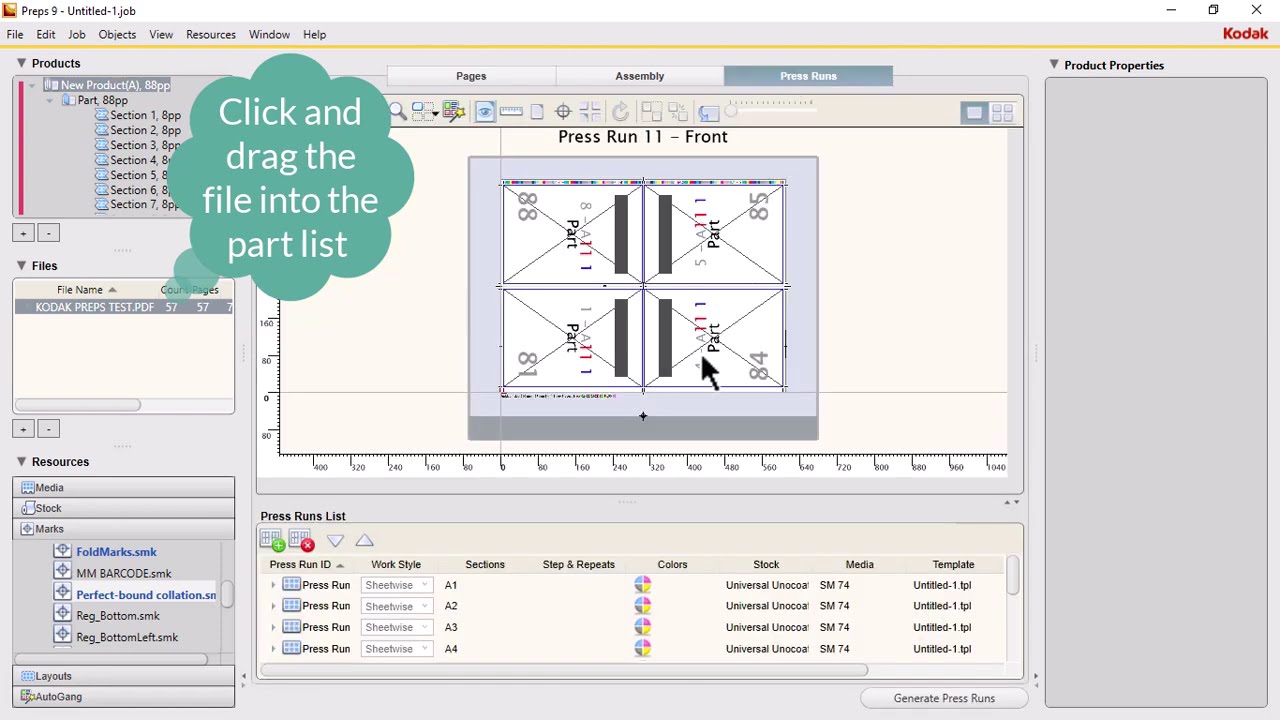
Open Kodak Preps and create a new job.
Import the Pepsi hangtag design files into the job.
Set up the imposition by selecting the desired press sheet size and the number of hangtags per sheet.
Drag and drop the hangtag design files into the appropriate positions on the press sheet.
Adjust the placement and spacing of the hangtags as needed.
Add any necessary marks, such as registration marks and crop marks.
Preview the imposition to ensure that everything is properly positioned and aligned.
Save the imposition and output it to a PDF file for printing.
#printimposition #hangtagdesign #printproduction #KodakPreps
My Graphics Channel:
Subscribe: http://bit.ly/Artisticiinstitute
You can like us on facebook:
/ artistici.pk
You can join our Community
/ artistici.pk
You can Follow us on Instagram
/ artistici.pk
you can visit our website
https://artistici.pk/
#Artisticiinstitute #adobeillustrator #graphicsdesigning
Повторяем попытку...

Доступные форматы для скачивания:
Скачать видео
-
Информация по загрузке: