ycliper

Популярное

Музыка Кино и Анимация Автомобили Животные Спорт Путешествия Игры Юмор

Интересные видео

2025 Сериалы Трейлеры Новости Как сделать Видеоуроки Diy своими руками

Топ запросов

смотреть а4 schoolboy runaway турецкий сериал смотреть мультфильмы эдисон
Скачать

BASICS OF CRICUT DESIGN SPACE | SLICE WELD ATTACH FLATTEN CONTOUR

design space

cricut design space

how to

slice

cricut

cricut explore

how do I slice in cricut design space

why can't I slice in cricut design space

weld

how to weld in cricut design space

how to slice and weld in cricut design space

flatten in cricut design space

flatten

contour

how to use contour in cricut design space

attach

how to attach on cricut design

cricut tutorials

cricut tutorials for beginners

how to use cricut

crafts

diy

Автор: Kayla's Cricut Creations

Загружено: 2018-08-20

Просмотров: 22783

Описание: Hey guys! Today I am going to share a tutorial on how to use the basic tools in the cricut design space - slice, weld, attach, flatten, contour, group, and ungroup. I hope this tutorial is helpful! Let me know if you have any questions in the comment box below! Subscribe if you are new! :)

ETSY: ETSY SHOP: https://www.etsy.com/shop/Kaylascricu...

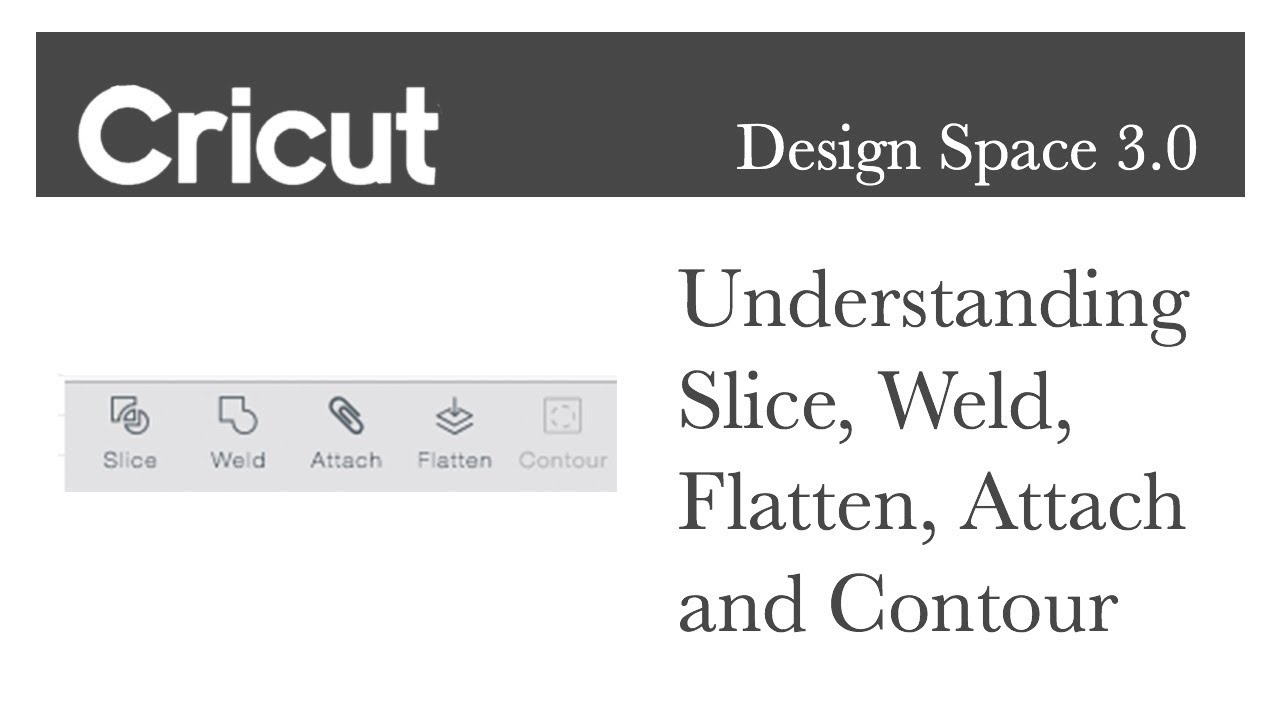
Slice: Split two overlapping layers into separate parts.

Weld: Join multiple layers together to create one shape, removing any overlapping cut lines.

Attach/Detach - Hold your cuts in position so that images on the cutting mat will appear exactly as they show up on design space. Detach separates the attached layers so they are no longer connected and will cut or draw independently from all other layers.

Flatten/Unflatten: Turn any image into a PRINTABLE image, merging all selected layers into a single layer. Unglatten separates the layers from a single printable image into individual PRINTABLE layers.

Contour - Hide or unhide contour lines or cut paths on a layer. The image, if it has multiple layers, must first be ungrouped.

Group - Group multiple layers, images, or text together so that they move and size together while working with them on the design screen ( will not affect how the images are placed on the mats).

Follow me on Instagram:  / kaylascricutcreations  

Не удается загрузить Youtube-плеер. Проверьте блокировку Youtube в вашей сети.
Повторяем попытку...
BASICS OF CRICUT DESIGN SPACE | SLICE WELD ATTACH FLATTEN CONTOUR

Поделиться в:

Доступные форматы для скачивания:

Скачать видео

  • Информация по загрузке:

Скачать аудио

Похожие видео

Slice, Weld, Attach, Flatten & Contour - Cricut Design Space

Slice, Weld, Attach, Flatten & Contour - Cricut Design Space

20 CRICUT-хаков, которые я узнал в TikTok

20 CRICUT-хаков, которые я узнал в TikTok

HOW TO TURN A ONE LAYER IMAGE INTO MULTIPLE LAYERS IN CRICUT DESIGN SPACE TO GET DIFFERENT COLORS

HOW TO TURN A ONE LAYER IMAGE INTO MULTIPLE LAYERS IN CRICUT DESIGN SPACE TO GET DIFFERENT COLORS

How to Combine Words & Shapes in Cricut Design Space

How to Combine Words & Shapes in Cricut Design Space

How to Use Cricut Design Space

How to Use Cricut Design Space

How to create Multiple Layers Multiple Colors | Cricut | Contour

How to create Multiple Layers Multiple Colors | Cricut | Contour

Мини-календарь для рабочего стола, созданный с помощью Cricut | Разработан в Cricut Design Space

Мини-календарь для рабочего стола, созданный с помощью Cricut | Разработан в Cricut Design Space

Превратите свои фотографии в потрясающие деревянные фигурки (простое руководство!)

Превратите свои фотографии в потрясающие деревянные фигурки (простое руководство!)

Advanced Design Space Tutorials

Advanced Design Space Tutorials

Cricut for Beginners: How to Layer Vinyl from Start to Finish (And my trick to make it easier!)

Cricut for Beginners: How to Layer Vinyl from Start to Finish (And my trick to make it easier!)

СОВЕТЫ И ХИТРОСТИ ПО ПРОЕКТИРОВАНИЮ ПРОСТРАНСТВА CRICUT

СОВЕТЫ И ХИТРОСТИ ПО ПРОЕКТИРОВАНИЮ ПРОСТРАНСТВА CRICUT

КАК ЛЕГКО ДОБАВИТЬ РОСПИСИ/ДОПОЛНИТЕЛЬНЫЕ СИМВОЛЫ/ГЛИФЫ В ПРОСТРАНСТВЕ CRICUT DESIGN НА MAC С ПОМ...

КАК ЛЕГКО ДОБАВИТЬ РОСПИСИ/ДОПОЛНИТЕЛЬНЫЕ СИМВОЛЫ/ГЛИФЫ В ПРОСТРАНСТВЕ CRICUT DESIGN НА MAC С ПОМ...

How to make a Split Monogram in Cricut Design Space

How to make a Split Monogram in Cricut Design Space

How to Layer 2 Color Vinyl without Registration Marks! The Easy Way!

How to Layer 2 Color Vinyl without Registration Marks! The Easy Way!

Работа с текстом и шрифтами в Cricut Design Space — руководство для начинающих

Работа с текстом и шрифтами в Cricut Design Space — руководство для начинающих

Trick your Cricut to do FULL PAGE Print and Cut - Sticker Tutorial!!

Trick your Cricut to do FULL PAGE Print and Cut - Sticker Tutorial!!

Как сделать миниатюрную неоновую вывеску с помощью 3D-печати — мастер-класс своими руками

Как сделать миниатюрную неоновую вывеску с помощью 3D-печати — мастер-класс своими руками

HOW TO USE THE NEW OFFSET FEATURE IN CRICUT DESIGN SPACE

HOW TO USE THE NEW OFFSET FEATURE IN CRICUT DESIGN SPACE

CRICUT HACKS, TIPS, AND TRICKS

CRICUT HACKS, TIPS, AND TRICKS

Учебное пособие по Inkscape: полное руководство для новых пользователей

Учебное пособие по Inkscape: полное руководство для новых пользователей

© 2025 ycliper. Все права защищены.


  • Контакты
  • О нас
  • Политика конфиденциальности


Контакты для правообладателей: [email protected]