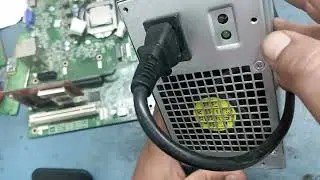
How to Repair Dead USB Ports on Dell Vostro 3670
Автор: TRC TECH
Загружено: 2025-07-31
Просмотров: 736
Описание:
In this video, we’ll show you a step-by-step guide to diagnose and repair non-working USB ports on your Dell Vostro 3670 desktop. Whether it's the front panel or rear USB ports not responding, this video covers basic checks, motherboard troubleshooting, and hardware-level repair tips.
✅ Covered in this video:
USB port testing & diagnosis
Checking BIOS/UEFI settings
Inspecting motherboard USB headers
Replacing damaged USB connectors
Fixing power supply issues to USB ports
🛠️ Tools used: Multimeter, screwdriver, USB tester, thermal paste (if needed)
📌 Important: Always disconnect power and discharge static before working inside your PC.
📺 If this video helped, don’t forget to Like, Share, and Subscribe for more PC repair tutorials!
#DellVostro3670 #USBRepair #DeadUSBPorts #PCRepair #DellDesktopFix
🔒 Disclaimer:
This video is for educational purposes only. Performing hardware repairs involves risk. Please proceed with caution and at your own responsibility. The creator of this video is not liable for any damage, injury, or data loss that may occur during or after attempting the repairs shown. If you are not confident, seek help from a qualified technician.
Повторяем попытку...

Доступные форматы для скачивания:
Скачать видео
-
Информация по загрузке: