ycliper

Популярное

Музыка Кино и Анимация Автомобили Животные Спорт Путешествия Игры Юмор

Интересные видео

2025 Сериалы Трейлеры Новости Как сделать Видеоуроки Diy своими руками

Топ запросов

смотреть а4 schoolboy runaway турецкий сериал смотреть мультфильмы эдисон
Скачать

Easily Add And Manage Product Variants In Hostinger Website Builder

Автор: Ben's Experience

Загружено: 2025-07-30

Просмотров: 149

Описание: In this tutorial, I will show you how to add products with different variants to your online store using Hostinger Website Builder. This is a simple process that allows you to create product listings with multiple options like size, shape, or color to give your customers a better shopping experience.

First, log into your Hostinger account and go to the Websites section. Click on Website Builder and then hit the Edit Website button to open your site editor. To add a product, click on the Add Product button. A new window will open where you can add a physical product, donation, or gift card to your store. For this example, we will focus on adding a physical product.

Start by uploading your product images. It’s best to upload the main product photo first as Hostinger’s AI will automatically generate the product title and description based on that image. For instance, if you upload a photo of handmade soap, the AI will recognize it and create relevant text like "Handmade Soap" or "Relax and Unwind."

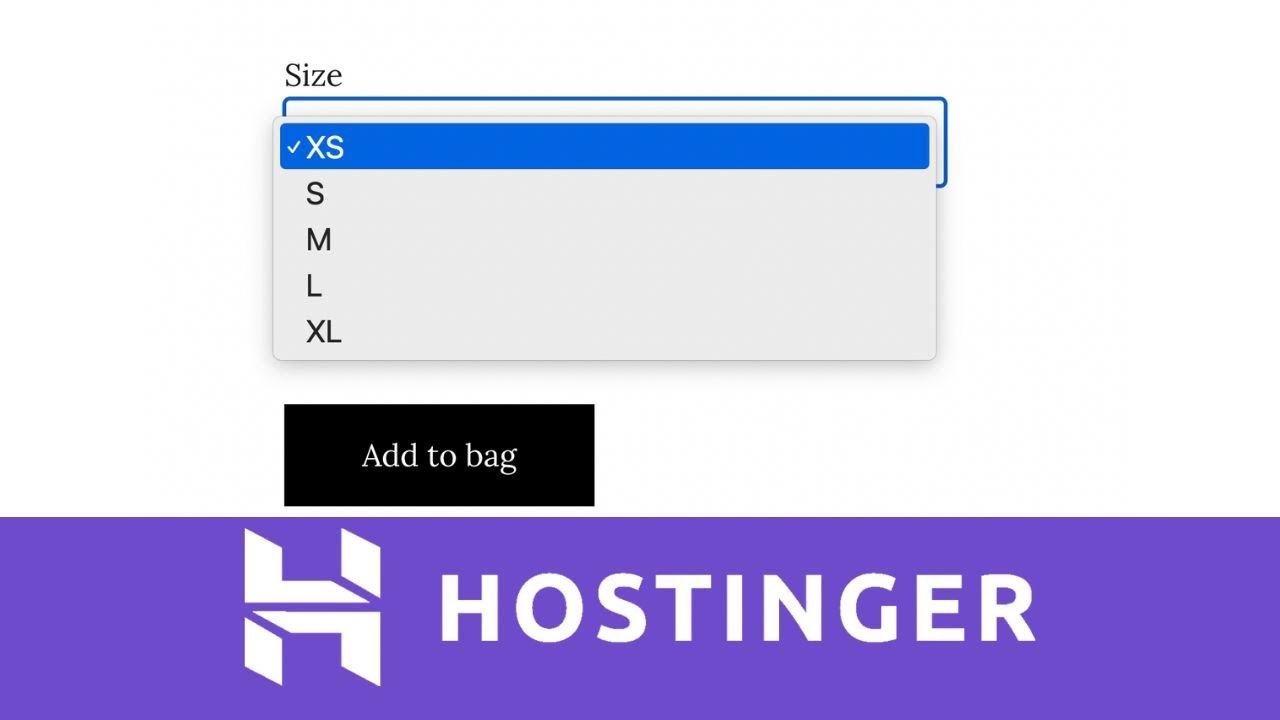
Next, you can add product details such as price, discounted price, and stock quantity. You can also add variants to your product like different sizes or shapes. For example, you might add options for 1 oz, 2 oz, and 3 oz sizes or shapes like heart and rectangle. Hostinger lets you assign prices and photos to each variant so customers can see exactly what they are buying.

You can manage your variants easily by adding or deleting options, adjusting prices, and setting stock levels. It’s also possible to add custom messages such as engraving options or shipping and return policies to the product page.

Once you have added all variants and details, assign a product category to keep your store organized. You can enable related products or a “You May Also Like” section to encourage customers to browse more items.

Finally, save your changes and publish the product on your website. Your shop page will now display the product with all its variants, prices, and photos. Customers can select their preferred options and make a purchase seamlessly.

This method helps you build a professional online store with a variety of product options using Hostinger Website Builder, enhancing your customer’s shopping experience and boosting your sales.

Не удается загрузить Youtube-плеер. Проверьте блокировку Youtube в вашей сети.
Повторяем попытку...
Easily Add And Manage Product Variants In Hostinger Website Builder

Поделиться в:

Доступные форматы для скачивания:

Скачать видео

  • Информация по загрузке:

Скачать аудио

Похожие видео

21 неожиданный способ использовать Gemini в повседневной жизни

21 неожиданный способ использовать Gemini в повседневной жизни

Руководство по доставке через Hostinger Builder: бесплатная доставка, фиксированная цена, правила...

Руководство по доставке через Hostinger Builder: бесплатная доставка, фиксированная цена, правила...

Чем ОПАСЕН МАХ? Разбор приложения специалистом по кибер безопасности

Чем ОПАСЕН МАХ? Разбор приложения специалистом по кибер безопасности

То, что Китай строит прямо сейчас, лишит вас дара речи

То, что Китай строит прямо сейчас, лишит вас дара речи

24-Create Stunning Instagram Carousel Posts in Canva|إنشاء منشورات كاروسيل جذابة في كانفا خطوة بخطوة

24-Create Stunning Instagram Carousel Posts in Canva|إنشاء منشورات كاروسيل جذابة في كانفا خطوة بخطوة

Hostinger Website Builder Tutorial | FULL Step‑by‑Step Guidance for Beginners

Hostinger Website Builder Tutorial | FULL Step‑by‑Step Guidance for Beginners

Учебник по monday.com для начинающих

Учебник по monday.com для начинающих

Учебник по Shopify для начинающих (Полная настройка магазина)

Учебник по Shopify для начинающих (Полная настройка магазина)

Мне 73. Я жалею, что понял это только сейчас.

Мне 73. Я жалею, что понял это только сейчас.

Hostinger Review After Years of Use – Honest Pros and Cons

Hostinger Review After Years of Use – Honest Pros and Cons

Учебник по Excel за 15 минут

Учебник по Excel за 15 минут

How to Sell Digital Products Online on Hostinger Website Builder (2025 Step-by-Step Tutorial)

How to Sell Digital Products Online on Hostinger Website Builder (2025 Step-by-Step Tutorial)

Нейронка, которая УНИЧТОЖИЛА ChatGPT 5! / Обзор бесплатной нейросети и ее возможности

Нейронка, которая УНИЧТОЖИЛА ChatGPT 5! / Обзор бесплатной нейросети и ее возможности

Лижут ли Вас Собаки? ВОТ ЧТО ЭТО ЗНАЧИТ (вас шокирует)!

Лижут ли Вас Собаки? ВОТ ЧТО ЭТО ЗНАЧИТ (вас шокирует)!

We're All Addicted To Claude Code

We're All Addicted To Claude Code

Изучите редактирование фотографий в GIMP 3.0 для начинающих за 25 минут

Изучите редактирование фотографий в GIMP 3.0 для начинающих за 25 минут

Как создать интернет-магазин за считанные минуты с помощью Hostinger Horizons!

Как создать интернет-магазин за считанные минуты с помощью Hostinger Horizons!

Учебное пособие по Inkscape: полное руководство для новых пользователей

Учебное пособие по Inkscape: полное руководство для новых пользователей

Учебное пособие по n8n для начинающих: полный обзор интерфейса и настройка рабочего процесса.

Учебное пособие по n8n для начинающих: полный обзор интерфейса и настройка рабочего процесса.

Как обучить Z-Image-Turbo LoRA с помощью набора инструментов ИИ

Как обучить Z-Image-Turbo LoRA с помощью набора инструментов ИИ

© 2025 ycliper. Все права защищены.


  • Контакты
  • О нас
  • Политика конфиденциальности


Контакты для правообладателей: [email protected]