Python Automation of a Power Meter and Rotation Mount (Viewer Inspired) | Thorlabs Insights
Автор: Thorlabs
Загружено: 2022-07-26
Просмотров: 15393
Описание:
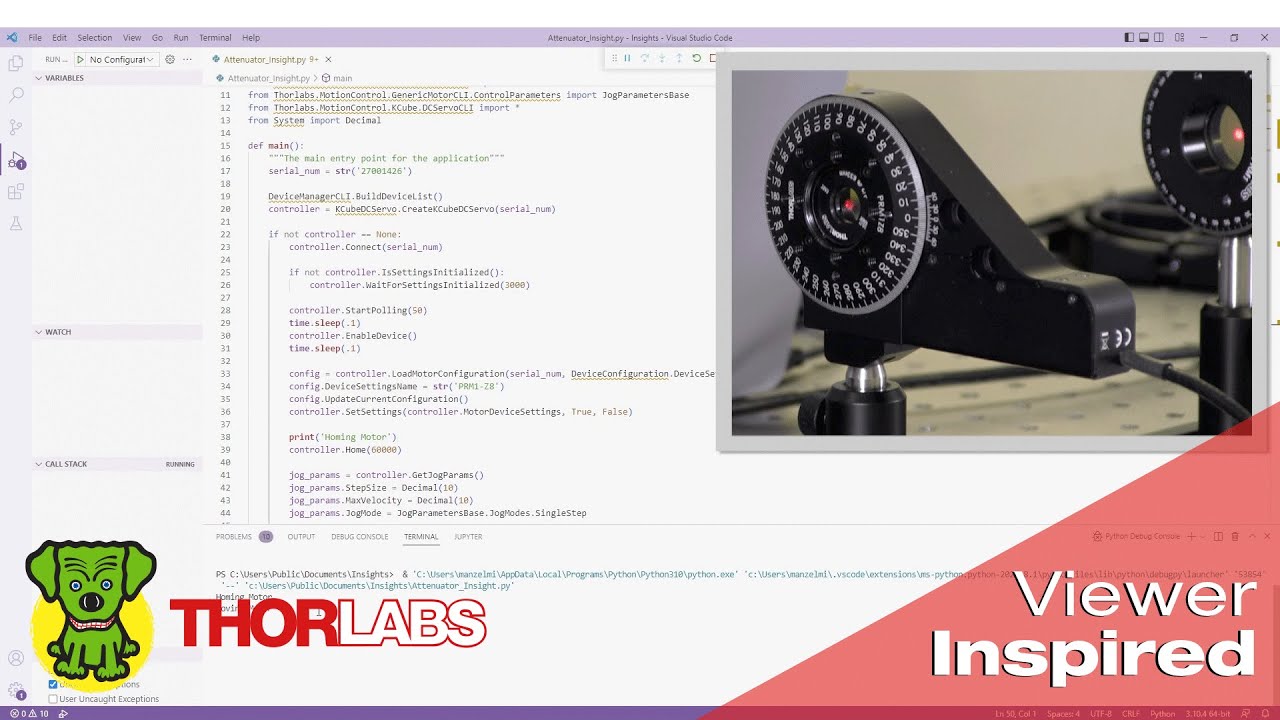
A Python script that automates control of a Kinesis® K-Cube® motor controller and a power meter is written using Visual Studio® Code. The program acquires optical power measurements from the power meter as the rotation mount's angle sweeps through 180°, which is required to characterize a variable optical attenuator. Since this code uses libraries developed using the .NET framework, running this code requires Python.NET to be installed.
This tutorial implements the code specific to the K-Cube motor controller first, followed by the code for the power meter. The packages and classes required by both devices are identified, and the steps required to initialize and complete shutdown for both devices are shown. In addition, an approach is described for acquiring power readings and checking controller status while the motor is moving. The Python script is executed once after the K-Cube section of the code is complete, and a second time after the program is finished.
The K-Cube motor controller and power meter were automated in order to characterize the optical power transmitted through a pair of fixed, crossed linear polarizers when a rotating half-wave plate is located between them. As the half-wave plate rotates, the polarization orientation of the light transmitted by the output polarizer remains constant, while the transmitted power varies sinusoidally. Measurements of this transmitted optical power, as well as the corresponding rotation angles of the mount in which the half-wave plate is secured, are provided by the program.
The Python code demonstrated during this video can be downloaded from Thorlabs' official GitHub account: https://github.com/Thorlabs/Motion_Co...
00:00 Introduction
00:35 Variable Optical Attenuator Overview
01:45 Brief Discussion of Project Setup
02:21 Packages and Classes for K-Cube
03:51 Initialize K-Cube Motor Controller
07:20 Home the Rotation Mount
07:46 Move the Rotation Mount
09:38 Controller Shutdown
10:00 Test Run of Rotation Mount Code
10:28 Packages and Classes for Power Meter
11:50 Initialize Power Meter
14:10 Acquire and Display Power Readings
16:37 Execute Complete Program
Components used in this demonstration include:
Thorlabs' software download page: https://www.thorlabs.com/software_pag...
KDC101 K-Cube Brushed DC Servo Motor Controller: https://www.thorlabs.com/newgrouppage...
PRM1Z8 Motorized Rotation Stage: https://www.thorlabs.com/newgrouppage...
PL202 Compact Laser Module: https://www.thorlabs.com/newgrouppage...
AD11F Adapter (Laser to Mount): https://www.thorlabs.com/newgrouppage...
KM100T Threaded Kinematic Mount: https://www.thorlabs.com/newgrouppage...
PRM1 Manual Rotation Mount: https://www.thorlabs.com/newgrouppage...
Linear Polarizers: https://www.thorlabs.com/navigation.c...
Wave Plates: https://www.thorlabs.com/navigation.c...
S121C Photodiode Power Sensor: https://www.thorlabs.com/newgrouppage...
PM400 Optical Power Meter: https://www.thorlabs.com/newgrouppage...
1" Diameter Lens Tubes: https://www.thorlabs.com/newgrouppage...
SM1RC Slip-Ring Mount for SM1 Lens Tubes: https://www.thorlabs.com/newgrouppage...
BA2 Mounting Base: https://www.thorlabs.com/newgrouppage...
FSR3 Fiber Storage Reel: https://www.thorlabs.com/newgrouppage...
For more photonics how-to videos, visit https://www.thorlabs.com/newgrouppage...
Повторяем попытку...
Доступные форматы для скачивания:
Скачать видео
-
Информация по загрузке:




![Пожалуй, главное заблуждение об электричестве [Veritasium]](https://image.4k-video.ru/id-video/6Hv2GLtnf2c)


