MOTOROLA Edge 70 Fusion 144Hz Display - How to Enable and Settings Explained
Автор: HardReset.Info
Загружено: 2026-04-18
Просмотров: 1110
Описание:
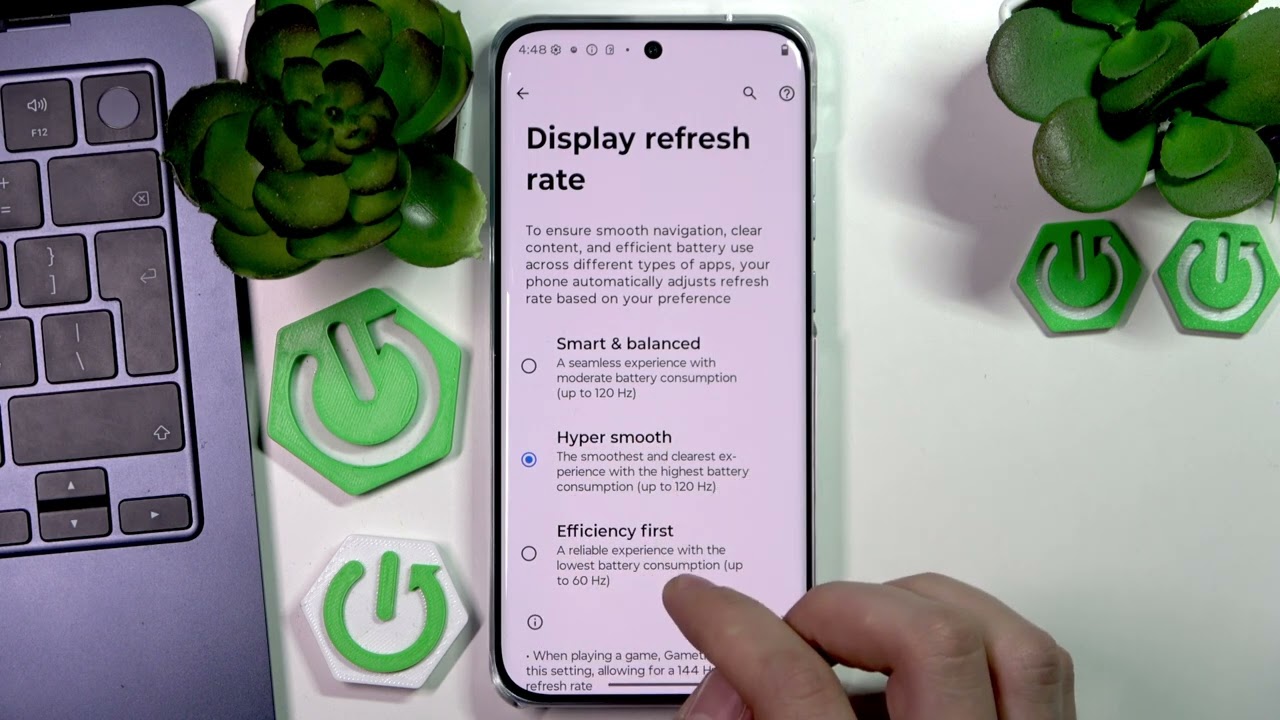
In this video I show how to enable the 144Hz display on the MOTOROLA Edge 70 Fusion. The display refresh rate menu may only show options up to 120Hz or 160Hz and not list 144Hz directly. To get 144Hz you can enable HyperSmooth or Smart Balanced mode or simply launch a game — the phone will override the standard setting and allow 144Hz in games. I explain where to find the Display settings, how the override works, and how to check that 144Hz is active while gaming. This is a quick, no-root method to enjoy a smoother gaming experience on the Edge 70 Fusion.
How to enable 144Hz on MOTOROLA Edge 70 Fusion?
How to set 144Hz display on MOTOROLA Edge 70 Fusion?
Where is the display refresh rate setting on MOTOROLA Edge 70 Fusion?
0:00 Intro – MOTOROLA Edge 70 Fusion and 144Hz overview
0:10 Open Settings and go to Display
0:24 Show refresh rate menu (120Hz / 160Hz visible)
0:44 Why 144Hz is not listed in normal menu
0:58 Enable HyperSmooth or Smart Balanced to allow 144Hz in games
1:17 Game override explained and how to verify
1:20 Wrap up and goodbye
#MotorolaEdge70Fusion #144Hz #HighRefreshRate #DisplaySettings
Find out more:
https://www.hardreset.info/devices/mo...
Follow us on Instagram ► / hardreset.info
Like us on Facebook ► / hardresetinfo
Tweet us on Twitter ► / hardreseti
Support us on TikTok ► / hardreset.info
Use Reset Guides for many popular Apps ► https://www.hardreset.info/apps/apps/
Повторяем попытку...
Доступные форматы для скачивания:
Скачать видео
-
Информация по загрузке: