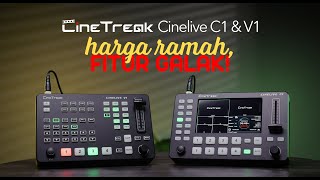
CineTreak Cinelive C2S: The Ultimate ATEM Mini Pro Alternative!
Автор: Geeky Nerdy Techy
Загружено: 2025-03-15
Просмотров: 8934
Описание:
This is a walkthrough review of the CineTreak CineLive C2S Live Switcher, the BEST Fully Integrated Live Streaming and live Switching Solution!
Buy it online
🛒 B&H - https://bhpho.to/43Ikkxd
🛒 CineTreak - https://cinetreak.com/product/cineliv...
🛒 Amazon AU - https://amzn.to/3DQ1Q3n
🛒 Amazon UK - https://amzn.to/41NLsIz
🛒 Amazon Canada - https://amzn.to/4huGdDx
Disclaimer: Affiliate links earn me a small commission with every purchase
Features:
5.5inch High Precision Screen.
Aluminum Panel And Compact Design.
Customized Meeting Mode,Display 4 windows at same time.
4*HDMI Inputs or 4*SDI Inputs,1*PGM Out, 1*PVW Out(AUX).
6 Inputs: 4 SDI or 4HDMI, 1 AUX, 1 Backdround and SD card & Down streaming.
Down Streaming: Get your extra video source online.
PTZ Control: Controls up to 4 PTZ cameras via VISCA.
Wireless IP control: Control your video mixer from PC,Phone,IPad.
Recording & Playback: Record H.264 files with instant playback.
Dual RTMP Streaming: Stream to 2 RTMP destinations.
Landscape & Portrait Mode: Switch between landscape and 9:16 portrait modes.
Chroma & Luma Keying: Professional virtual studio effects.
PIP/POP: Customize 2 picture-in-picture streams.
NDI : NDI will be coming soon (Optional)
HDMI and SDI input can be mixed, the maximum input signal (HDMI+SDI) can up to 4(Only SDI version)
Click to Subscribe -
https://www.youtube.com/c/GeekyNerdyT...
Watch More Like This:
► • CineTreak STREAM 1 - Live Streaming, Live ...
► • OSEE GoStream Duet Kit: The ULTIMATE Strea...
Video Chapters:
00:00 - CineTreak Cinelive C2S Review
00:16 - About the CineTreak Cinelive C2S Switcher &. My Experience
01:32 - My Switching Setup Explained (Cameras/Audio/Recording)
02:25 - My Audio Setup
02:51 - Disclaimer
03:13 - Unit Overview: SDI/HDMI Inputs and Outputs
03:55 - Other Inputs and Outputs
04:19 - Power Button
04:31 - Basic Switching & Controls
05:26 - PTZ Support / Web Browser Support
06:02 - Picture in Picture
06:45 - AUX Channel
07:21 - T-Bar/Auto Button/Hard Cuts
07:50 - Upstreaming & downstreaming
08:17 - Streaming Network Support
08:39 - Recording Quality vs Camera
09:17 - Frame Rates & Options
10:28 - Chroma Key Example (Green Screen) COMMERCIAL
11:43 - Menu Navigation: Transitions Menu
12:29 - Audio Mixing Example (For Gamers/Podcasters)
13:02 - Audio Menu
13:46 - Sync Considerations for Mic 1/Mic 2 Inputs
14:21 - Image & Logo Examples
15:16 - Media Pool & Playback
16:04 - Streaming Settings
16:26 - PIP Settings
16:36 - Lumakey & Chromakey
16:47 - Output
17:20 - Output Format/Frame Rate
17:38 - SDI Priority
17:55 - Saved Settings / User Settings
18:24 - System / Fan Etc
19:20 - Final Thoughts
---
My YouTube Audio/Video Setup:
►Panasonic S5II - https://bhpho.to/3w0sMWR
►Panasonic S Series L Mount Primes - https://bhpho.to/3HfXaTD
►Panasonic GH6 - https://bhpho.to/45a1ltj
►Sony FX3 - https://bhpho.to/2XdAKOd
►Sony FX30 - https://bhpho.to/42Qg0s8
►Godox MoveLink II Wireless - https://bhpho.to/3OCDHyC
►My Website - https://GeekyNerdyTechy.com
Links to B&H, Amazon, or Sweetwater are affiliate links.
#camera #contentcreator #filmmaking
Повторяем попытку...

Доступные форматы для скачивания:
Скачать видео
-
Информация по загрузке: