How to setup Pipedrive Cards on your Miro Board
Автор: Pipedrive Cards
Загружено: 2026-01-31
Просмотров: 1
Описание:
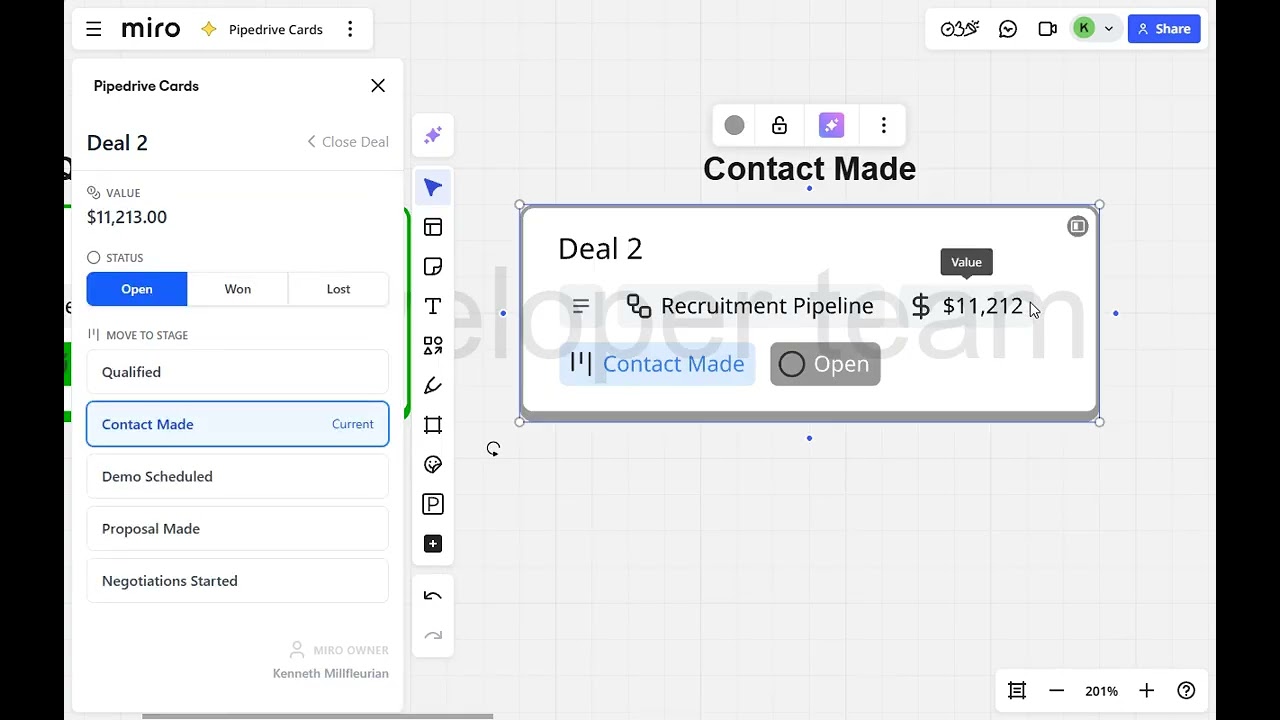
The app syncs Pipedrive pipeline data to Miro in real-time, creating interactive cards that display deal information including title, value, and stage. Users can connect their Pipedrive account securely through OAuth authentication, select specific pipelines to visualize, and watch deals populate automatically on their Miro board.
The app features bidirectional sync, allowing users to edit deal details directly within Miro's Deal Details Panel, with changes instantly saving back to Pipedrive. When a deal's stage is updated, the card automatically moves to the corresponding column, maintaining alignment between strategy boards and actual sales data.
Additional features include status filtering to toggle between Open, Won, or Lost deals, keeping boards organized and focused
Повторяем попытку...
Доступные форматы для скачивания:
Скачать видео
-
Информация по загрузке:





![Почему работает теория шести рукопожатий? [Veritasium]](https://image.4k-video.ru/id-video/ggI1xKzoANs)