How to Find a Coin to Trade on Crypto World News: Screener, Echo and Alerts (BAT)
Автор: CryptoWorldNews
Загружено: 2026-11-09
Просмотров: 9
Описание:
How to use Crypto World News, part 2. Last time we picked the coin; this time the app finds one, on a real coin at a real moment (9 Nov 2026, 11:38 UTC).
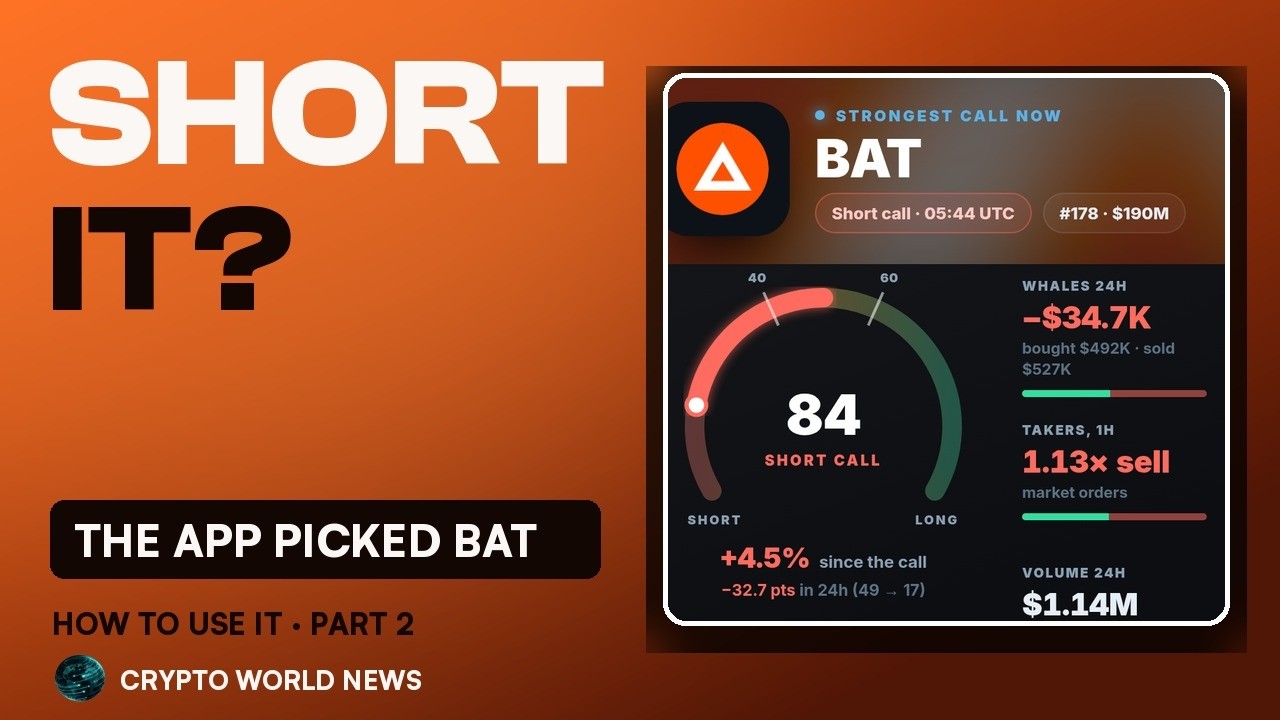
Screener: open it and pick the Short calls screen, 70 coins at the time. ZIL scored highest (short 91) but traded under $1M a day, so the Screener's strongest call with real volume was BAT: short 84.
The coin's card: futures traded 13.9 times spot and volume ran 2.5 times its normal, a move on borrowed money. Against it: BAT was already up 4.5% since the call began at 05:44 UTC.
Long, short or spot? A short is futures: you gain if the price falls and lose if it rises. For spot buyers a short call just means: do not buy yet.
Signals, one tap from the Screener with the coin already picked: 83.5, a strong short. At scores like this, BAT fell a day later 31 times out of 46. The warning under it: extreme leverage, so a squeeze can run either way.
Echo, on the chart: pick a move (BAT's last 3 days) and Echo finds the 20 times a coin moved most like it, and what came next. 9 up, 11 down: close to a coin flip, and the app says so itself.
Alerts: set the exit before the trade. Rises to $0.135, about 6% up: if BAT gets there, the short is wrong, and you get a push even with the chart closed.
What would we do? Not a big short. A small one, with the alert as the exit, and on spot, not the day to buy. Then we show where the price went after the call, win or lose. The answer is at the end of the video.
Every screen is the live dashboard at the moment of the call, with its time in the corner.
Chapters:
0:00 How to use it, part 2: the app finds the coin
0:14 Screener: Short calls, the strongest with real volume
0:27 The coin's card: why short, and what's against it
0:41 Long, short or spot?
0:56 Signals: the score and its history
1:13 Echo: what came next after this shape
1:28 Alerts: set your exit first
1:41 What we would do
2:01 The result: the price now
Data, not predictions. The score is a positioning-based bias, not a prediction. Echo shows past outcomes, not a forecast. What we would do is an example of using the data, not financial advice.
See it all at https://cryptoworldnews.world
7-day free trial, nothing to pay: https://cryptoworldnews.world/free-trial
#BAT #CryptoTrading #CryptoWorldNews
Повторяем попытку...
Доступные форматы для скачивания:
Скачать видео
-
Информация по загрузке: