OpenAI connector block - Qlik Automate
Автор: Qlik Help
Загружено: 2025-05-27
Просмотров: 209
Описание:
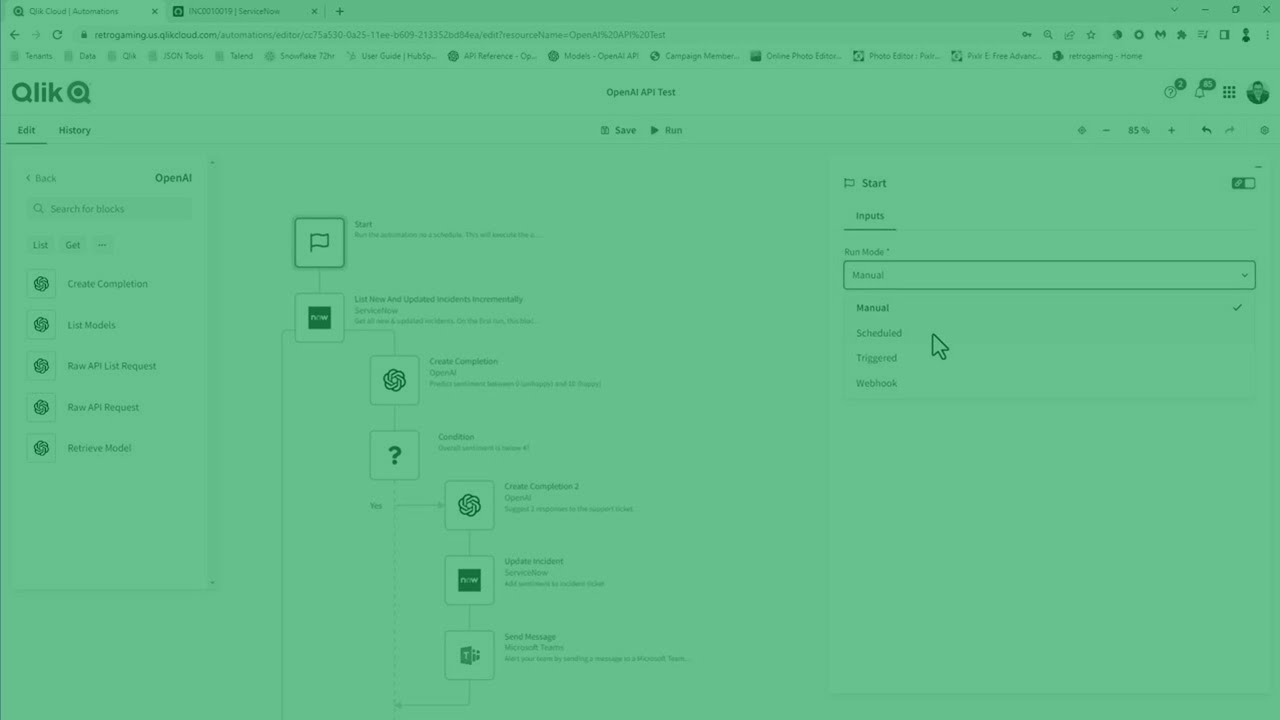
In this edition of Do More with Qlik: Tips and Tricks, Mike Tarallo walks you through how to use OpenAI connector blocks within Qlik Application Automation. You'll see a real-world example where a ServiceNow ticket's sentiment is analyzed via OpenAI, a response is generated, and updates are automatically sent to both ServiceNow and Microsoft Teams. Perfect for developers and data professionals looking to leverage AI for smarter workflows.
🔹 00:00 – Introduction
Mike kicks off the video and introduces the topic.
🔁 00:15 – Recap of Previous Video
Quick reference to the earlier video on using OpenAI with Qlik Cloud Analytics.
📌 00:22 – What This Video Covers
Outlines the focus: OpenAI connectors in Qlik Automation.
🔧 00:28 – Overview of Connector Blocks
Explains the available blocks: Create Completion, List Models, Raw API, and Retrieve Model.
🔄 00:41 – Workflow Summary
Describes the automated process: sentiment analysis, response creation, ticket update, and team notification.
📝 01:15 – Creating a ServiceNow Ticket
Live example of opening a new ServiceNow incident.
🚀 01:46 – Starting the Automation
Shows how to run the automation manually and describes trigger options.
💬 02:10 – Microsoft Teams Notification
Demonstrates the message output in a Teams channel.
🔍 02:51 – ServiceNow Ticket Updated
Refreshes the ticket to show the AI-generated reply in the comments.
🛠️ 03:16 – Automation Block-by-Block Walkthrough
Breaks down each step of the automation in edit mode.
🧠 03:32 – Sentiment Scoring Prompt
Details the OpenAI prompt and scoring logic using the DaVinci model.
⚖️ 04:20 – Conditional Logic
Describes how sentiment scores determine follow-up actions.
🛎️ 04:51 – Updating Incident Comments
Shows how the AI-generated response is written back to ServiceNow.
📨 05:14 – Teams Notification Block
Covers the message-sending action to Microsoft Teams.
💡 05:21 – Wrap-Up & Community Question
Mike asks how you'd use this workflow in your own organization.
Повторяем попытку...
Доступные форматы для скачивания:
Скачать видео
-
Информация по загрузке: