ycliper

Популярное

Музыка Кино и Анимация Автомобили Животные Спорт Путешествия Игры Юмор

Интересные видео

2025 Сериалы Трейлеры Новости Как сделать Видеоуроки Diy своими руками

Топ запросов

смотреть а4 schoolboy runaway турецкий сериал смотреть мультфильмы эдисон
Скачать

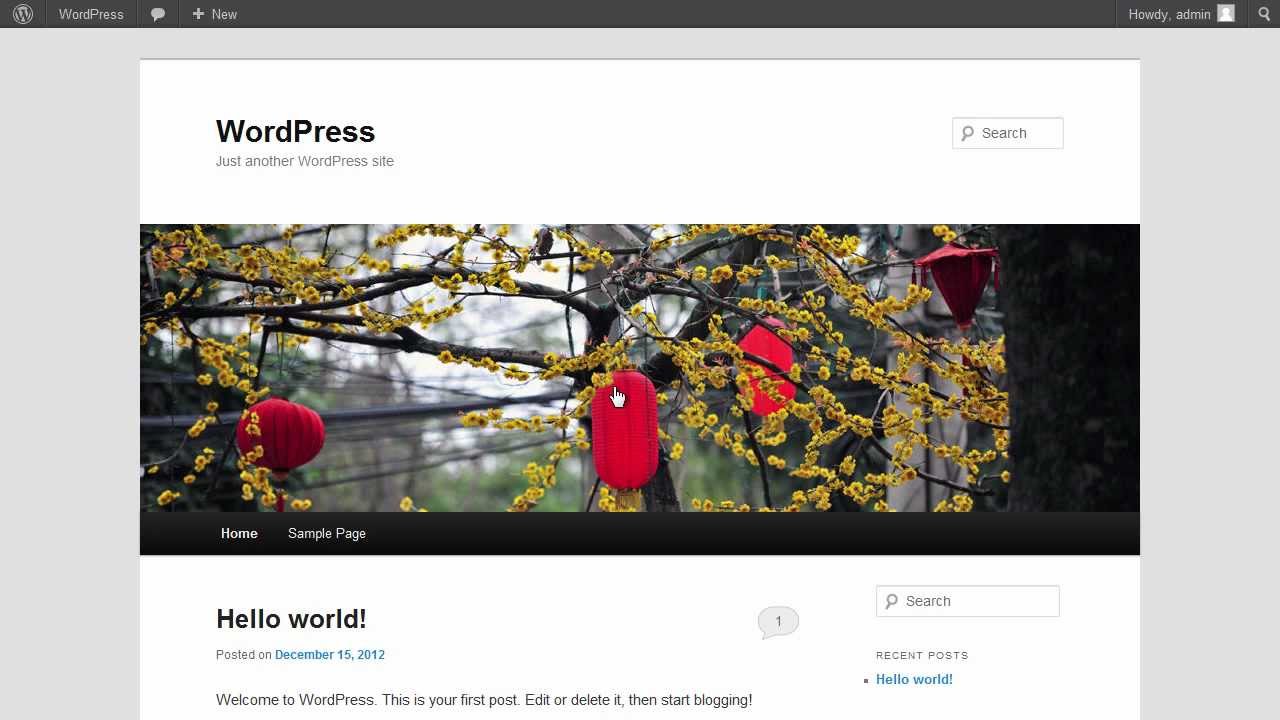
How to Move WordPress to New Host

Автор: Internet Services and Social Networks Tutorials from HowTech

Загружено: 2013-01-31

Просмотров: 5216

Описание: Learn how to transfer a WordPress website to a new host.

Don't forget to check out our site http://howtech.tv/ for more free how-to videos!
   / ithowtovids   - our feed
  / howtechtv   - join us on facebook
https://plus.google.com/1034403827176... - our group in Google+

In this video tutorial we will show you how to move WordPress to new host.

In order to move WordPress to a new host you have to log in to the WordPress admin panel. Before you proceed with the upgrade, we strongly advise you to make the online backup of your WordPress website.
Go to the dashboard and choose "Plugins" tab. From the drop-down menu choose "Add New".

On the next page enter "Wordpress move" into the search field and press "Enter".

Choose the "WordPress Move" plugin and click on the link "Install Now".

In the pop-up window press "ОК". Once the plugin is installed, click on "Activate Plugin".

After the activation of the plugin, go to the dashboard and choose "Tools" tab. From the drop-down menu choose "Migration Assistant".

On the next page go to the "Migrate" section and read the information in the section carefully. If you made all the steps listed above, click the "Begin" button in order to start the migration process.

On the following page select the files you want to include in the backup from the list at the end of the page.
On the next page enter the FTP connection details of your new server.
Enter the hostname, address or IP, username and path.

Then press "Save changes". You have to remember, size of backup files will be less or equal to this size limit, depending on the compression ratio.
After the file preparation is complete, you have to enter the FTP password and change the domain name. Press the "Start Migration" button.

After the transfer is complete, go to your new domain. Add "wp-admin" in the address bar to log in to the WordPress admin panel. On the next page enter the username and password and press "Log In".

In the WordPress admin panel go to the "Tools" tab in the dashboard and choose "Migration Assistant" again from the drop-down menu. On the next page go to the "Restore" section and press "Begin" button.

On the following page press the "Complete Migration" button.

As you can see, the migration has been successfully completed.

Не удается загрузить Youtube-плеер. Проверьте блокировку Youtube в вашей сети.
Повторяем попытку...
How to Move WordPress to New Host

Поделиться в:

Доступные форматы для скачивания:

Скачать видео

  • Информация по загрузке:

Скачать аудио

Похожие видео

Трейдинг в 2026. Всё о чем вам врали.

Трейдинг в 2026. Всё о чем вам врали.

How to Host Your Personal Website On Google’s Servers

How to Host Your Personal Website On Google’s Servers

😵 To przejdzie do HISTORII ŁYŻWIARSTWA | Szajdorow, Kagiyama, Malinin

😵 To przejdzie do HISTORII ŁYŻWIARSTWA | Szajdorow, Kagiyama, Malinin

Понятное объяснение Кодекса Клода (и как его использовать)

Понятное объяснение Кодекса Клода (и как его использовать)

Алексей Венедиктов* и Сергей Бунтман / Будем наблюдать / 14.02.26

Алексей Венедиктов* и Сергей Бунтман / Будем наблюдать / 14.02.26

🚀ЖИРНОВ: Путін ГОТУЄ «ОРЄШНІК» під Олімпіаду! ВПК України НАРОЩУЄ ТЕМП. Росіяни вже ВІДЧУЛИ НАСЛІДКИ

🚀ЖИРНОВ: Путін ГОТУЄ «ОРЄШНІК» під Олімпіаду! ВПК України НАРОЩУЄ ТЕМП. Росіяни вже ВІДЧУЛИ НАСЛІДКИ

Английский каждый день: Самые нужные фразы для простого общения. Трансляция 24/7

Английский каждый день: Самые нужные фразы для простого общения. Трансляция 24/7

Doda - Pamiętnik (Official Video)

Doda - Pamiętnik (Official Video)

WordPress

WordPress

У тебя НЕТ торговой системы. Есть только САМООБМАН. Жёсткая ПРАВДА трейдера. Денис Стукалин

У тебя НЕТ торговой системы. Есть только САМООБМАН. Жёсткая ПРАВДА трейдера. Денис Стукалин

How to Link Wordpress Header to Home

How to Link Wordpress Header to Home

We're All Addicted To Claude Code

We're All Addicted To Claude Code

WIELKA WYPRAWA MARII WIERNIKOWSKIEJ W GŁĄB ROSJI #2

WIELKA WYPRAWA MARII WIERNIKOWSKIEJ W GŁĄB ROSJI #2

LIVE! NASA SpaceX Crew Dragon Tracker

LIVE! NASA SpaceX Crew Dragon Tracker

Экстремальные американские горки 360° VR, от которых взыграет адреналин

Экстремальные американские горки 360° VR, от которых взыграет адреналин

Переговоры в Женеве, НАТО успокаивает Трампа, Адама выписали. Мартынов, Чижов, Низовцев, Асланян

Переговоры в Женеве, НАТО успокаивает Трампа, Адама выписали. Мартынов, Чижов, Низовцев, Асланян

Windows 11: 10 параметров, которые следует изменить немедленно.

Windows 11: 10 параметров, которые следует изменить немедленно.

Модель контекстного протокола (MCP), четко объясненная (почему это важно)

Модель контекстного протокола (MCP), четко объясненная (почему это важно)

How to Collaborate and Track Projects Kanban Method

How to Collaborate and Track Projects Kanban Method

Скрытая функция Gmail сводит пользователей с ума

Скрытая функция Gmail сводит пользователей с ума

© 2025 ycliper. Все права защищены.


  • Контакты
  • О нас
  • Политика конфиденциальности


Контакты для правообладателей: [email protected]