How to Get Windows 11 Insider Builds If Your Hardware is NOT SUPPORTED
Автор: Windows Love
Загружено: 2021-06-29
Просмотров: 21596
Описание:
How to get Windows 11 Insider builds if your PC does not meet minimum requirements?
Last week, Microsoft officially announced the Windows 11 OS. At the launch event, the Redmond giant confirmed that Windows Insiders would be getting a first preview build of Windows 11 soon.
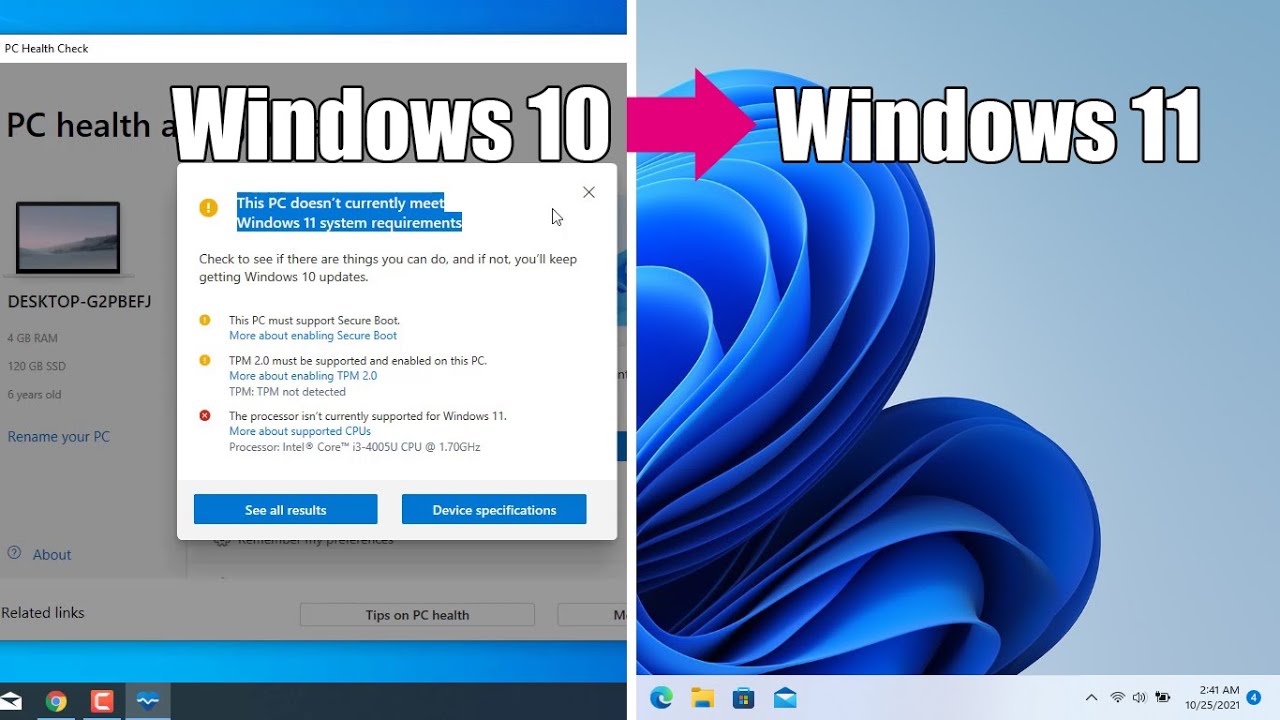
However, with Windows 11, Microsoft also increased the minimum system requirements. That means that NOT ALL Windows 10 devices will be compatible with Windows 11...
But Microsoft is shipping Windows 11 Insider builds to Windows Insiders with unsupported hardware. The only condition was to be enrolled into the WIP before 24th June. If you missed the deadline to enroll, then just follow this simple registry trick.
IMPORTANT: PROCEED WITH CAUTION! I WILL NOT BE RESPONSIBLE FOR ANY DAMAGE CAUSED BY USING THIS METHOD!
1. Open Windows Settings and navigate to Update & Security ― Windows Insider Program
2. Click on the 'Get Started' button, then link your Microsoft Account.
3. Next up select 'Release Preview ring' and continue.
4. Click on 'Restart' to complete the setup.
5. Once rebooted, open Search, type "Regedit" and press Enter
6. Navigate to HKEY_LOCAL_MACHINE\SOFTWARE\Microsoft\WindowsSelfHost\UI\Selection
7. Change the "UIBranch" key to "Dev", "ContentType" key to "Mainline" and "Ring" key to "External".
8. Now, navigate to HKEY_LOCAL_MACHINE\SOFTWARE\Microsoft\WindowsSelfHost\Applicability
9. Here change "BranchName" key to "Dev", "ContentType" key to "Mainline" and "Ring" key to "External".
10. Once done, restart your PC for the changes to take effect!
If you are planning to test out Windows 11 then you can check out the minimum specs below:
✓ 1Ghz 64-bit dual-core processor
✓ 4GB RAM
✓ 64GB storage
✓ 9-inch display (1366x768 resolution)
✓ UEFI, Secure Boot & TPM 2.0
✓ DirectX 12 compatible graphics / WDDM 2.x
If you're curious whether or not you're eligible for a Windows 11 upgrade, then you can download the Windows PC Health Check app to see if your PC meets all these requirements.
➤ DOWNLOAD THE WINDOWS HEALTH CHECK TOOL HERE:
✓ https://drive.google.com/file/d/1DZvB...
IF YOU ARE ALREADY FLIGHTING:
While we recommend that all PCs meet the full hardware requirements for Windows 11, we are allowing some limited exceptions as we apply these new restrictions. All Windows Insiders who have already been installing builds from the Dev Channel on their PCs up through June 24, 2021 will be allowed to continue installing Windows 11 Insider Preview builds even if their PC does not meet the minimum hardware requirements.
Insiders with PCs already in the Dev Channel have been installing and giving feedback on builds with Windows 11 features since last year. Our way of saying thanks is to go ahead and give them the opportunity to see everything come together. However, this comes with some important tradeoffs we want to call attention to:
✓ Because these devices do not meet the new hardware requirements, there may be issues and bugs that impact the experience of Windows 11 on these PCs that may not get fixed.
✓ If at any point something goes wrong on one of these PCs that requires having to go back to Windows 10, you can use the media creation tool here to go back to the Windows 10. These PCs will not be given another exception and not allowed to upgrade to Windows 11 Insider Preview builds again. They will be treated as a new PC and the minimum hardware requirements will be enforced as highlighted above.
✓ Once Windows 11 is generally available, these PCs will be opted out of flighting and will not be able to receive future Windows 11 Insider Preview builds. These PCs must clean install back to Windows 10 with the media (ISOs) that we provide and can then join the Release Preview Channel to preview Windows 10 updates.
IF YOU REALLY WANT TO DO IT, BE CAREFUL
Microsoft does warn that users who opt into getting Windows 11 Insider builds despite the device being not eligible may experience bugs that will never be fixed. Also, when Windows 11 becomes generally available, those PCs will be opted out of flighting and will need to clean install back to Windows 10.
➤ MORE INFORMATION & RESOURCES:
✓ Compatibility for Windows 11
https://docs.microsoft.com/en-us/wind...
✓ Windows 11 system requirements
https://www.microsoft.com/en-gb/windo...
✓ Windows 11 Supported Intel Processors
https://docs.microsoft.com/en-us/wind...
✓ Windows 11 Supported AMD Processors
https://docs.microsoft.com/en-us/wind...
✓ https://blogs.windows.com/windows-ins...
✓ https://www.neowin.net/news/how-to-do...
#Windows11 #Microsoft #Windows #MicrosoftEvent #Windows11launch #windows11event #June24 #windows11upgrade
Повторяем попытку...

Доступные форматы для скачивания:
Скачать видео
-
Информация по загрузке:












![Best of Deep House [2026] | Melodic House & Progressive Flow](https://imager.clipsaver.ru/Il-ZpBuC8tA/max.jpg)