Mitsubishi Outlander or ASX Touchscreen Fail - Use a Mouse!
Автор: PyroBrit
Загружено: 2023-01-30
Просмотров: 126559
Описание:
2019/20/21/22 model
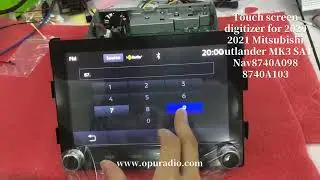
The touchscreen on the 8" MMCS systems starts to fail and buttons are pressed randomly.
This video shows you how to use a mouse instead.
The digitizer screen in front of the LCD display which detects your finger touch has failed. This is affecting a huge number of Mitsubishi vehicles in Europe and there is a shortage of replacement parts. Get your vehicle registered at your local Mitsubishi Service Dealership to start he Warranty repair process if you can.
Digitiser screens are available to fix the MMCS system yourself for DIY repair but the screen is still very expensive at €161 from Holland plus delivery, import charges and VAT into the UK. These screens should normally be under £100 but I suspect demand has pushed the price higher. It's such a simple fix too.
I forgot to mention in the video that the screen can still be found to press buttons randomly whilst driving along. To stop this happening, press and hold the power button for 3 seconds. This turns the screen off which disables the touch screen but leaves the radio operational. Unfortunately, changing the volume from the steering wheel controls, will turn the screen back on. If your touch screen is so badly damaged that the power button does not work then I'm sorry to say there is nothing we can do.
Using the reversing camera does not leave the screen turned on after reversing.
Повторяем попытку...

Доступные форматы для скачивания:
Скачать видео
-
Информация по загрузке: