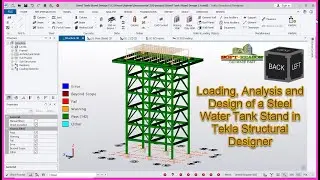
How to Run Analysis and Design on Tekla Structural Designer Steel Warehouse
Автор: Soft-Reason Academy
Загружено: 2024-12-08
Просмотров: 3265
Описание:
Running Analysis and Design of a Steel Warehouse in Tekla Structural Designer involves several key steps, from modeling to generating reports. Here's a detailed step-by-step guide to help you through the process:
✅ Step 1: Set Up a New Project
Open Tekla Structural Designer and create a new project.
Define the units and code of practice:
Go to Home Settings Code and select the relevant design code e.g., Eurocode, BS, AISC.
Set gridlines to match the warehouse layout:
Go to Model Grids Create New Grids.
✅ Step 2: Define Materials and Sections
Go to Materials Steel and select the grade of steel for your structure e.g., S275, S355.
Assign steel sections to your members:
Use the Profiles Database to select appropriate sections e.g., I-beams, channels, angles.
✅ Step 3: Create the Structural Model
Add columns at grid intersections:
Go to Model Create Column and select the desired section.
Add beams:
Use Create Beam to add primary and secondary beams.
Add purlins and bracing as necessary for stability.
✅ Step 4: Define Load Cases and Combinations
Go to Loading Load Cases and add relevant load cases:
Dead Load (DL)
Live Load (LL)
Wind Load (WL)
Snow Load (SL) (if applicable)
Define load combinations:
Go to Loading Load Combinations Auto Generate to create code-compliant combinations.
✅ Step 5: Apply Loads
Apply dead loads to all beams self-weight is calculated automatically.
Apply live loads to the roof and floors:
Use Area Load or Line Load tools.
Add wind loads:
Use Wind Wizard to apply wind pressure as per the design code.
✅ Step 6: Run Analysis
Go to Analysis Analyze All to run the analysis for the entire structure.
Check for errors or warnings in the Analysis Results window.
✅ Step 7: Review Analysis Results
Check deflections under various load combinations:
Go to Results Deflection Diagrams.
Review forces and moments on members:
Use Results Member Forces to see axial forces, shear forces, and bending moments.
✅ Step 8: Design Members
Go to Design Design All to run the automated design process.
Check the design status:
Members that pass will be marked green.
Red indicates a failure or design issue.
✅ Step 9: Optimize the Design
Adjust member sizes if any members fail.
Re-run Design All until all members pass.
✅ Step 10: Check Stability (Global Analysis)
Perform a P-Delta Analysis to account for second-order effects:
Go to Analysis P-Delta.
Ensure the structure is stable under lateral loads.
✅ Step 11: Create Drawings and Reports
Generate reports:
Go to Reports Create Report and select the details you want to include (e.g., loadings, member design).
Export drawings and connection details:
Go to Drawings & Reports Drawing Manager.
✅ Step 12: Export Model to Tekla Structures
If needed, export the model to Tekla Structures for detailed connection design and fabrication drawings:
How to Run Analysis and Design on Tekla Structural Designer Steel Warehouse Part 4
Part1 Link👇
• How to Model, Analyze and Design Steel War...
#autocad #civilengineering #architecture #protasteel #structuralengineeringsoftware
Link to Get Protek Steel Detailing Template: https://selar.co/omgy
WhatsApp Group https://chat.whatsapp.com/EEFdwSk0vpG...
Link to Get Protek Steel Detailing Template: https://selar.co/omgy
Protek Company Structural Detailing Software User Video 👇
• NEW AUTOMATED PROTEK COMPANY STRUCTURAL DE...
For Donation/Support:
https://www.paypal.com/donate/?hosted...
Join Our Mentorship Program Inbox @
WhatsApp @ +234 9017771616
Or
Telegram: https://t.me/soft_reasonchat
How to install and use KCSOFT, Staircase Design Software for the Analysis and Design of Staircase as well Automatically generate designed staircase details drawings and sections in AutoCAD.
Get it here👉🏼 https://selar.co/szvl
Check the following video on....
Download the 4 Bedrooms Flat Complete Architectural Building Plan Here👇🏼
1. https://selar.co/gl5p
Remember to Like and Subscribe!!
Повторяем попытку...

Доступные форматы для скачивания:
Скачать видео
-
Информация по загрузке: