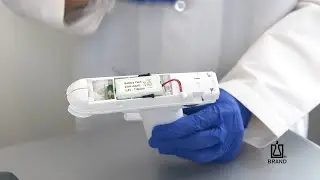
Resetting an accu-jet pro Pipette Controller from BrandTech Scientific, Inc.
Автор: BRANDTECH Scientific
Загружено: 2017-03-22
Просмотров: 5348
Описание:
A video demonstration on resetting an accu-jet® pro pipette controller from BrandTech® Scientific, Inc.
For more information on the accu-jet pro pipette controller, please visit https://www.brandtech.com/product/acc....
This video demonstrates how to reset an accu-jet pro pipette controller. It is intended as a general guide and not a substitute for the operating manual.
Before working with the accu-jet pro, wear all the appropriate personal protective equipment and observe all safety precautions.
The procedure reviewed in this video can be used in when your accu-jet pro is not charging properly, not holding a charge, or is experiencing an electronic error.
First, unplug the charger from the instrument. Then, remove the battery compartment cover and disconnect the battery. The use of forceps may make it easier to grasp and remove the battery plug.
Press and hold both the aspirate and dispense buttons. While both buttons are depressed, plug the charger back into the accu-jet pro, then reconnect the battery. Once the charger and battery are reconnected, the buttons can be released.
You can now install the battery cover and charge the instrument as usual.
If you have additional questions and are located in the US or Canada, contact BrandTech Scientific Customer Service Group at 888-522-2726. For those in other regions, contact your local BRAND representative at https://www.brand.de/distribution.
Повторяем попытку...

Доступные форматы для скачивания:
Скачать видео
-
Информация по загрузке: