SketchUp Paint Bucket Tips and Tricks - SketchUp Quick Tips
Автор: TheSketchUpEssentials
Загружено: 2017-02-15
Просмотров: 87025
Описание:
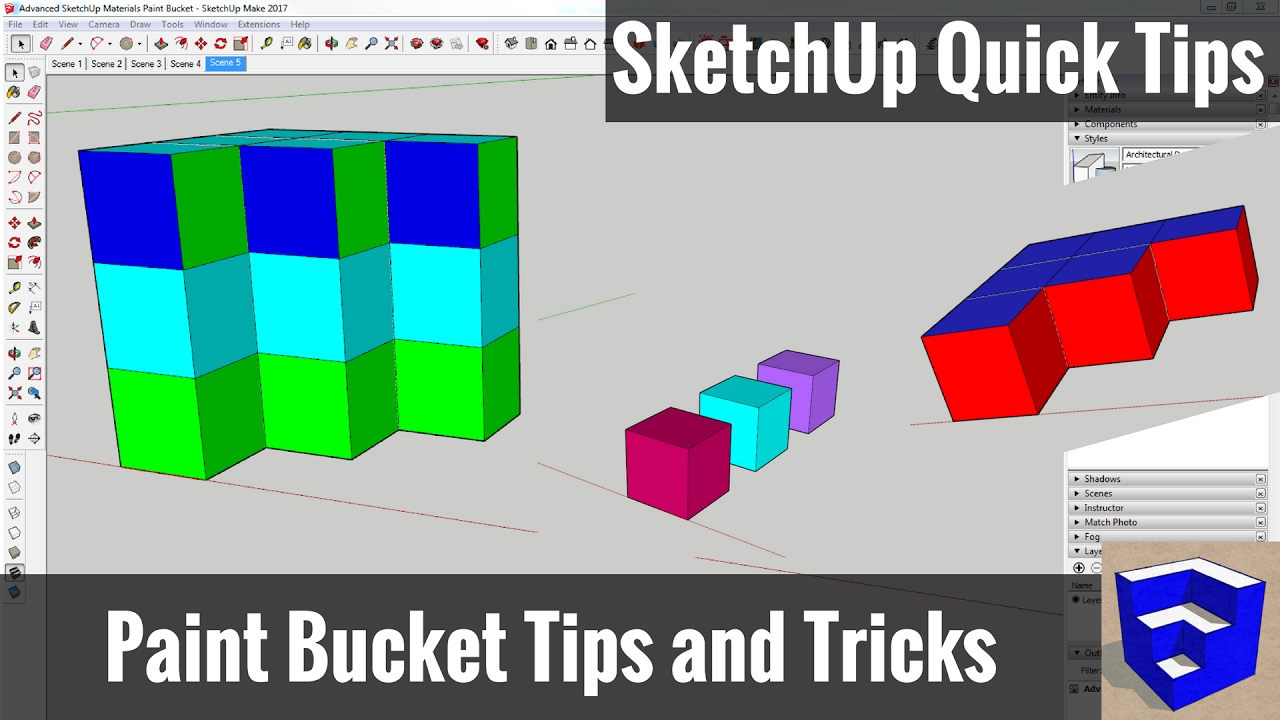
This video will teach you some tips, tricks and shortcuts for applying materials in SketchUp using the paint bucket tool.
♦SUPPORT ME♦ / thesketchupessentials
♦Courses♦ http://www.thesketchupessentials.com/...
♦Website♦ http://www.thesketchupessentials.com
-----------------------------------------------------------
In today’s SketchUp quick tip, we’re going to talk about using the paint bucket tool’s shortcuts to apply materials in SketchUp.
Now the most simple thing you can do in SketchUp is to just select a color with the paint bucket tool, then click on a face to paint it. However, when you have to paint a lot of faces, this can get time consuming.
If you just want to paint a lot of different faces at once, you can just select all the faces, then use the paint bucket tool to paint all the selected faces.
This works well for just a general “paint all” in your model.
However, sometimes you need to be more targeted in your approach. The paint bucket tool offers several keyboard shortcuts to adjust the way you apply materials.
The first is the alt key. With the paint bucket tool active, you can hold the alt key to click and sample different colors in your model. This is far faster then clicking on the eye dropper in the tray over and over again.
There are also several shortcuts you can use when applying colors. The first is holding the shift key.
The shift key will make it so that all faces in the model with matching paint change. For example, if I have a series of green boxes, I can hold the shift key to paint all the green boxes blue in my model.
Sometimes you don’t want to paint all the faces in your model. Instead, you just want to paint the faces in your currently selected object. If you hold the control key, you can paint all the connected faces in your current model a different color without affecting the other faces in your model. This will only paint the faces that are touching each other.
Finally, you can hold the control and shift keys together to paint all faces with the same color in your model, whether connected or not. This is an effective way to make changes to faces in an object quickly.
------------------------------------------------------------------
PLEASE LIKE AND SUBSCRIBE
More SketchUp tutorials and resources at http://www.thesketchupessentials.com
Check Us Out On -
Twitter - / easysketchup
Facebook - / thesketchupessentials
Pinterest - / easysketchup
Повторяем попытку...
Доступные форматы для скачивания:
Скачать видео
-
Информация по загрузке: