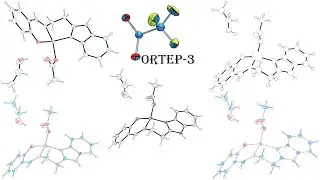
How to: Overlay molecules in Mercury
Автор: CCDCCambridge
Загружено: 2024-07-11
Просмотров: 1695
Описание:
In this video, Tomas Cervenka demonstrates how to use the Molecule Overlay tool in Mercury. The Molecule Overlay tool is useful for comparing chirality and stereochemistry of two molecules as it incorporates both inversion and flexibility in the overlay calculation. The molecule overlay can be performed on molecules in the same or different structures and comparisons can be made between non-identical molecules (based on a substructure match).
In this video:
-00:04 Introduction and overview of Molecule Overlay functionality in Mercury
-00:50 Chirality: comparing enantiomers of alanine from two separate crystal structures using the Molecule Overlay tool
-02:07 Flexibility: comparison of the conformations of independent molecules within the asymmetric unit of a crystal structure
-03:06 Application of Molecule Overlay to a high-pressure crystallography study
For further instructions on how to use Multiple Structures feature shown in this video, see • How to: Overlay structures in Mercury
The recodes of the CSD entries used in video are:
Alanine: LALNIN23 (L-enantiomer) and ALUCAL05 (D-enantiomer)
1,2,3,4-Tetra-O-acetyl-alpha-D-ribopyranose: AADRIB
Dibromo-(1,2-phenylenebis(dimethylphosphine))-germanium: NAKCIN01 (9.4 GPa) and NAKCIN02 (1 atm)
You can grow your skills with using Mercury for visualizing structures using the free CSDU module “Visualization 101 – Visualizing structural chemistry data with Mercury” here: https://www.ccdc.cam.ac.uk/community/...
Follow us on social media and subscribe to our YouTube channel.
Instagram: @ccdc_cambridge
X: @ccdc_cambridge
Facebook: Cambridge Crystallographic Data Centre (CCDC) (ccdc.cambridge)
Повторяем попытку...

Доступные форматы для скачивания:
Скачать видео
-
Информация по загрузке:


![Как сжимаются изображения? [46 МБ ↘↘ 4,07 МБ] JPEG в деталях](https://image.4k-video.ru/id-video/Kv1Hiv3ox8I)




![Simulate Powder XRD PATTERN using VESTA- [TUTORIAL #3]](https://image.4k-video.ru/id-video/KvjHlJq3TZQ)