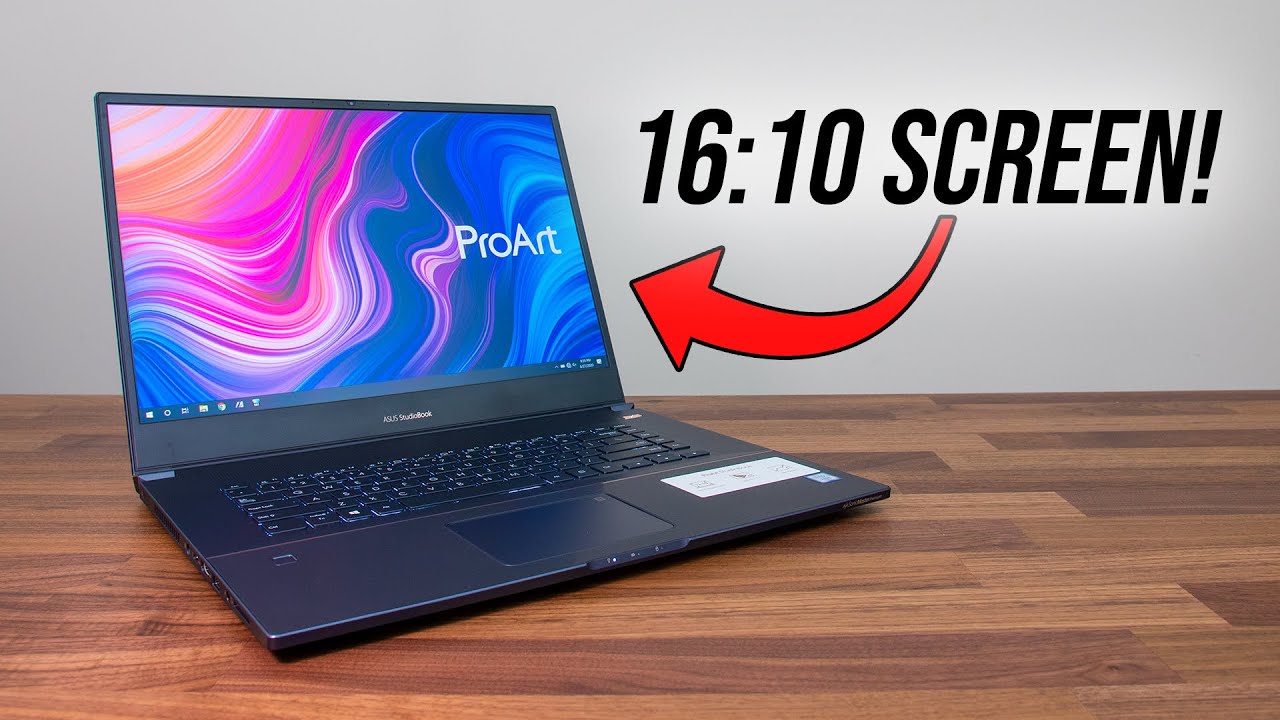
Asus ProArt StudioBook Pro 17 Video Editing 3D Photo Editing and Graphic Design Benchmarks
Автор: Ben G Kaiser
Загружено: 2020-08-05
Просмотров: 7650
Описание:
Has Asus made the ultimate workstation for video editing, graphic design, motion design, and 3D modeling? In this video, I am going to be putting the Asus ProArt StudioBook 17 through more than 14 benchmarks tests to see if it can stand up to the challenge. ►⏩►⏩ Check specs and pricing in the links below…
💻 Asus ProArt StudioBook 17 - https://geni.us/StudioBook17-64GB - Commission Earned
💰 Use the discount code "BENG3" to get a discount on this laptop or any other laptop on CUKUSA.COM 💰
Port Selection:
3 x USB-A 3.1 Gen 2
USB-C 3.1 (DisplayPort)
HDMI 2.0
SD UHS-II
Mic/headphone combo
As I pull open the lid of the Asus ProArt StudioBook Pro 17 (which can be done with one hand until it is about halfway open where it gets a little snug and I have to place one had on the deck to keep the laptop in place) I am greeted by a massive 17in 16x10 IPS FHD matte display. The hinges are strong and secure with very little screen flex between the two hinges.
The StudioBook Pro 17 is rated at 300 nits, has a refresh rate of 60Hz, and according to my tests can reach a Color Gamut Range of 100% sRGB - 89% Adobe RGB - 100% DCI-P3 all at Delta E: 1.39
The StudioBook 17 comes with Windows Fingerprint unlock, a glass trackpad, and a non-Numpad Keyboard deck. Speaking of the Keyboard deck this may be my favorite Keyboard I have ever used. It is very quiet but has snappy keys that respond very well. And although it is snappy it still has a soft push under your fingers. Really great job here Asus.
The StudioBook 17 runs quiet and cool in the benchmark tests. It comes with five substantial vents: across the top of the keyboard deck, side panels, bottom cover, and back of the computer between the hinges.
Asus ProArt StudioBook Pro 17 specs:
CPU: Intel 9th Gen Core i7-9750H (6-Cores 12 Threads)
GPU: NVIDIA Quadro RTX 3000 Max-Q 6GB GDDR6
RAM: 64GB DDR4 Clocked @ 2667 Mhz
Storage: 2TB SATA SSD + 500GB SATA SSD
timestamps:
00:00 - Intro
00:59 - Build Quality
4:38 - Specs
5:11 - Design and Photo Benchmark Tests
5:37 - Video Editing Benchmarks
6:46 - Motion Design and 3D Benchmarks
8:22 - Thermals, Noise, and Component Usage
10:39 - Final Thoughts
The StudioBook 17 handles all of the individual benchmarks very well and sits within the middle of the performance charts making it a very suitable laptop for any graphic designers, illustrator, or photographer.
Premiere Pro 4k Export to 4k - 6:54
DaVinci Resolve 4k Export to 4k - 11:49
Premiere Pro 4k to 1080p - 2:26
DaVinci Resolve 4k Export to 1080p - 4:37
Puget After Effects Score: 731
Puget After Effects Render: 590
Geekbench CPU Single Core: 1209 / Multi-Core 6225
Cinebench R20: 2733
Blender Classroom (GPU): 5:50
Blender Classroom (CPU): 15:13
Autodesk 3DS Max: 127.89
Autodesk Maya: 150.98
PTC Creo: 154.73
Solidworks: 107.68
ProArt StudioBook 17 Noise Tests:
At Idle: Fan on 31 - 35 dB
Photoshop Benchmarks @ 41 dB
Premiere Pro 4k Export to 4k @ 44dB
Premiere Pro Render 7240 Frames @ 45dB
DaVinci Resolve 4k Export to 4k @ 44dB
ProArt StudioBook 17 Thermal Tests:
Asus ProArt StudioBook 17 CPU @ Idle: 38-degrees celsius
Premiere Pro 4k Export Stabilized (CPU): 75-degrees celsius
Premiere Pro 4k Export High (CPU): 89-degrees celsius
Premiere Pro 4k Export (GPU): 69-degrees celsius
DaVinci Resolve 4k Export Stabilized (CPU): 75-degrees celsius
DaVinci Resolve 4k Export High (CPU): 89-degrees celsius
DaVinci Resolve 4k Export (GPU): 65-degrees celsius
Photoshop Puget Benchmarks (CPU): 52-degrees celsius
Photoshop Puget Benchmarks (GPU): 43-degrees celsius
ProArt StudioBook 17 Component Usage:
Photoshop Puget Benchmarks (CPU): High 100% Avg 26%
Photoshop Puget Benchmarks (GPU): 0-5%
Photoshop Puget Benchmarks (RAM): Avg 40%
Premiere Pro 4k Export (CPU): 20%
Premiere Pro 4k Export (GPU: 82%
Premiere Pro 4k Export (RAM): 30%
DaVinci Resolve 4k Export (CPU): 95%
DaVinci Resolve 4k Export (GPU): 30%
DaVinci Resolve 4k Export (RAM): 33%
If you’re looking for a lightweight, 17-inch laptop with upper-tier benchmarks in nearly every creative professional software, all packed into a sleek all-aluminum, cool and quiet chassis then the Asus ProArt StudioBook Pro 17 is definitely a great pick for you. Just remember to bring along that battery charge and you will have all you need for a stand-out on the go workstation.
Keeping Editing, Keep Designing, Keep Creating. I’m Ben G Kaiser and I hope to see you in one of these recommended videos…
-------
DISCLAIMER: ALL LINKS IN DESCRIPTION ARE AFFILIATE LINKS if you make a purchase through the links provided I will get a small commission but at no extra cost to you, but that is what keeps this channel alive and the helpful content coming your way. 🤘 😊
Thanks for Supporting Our Channel!
Повторяем попытку...
Доступные форматы для скачивания:
Скачать видео
-
Информация по загрузке: