PowerScout 24 Overview - DENT Instruments
Автор: dentinstruments
Загружено: 2014-05-01
Просмотров: 4042
Описание:
The PowerScout 24 is an all-new multi-channel power meter from DENT Instruments which replaces the PowerScout 18. The modular design allows it to be configured for monitoring multiple electrical circuits (sharing a common voltage source). It can be supplied with virtually any combination of DENT's internally-shunted split core or RoCoil CTs. There are virtually no restrictions in "mixing & matching" CTs on the PowerScout 24.
Learn more at https://shop.dentinstruments.com/coll...
Similar to the PowerScout 3 Plus, the PowerScout 24 allows for communication over either BACnet or Modbus protocol via an RS-485 serial connection.
Another feature are the 8 Digital Outputs included on the meter--one per meter "element." Use these digital outputs to send kWh or other pulses to a pulse counting device, such as an RTU.
Use the 5 VDC, 200mA power out to power other devices, such as a radio or gateway device.
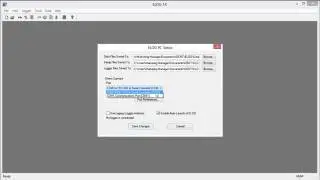
Additionally, new ViewPoint 3.0 software is being released in conjunction with the new PowerScout 24 and has been extensively updated. ViewPoint 3.0 allows for flexible configuration of the meter in the field.
Installing the PowerScout 24 is simple thanks to a single voltage connection via color-coded voltage leads and clearly labeled CTs. DENT's patented PhaseChek™ circuitry includes a three LED indicator display that confirms proper CT-to-phase installation. The PowerScout automatically adjusts for CT orientation, greatly reducing set-up time and all but eliminating installation errors.
The PowerScout 24 is compatible with either split-core current transformers or flexible Rogowski coils (for large loads or large cables and busbars) to monitor current on each phase.
The PowerScout 24 is available with or without an enclosure.
Learn more about DENT Instruments here https://www.dentinstruments.com
Contact us here https://www.dentinstruments.com/contact
Was this video helpful? Give us a Thumbs Up to let us know!
Have you had a great experience with DENT Instruments? Let us know by commenting below!
Do you want to be notified when we upload a new, helpful tutorial? Click the Bell Icon to get notifications. Don’t forget to click Subscribe!
Повторяем попытку...

Доступные форматы для скачивания:
Скачать видео
-
Информация по загрузке:


![[ НОВЫЙ 2026 ] Уральские Пельмени -Смейтесь без остановки вместе с комедийной группой №1 в России!](https://image.4k-video.ru/id-video/KJsDKXn63A8)