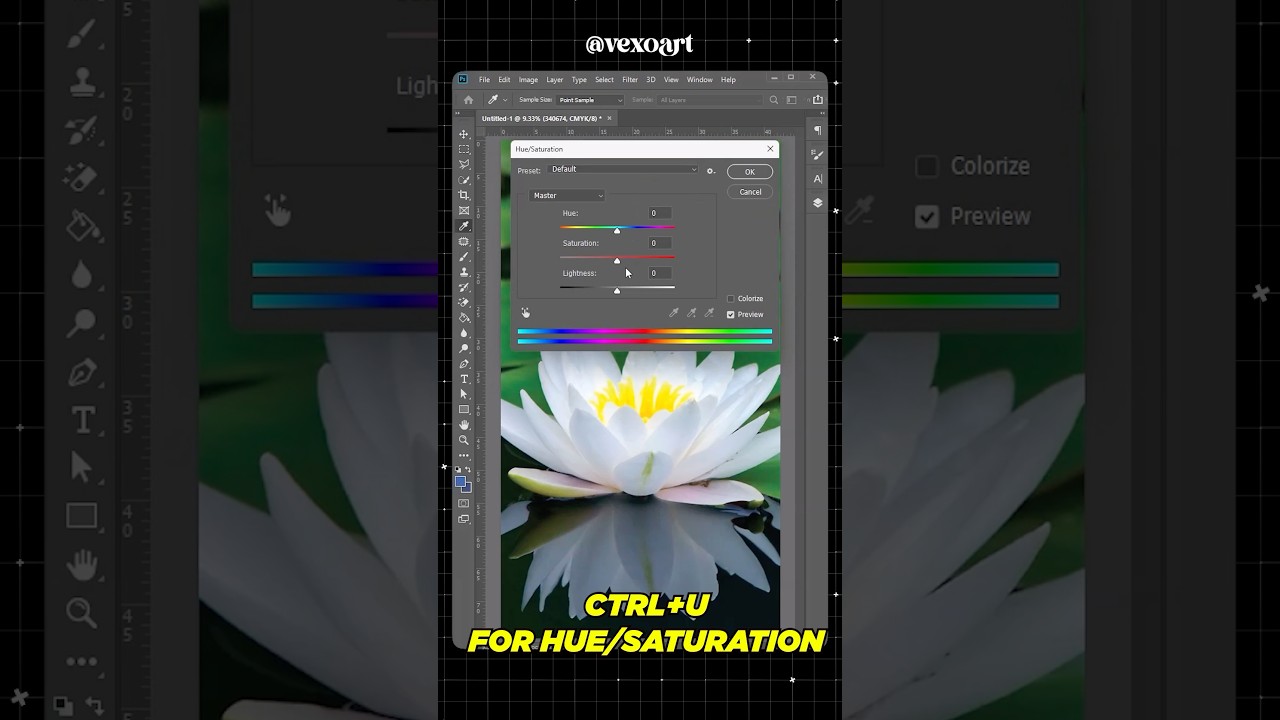
Ctrl + U in Photoshop | Hue & Saturation Shortcut for Fast Color Control | graphic design
Автор: vexoart
Загружено: 2026-01-02
Просмотров: 398
Описание:
In this video, I explain how Ctrl + U works in Adobe Photoshop to instantly open the Hue / Saturation panel, allowing you to adjust colors quickly and accurately 🎨⚡
This shortcut is extremely useful for poster designs, product images, photo manipulation, social media creatives, and color grading tasks. Instead of digging through menus, you can control hue, saturation, and lightness in seconds.
What you’ll learn:
• What Ctrl + U does in Photoshop
• How Hue, Saturation, and Lightness work
• When to use direct adjustment vs adjustment layers
• Quick color correction techniques
• How professionals speed up color workflows
If you want better color control and faster editing, this shortcut is non-negotiable.
This content is focused on improving creative workflow through graphic design, video editing, and vexoart.
Повторяем попытку...
Доступные форматы для скачивания:
Скачать видео
-
Информация по загрузке: