AUTOCAD: HOW TO PUT AREA VALUE INSIDE POLYLINE AND CIRCLE USING COMMAND
Автор: iDraw
Загружено: 2025-09-20
Просмотров: 60
Описание:
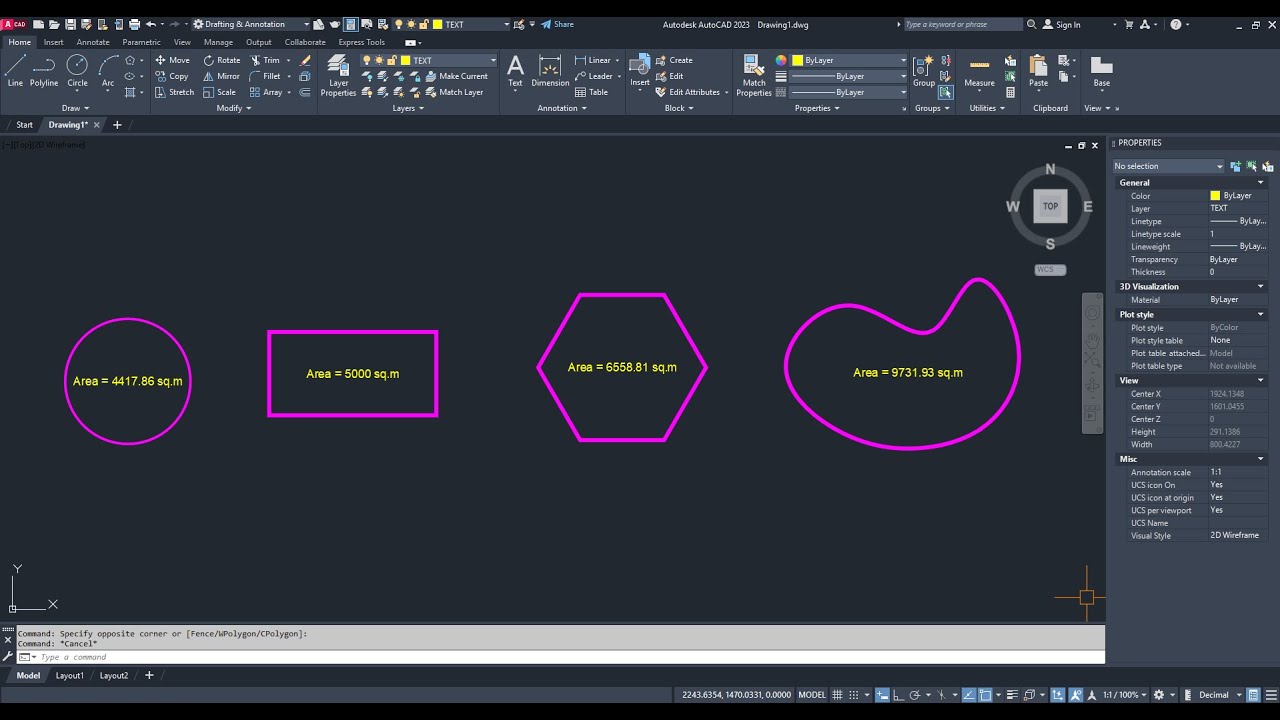
In this video, I’m sharing a custom AutoLISP command called AREAPOLY for AutoCAD. 🚀
This tool allows you to quickly place the area value inside any selected closed polyline, polygon, or circle. You can also set your own text height and control where the area text will be inserted.
Whether you’re working on site layouts, floor plans, or land surveys, this LISP routine will help save time and make your drawings more accurate and professional.
🔹 Features:
Works with closed polylines, polygons, and circles
Inserts area value automatically inside the object
Adjustable text height
Simple and fast command
👉 Command to use: AREAPOLY
If you find this useful, don’t forget to Like 👍, Comment 💬, and Subscribe 🔔 for more AutoCAD LISP tutorials and tools.
💡 I will be sharing the LSP file for those who Like 👍 and Subscribe 🔔 to my channel. Thank you
#autocad #autocadtutorial #autocadforbeginners #drafting #video
Повторяем попытку...
Доступные форматы для скачивания:
Скачать видео
-
Информация по загрузке:





