How to Register Your MildCares Warranty in Under a Minute | Step by Step
Автор: MildCares Official ® (GynoCup)
Загружено: 2026-06-17
Просмотров: 18
Описание:
Paste the whole block into the Description box (first 2 lines show above 'Show more').
Just got a MildCares product? Here's exactly how to register your warranty so you're
covered if anything ever goes wrong.
It takes less than a minute and you only need your order details and your invoice handy.
✨ What you'll need:
✅ Your full name, email and phone number
✅ Your order number from the confirmation email
✅ Your purchase invoice (PDF, JPG or PNG)
✅ The product name and purchase date
Steps in the video:
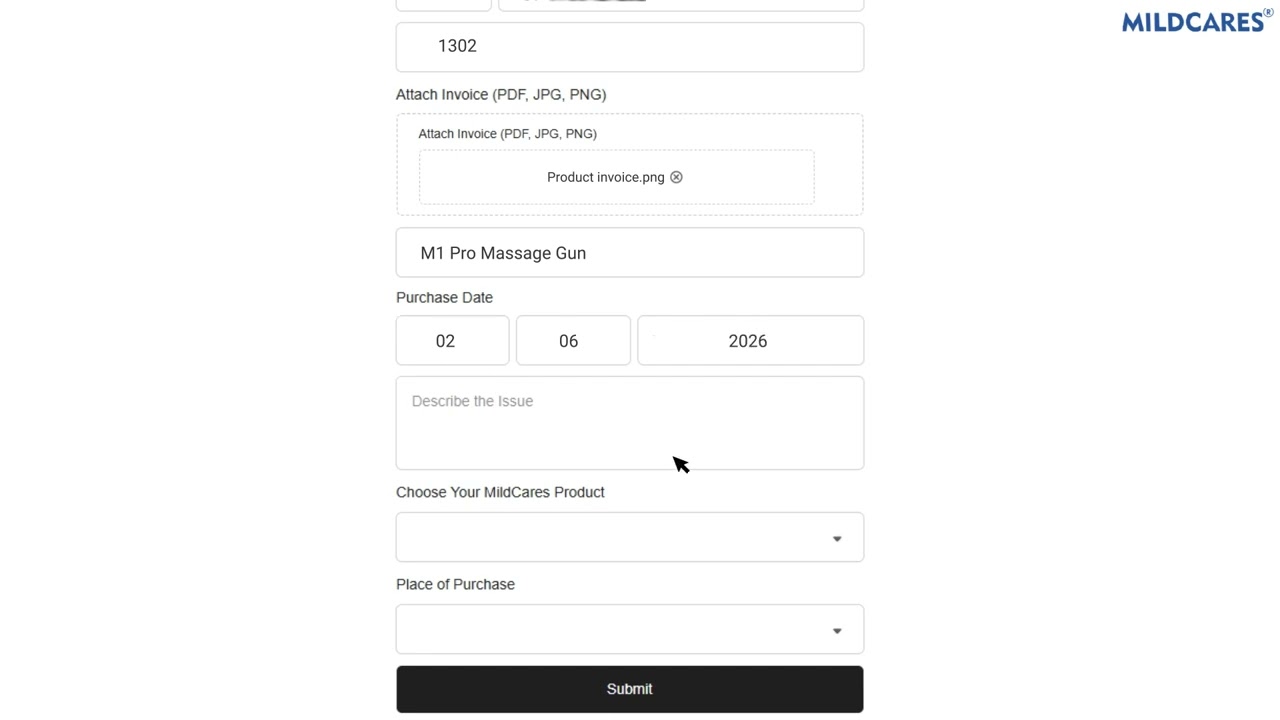
1. Open the Warranty & Support page on the MildCares website
2. Fill in your name, email, phone and order number
3. Upload your invoice
4. Pick your product from the drop-down and select where you bought it
5. Add the purchase date (and describe any issue if needed)
6. Double-check everything and hit Submit
That's it — your registration goes through instantly and your product is on record.
Повторяем попытку...
Доступные форматы для скачивания:
Скачать видео
-
Информация по загрузке: