Lost Your Pokémon Progress? Here's How to Fix It! ⚡
Автор: Jake and Maria Gaming
Загружено: 2024-09-09
Просмотров: 6934
Описание:
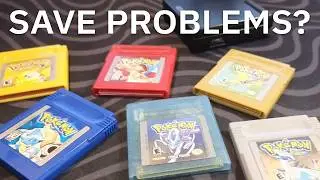
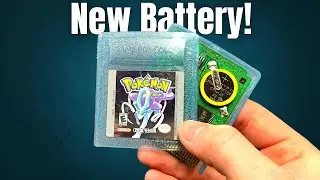
Ah, the joy of rediscovering your old Pokémon collection—only to be met with the disappointment of a lost save file! If you’ve dusted off your Gameboy and fired up Pokémon Crystal, Yellow, Silver, Red, or Blue, only to find that your game won’t save, you might be facing a common problem: a dead internal battery. These small CR2025 or CR1616 batteries power the game’s memory, and when they die, so do your save files.
In this video, I’m going to show you exactly how to replace these batteries in your Pokémon Gameboy carts. Whether you’re dealing with Pokémon Crystal’s see-through casing or the unique challenges of Pokémon Yellow’s CR1616 battery, I’ve got you covered. We’ll walk through each step of the process so you can safely and effectively get your games back in working order.
At Jake and Maria Gaming, we’re all about helping you keep those nostalgic memories alive. From Pokémon unboxings to DIY repair guides, we bring you content that’s both fun and informative. Whether you’re a longtime Pokémon fan or new to retro gaming, our channel has something for everyone.
Don’t let a dead battery keep you from enjoying your Pokémon journey. Watch the full video on our channel to learn how to replace the battery in your Pokémon carts and save your game once again! And remember, we’ll be posting YouTube Shorts that show you how to fix each cart individually, so stay tuned!
#PokemonRepair #GameboyFix #batteryreplacement #pokemoncrystalversion #pokémonyellow #pokemonsilver #pokemonred #pokemonblue #retrogaming #diyfix #SaveYourGame #PokemonDIY #JakeAndMariaGaming #GottaCatchEmAll #gameboycolor #pokemonnostalgia #CR2025 #CR1616 #repair #tutorialyoutube #tutorials #savefile
Повторяем попытку...

Доступные форматы для скачивания:
Скачать видео
-
Информация по загрузке: