TECNO TR118 – How to Change DHCP IP Pool
Автор: HardReset_info Tests
Загружено: 2025-09-01
Просмотров: 7
Описание:
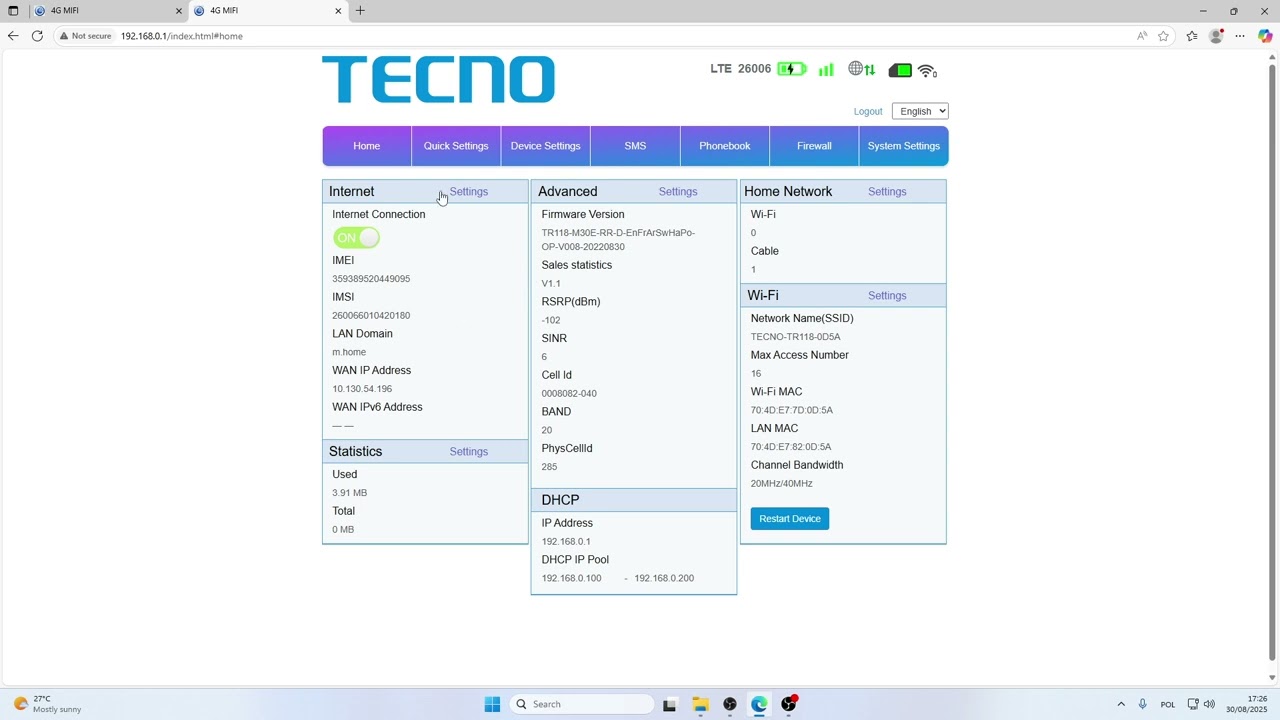
If you need to change the DHCP IP pool on your TECNO TR118 router, this video will guide you through each step of the process. Learn how to access the router’s admin page, log in with the default credentials, and navigate to the advanced settings to update the DHCP IP pool range. Adjusting the DHCP IP pool allows you to control which IP addresses are assigned to devices on your network, helping you manage your home or office network more efficiently. This tutorial is perfect for anyone looking to customize their TECNO TR118 router settings for better network management.
How to change DHCP IP pool on TECNO TR118 router?
How to access advanced settings on TECNO TR118?
Where is the DHCP IP pool option in TECNO TR118 router settings?
0:00 Introduction
0:08 Connect to TECNO TR118 and open admin page
0:26 Log in with default username and password
0:39 Go to Advanced settings and DHCP tab
0:55 Change DHCP IP pool and apply settings
1:08 Restart router if needed
1:17 Summary and outro
#TECNOTR118 #DHCP #RouterSettings #NetworkTips
Find out more:
https://www.hardreset.info/devices/te...
Follow us on Instagram ► / hardreset.info
Like us on Facebook ► / hardresetinfo
Tweet us on Twitter ► / hardreseti
Support us on TikTok ► / hardreset.info
Use Reset Guides for many popular Apps ► https://www.hardreset.info/apps/apps/
Повторяем попытку...
Доступные форматы для скачивания:
Скачать видео
-
Информация по загрузке:















