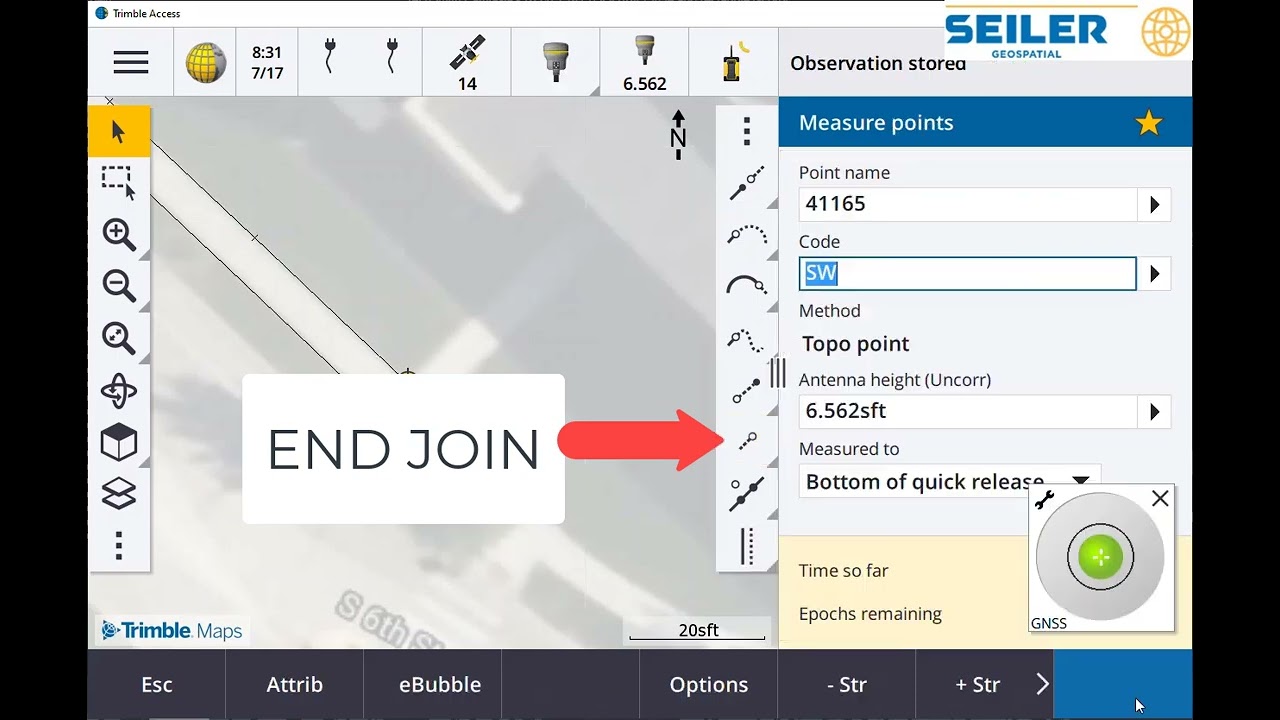
Trimble Access CAD Toolbar Measure Mode
Автор: Seiler Geospatial
Загружено: 2024-09-27
Просмотров: 734
Описание:
Check out our latest video showcasing the incredible capabilities of the Trimble Access CAD Toolbar Measure Mode! 🎥✨
With the Measure Mode, you can now:
✅ Offset lines and arcs with up to FOUR additional offsets from the feature geometry measured with GNSS or Optical instruments.
✅ Perfect for collecting geometry of sidewalks, curbs, and gutters where the flowline is consistent with the flag and top of curb.
✅ Measure one point at each location and draw up to FIVE total lines from one measurement.
This tool is a game-changer for surveyors looking to save time and increase accuracy in their projects. Watch the video to see the Measure Mode in action, demonstrating:
🔹 Start and end lines
🔹 Adding smooth and tangential curves
🔹 Adding gaps to connecting lines
⚙️ Note: To use the MEASURE CAD TOOLBAR, ensure your Trimble Access job file includes a full Feature Code Library (*.FXL) with control codes for drawing lines, arcs, curves, rectangles, and offsets based on the measured feature coded points.
🎥 Watch now and elevate your surveying skills.
#SeilerGeospatial #TrimbleAccess #SurveyingTools #CADToolbar #MeasureMode #SurveyEfficiency #GNSS #OpticalInstruments #SurveyingInnovation
Повторяем попытку...
Доступные форматы для скачивания:
Скачать видео
-
Информация по загрузке: