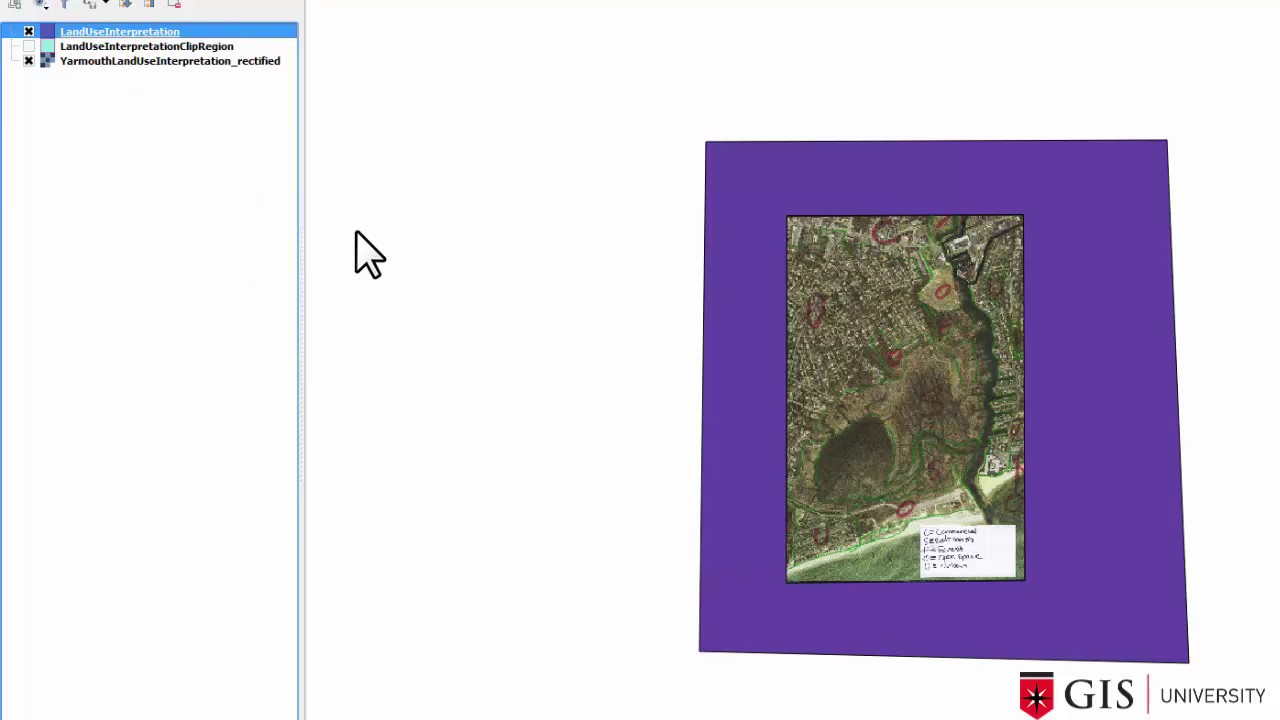
Georeferencing in QGIS and Digitizing in QGIS Step 4: Create a crisp border for your map
Автор: Ian Allan
Загружено: 2019-04-19
Просмотров: 200
Описание:
THIS VIDEO: To create a crisp, professional looking border for your map you need to create a DONUT polygon
If you enjoyed this video then check out these resources...
===== BELOW: Links To Coupons For My Udemy QGIS Tutorials and FREE QGIS Tutorial Series Not Available On YouTube ====
Enrol in ANY of my four QGIS for Beginners online HD video qgis tutorials on the Udemy teaching platform. All are Step-by-Step Follow-Along style and include companion eBooks and practice datasets..
GIS for Beginners #1: QGIS Orientation +Free eBook (HIGHEST RATED QGIS TUTORIAL ON UDEMY)
GIS for Beginners#2: Digitizing and Georeferencing in QGIS
GIS for Beginners #4: Learn Geocoding in QGIS 3
GIS for Beginners #5: Introduction to the QGIS Layout - Learn to present maps for presentations, theses and reports.
Join over 8000 other students.
DISCOUNT COUPONS UPDATED MONTHLY HERE... https://gis-university.com/2020-gis-e...
SIGNUP FOR MY FREE QGIS EDUCATION SERIES HERE... https://gis-university.com/2020-signu...
Introduction to QGIS (+free eBook)
Traps with maps (+free eBook)
Geocoding (+free eBook & practice dataset)
Digitizing & georeferencing (+free eBook & practice dataset)
Shading maps (+free eBook & practice dataset)
Blog: https://gis-university.com/
Facebook: / gisvarsity
Повторяем попытку...
Доступные форматы для скачивания:
Скачать видео
-
Информация по загрузке: