How to Make ANY Song Constant Tempo in Logic Pro (Fix Suno, Udio & Live Recordings)
Автор: Gunky Funky
Загружено: 2025-12-03
Просмотров: 1317
Описание:
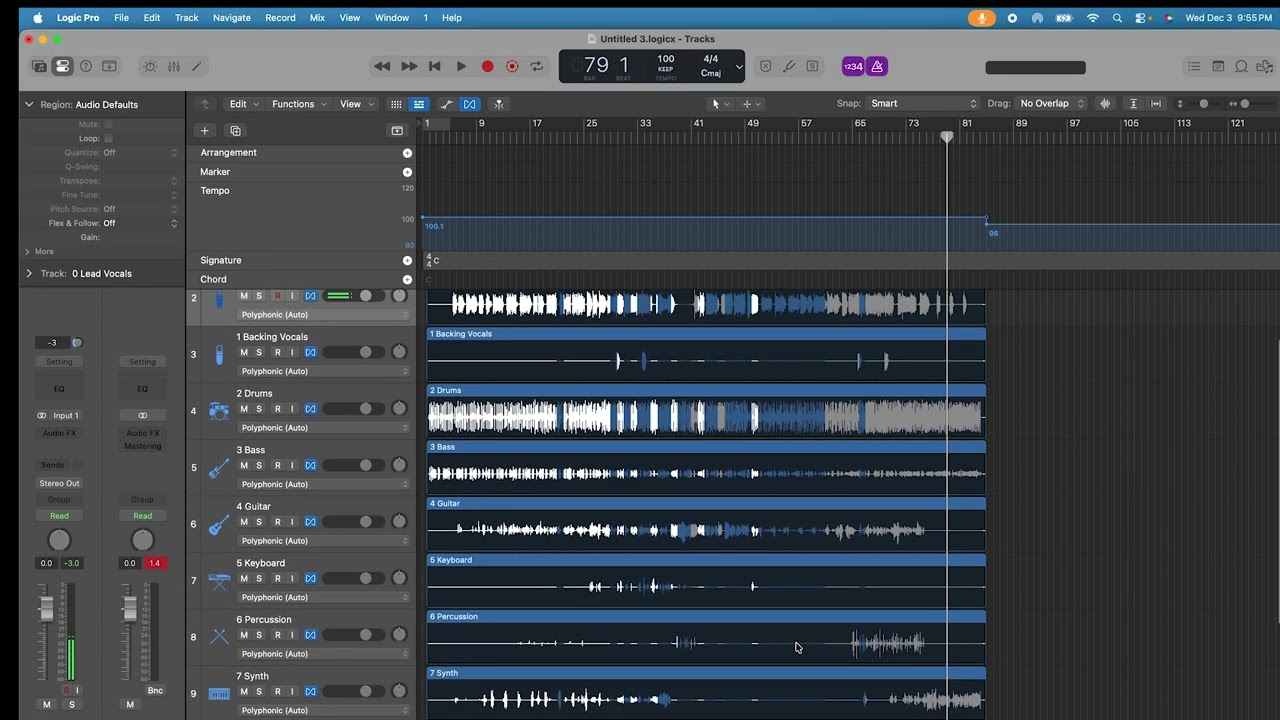
Struggling with Suno, Udio, or live-recorded songs that drift in tempo and won’t loop or sync with MIDI? In this tutorial I show you the fastest, most reliable way to FORCE a constant tempo on ANY audio file in Logic Pro – even if the original performance speeds up and slows down dramatically.
What you’ll learn:
• How to use Smart Tempo to analyze and lock drifting songs
• The secret “Adapt” vs “Keep” vs “Set to X bpm” tricks most people get wrong
• How to preserve the natural feel while making perfect grid-locked loops
• Exporting stems that are now DJ-friendly, remix-ready, and MIDI-syncable
• My personal workflow for transcribing guitar solos, drum parts, or vocals measure-by-measure with rock-solid looping
Perfect for:
• Suno / Udio users who want to extend or remix their AI songs
• Producers working with live band recordings or one-take vocals
• Anyone who needs rock-solid loops for sampling or live performance
⏳ Timestamps:
00:00 – Why variable tempo kills your workflow
00:26 – Import your Suno/Udio song or live recording
01:20 – Smart Tempo Analyze (the correct settings!)
02:30 – Choosing the right mode: Adapt vs Keep vs Force constant BPM
03:00 – Flex Time tricks to keep it sounding human
03:57 – Export fresh stems with the constant bpm
04:27 – Create a fresh project with your fresh stems
5:00 – Bonus: My transcription workflow with constant-tempo loops
Logic Pro 11+ (works the same in 10.8 too)
Drop a like if this saved your Suno song! 👇
Let me know in the comments: Suno, Udio, or live band recording – which one are you fixing today?
#logicpro #sunotutorial #udiotutorial #smarttempo #ai music
Повторяем попытку...
Доступные форматы для скачивания:
Скачать видео
-
Информация по загрузке: