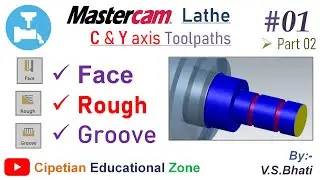
Grooving Operation for CNC Lathe in Mastercam || Rough Grooving ||
Автор: Virender Singh Bhati
Загружено: 2019-08-02
Просмотров: 8951
Описание:
Groove Rough Parameters
Use this tab to create the roughing cuts for a groove toolpath. Select Rough to activate the options on this tab and create a roughing pass. Deselect this checkbox if you only want to create a finish operation.
Select options on the right side of the tab to enable advanced grooving features, such as pecking, depth cuts, and toolpath filtering.
There are no tool compensation options for groove roughing. Tool compensation in computer is always on, and Mastercam determines the direction.
Operation Parameters
Rough
Select to create roughing passes.
Finish each groove before roughing next
Select if you want each groove to be roughed and finished before moving on to the next groove. Deselect if you want all grooves to be roughed before any finish cuts are made. This is used when multiple grooves are defined.
Stock clearance
Determines how far above the top of the groove the tool starts the first plunge and retracts after the last cut.
Rough step
Determines the amount of material removed by each cut. This can be determined by choosing an option from the drop-down list and entering a value in the field. The options are:
Number of steps
Step amount
Percent of tool width
Backoff %
Determines how far the tool backs away from the wall of the groove before it retracts. The backoff distance is defined as a percentage of the rough step. The tool backs off at a 45-degree angle, and will not back off if it is going to hit the part.
Cut direction
Determines the direction that the tool roughs the groove:
Positive: Machines in the positive direction.
Negative: Machines in the negative direction.
Bi-Directional, Alternating: Alternates between positive and negative until the required material is removed.
Bi-Directional, Positive First: Machines the positive side first, and then machines the negative side.
Bi-Directional, Negative First: Machines the negative side first, and then machines the positive side.
Chain direction: Machines the direction of the chain. Only with inner/outer boundary grooves.
Note: For canned groove toolpaths, only Positive and Negative are available.
Steps
Does not create extra moves to smooth the walls.
Smooth
Adds extra moves to the toolpath to remove the steps created when rough grooving a tapered wall. Choose Parameters to configure these moves.
Peck groove
Select to cut the groove in pecks. Click to set peck parameters.
Depth cuts
Select to cut the groove in depth cuts. Click to set depth cut parameters.
Groove Finish Parameters
Use this tab to create the finish passes for a groove toolpath. Select the Finish checkbox to activate the options on this tab and create finish passes. Deselect this checkbox if you only want to create a roughing operation.
Select options on the right side of the tab to enable advanced grooving features, such as lead in/out moves and toolpath filtering.
Note: With groove finish passes, if you set compensation in control to automatic, Mastercam changes the compensation in control direction for the clockwise and counterclockwise cut directions.
Operation Parameters
Finish
Select to activate the options to create a finish pass.
Number of finish passes
Enter the number of finish passes. If you choose to make more than one finish pass, then Mastercam determines the offset direction automatically.
Finish stepover
Determines how much stock is removed with each finish pass.
Determines how much stock remains in the Z direction when the operation is finished. Typically, this would be removed by a separate finish operation.
Tool back offset number
Defines a second offset number for finishing the groove walls. Mastercam creates one finish pass for each of the walls, and posts this number for the second wall finish pass.
CCW
Starts the finish pass in a clockwise direction. The tool then retracts and completes the finish pass in a counterclockwise direction.
CW
Starts the finish pass in a counterclockwise direction. The tool then retracts and completes the finish pass in a clockwise direction.
Rapid
Retracts the tool at the rapid feed rate. This option is not recommended if you are creating an angled groove.
Middle overlap
Sets the groove finish overlap at the middle of the floor. The first pass cuts to the middle of the floor from one side, and the second pass cuts to the middle of the floor from the other side.
Select overlap
Select to return to the graphics window and select the position where the first finish cut ends and the amount that the first and second finish cuts overlap.
Distance from 1st corner
Determines the position where the first finish cuts ends.
Overlap between passes
Determines the amount that the first and second finish cuts overlap.
Ignore undercuts
Select to ignore undercuts on a grooving operation. This is used when cutting a groove with an undercut using a flat tool.
Повторяем попытку...

Доступные форматы для скачивания:
Скачать видео
-
Информация по загрузке: