FAQ: How to Fix Centro Salesforce OAuth Connection Errors (Slack & Microsoft Teams Users)
Автор: Centro: Salesforce, Teams, and Slack
Загружено: 2025-09-15
Просмотров: 771
Описание:
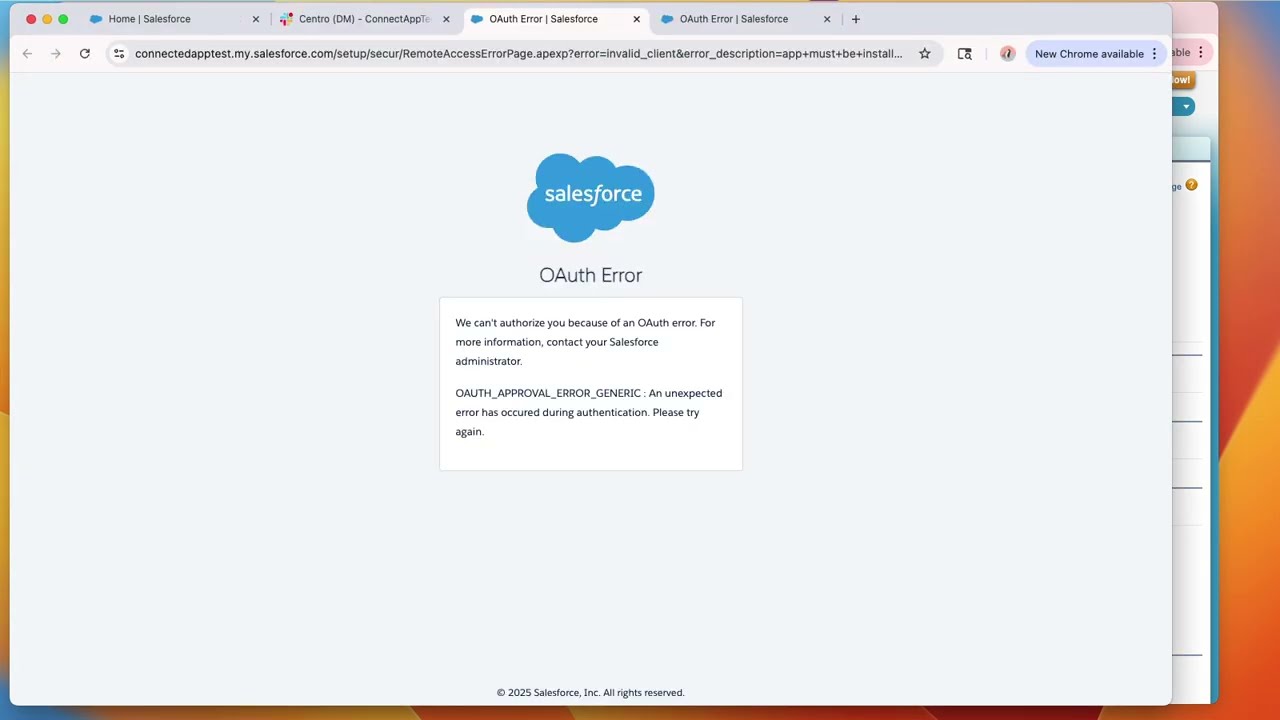
🚨 Users receiving the OAUTH_APPROVAL_ERROR_GENERIC error when connecting Centro (Slack or Microsoft Teams) to Salesforce?
This issue is related to Salesforce’s September 2025 Connected App changes. Salesforce now requires admins to explicitly allow non-admin users to authorize API access. If you’re not a “System Admin” profile, you may see this error dialog when connecting:
“We can’t authorize you because of an OAuth error. For more information, contact your Salesforce Administrator.
OAUTH_APPROVAL_ERROR_GENERIC: An unexpected error has occurred during authentication. Please try again.”
🔧 Steps to Resolve (Admin Action Required)
1. In Salesforce, go to Setup → Connected Apps → Connected Apps OAuth Usage.
2. Find the Centro App and click Install.
3. Inform impacted users to reconnect Centro.
🔒 Security Note
• By default, the Permitted Users policy is set to “All users may self-authorize” — this is the recommended setting.
• Optionally, admins may set “Admin approved users are pre-authorized” for tighter control. ⚠️ Warning: switching to this setting will revoke existing user connections until re-authorized.
❓ FAQ
• Does this impact all users? → No, only non-admin users who haven’t connected yet.
• Will existing non-admin users lose access? → No, those already connected do not need to re-authorize.
• Is this a security risk? → No, this change strengthens Salesforce’s security posture by requiring explicit admin approval.
✅ After completing these steps, impacted users can securely reconnect Centro to Salesforce without seeing the OAuth error.
Повторяем попытку...
Доступные форматы для скачивания:
Скачать видео
-
Информация по загрузке: