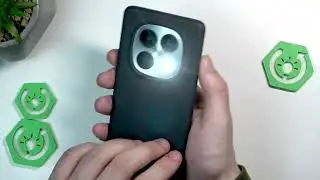
ZTE Blade V70 Max Camera Tricks – Best Features and Hidden Tips
Автор: HardReset_Tricks
Загружено: 2025-04-26
Просмотров: 1773
Описание:
Discover the best camera tricks and hidden features on the ZTE Blade V70 Max in this easy-to-follow video. Learn how to use AI Cam, Google Lens for search and translation, enable HDR, adjust beautify settings, apply filters, and customize camera options for better photos and videos. We’ll also show you how to use Pro mode, panorama, night mode, and more to get the most out of your ZTE Blade V70 Max camera. Whether you want to improve your photography, explore advanced settings, or just find out what each camera option does, this guide will help you unlock the full potential of your device.
How to use camera tricks on ZTE Blade V70 Max?
How to enable Pro mode on ZTE Blade V70 Max camera?
Where are the advanced camera settings on ZTE Blade V70 Max?
0:00 Introduction to ZTE Blade V70 Max Camera
0:18 Opening Camera and AI Cam Overview
0:25 Using Google Lens: Search, Translate, Homework
1:21 Google Lens Search Example
1:50 Google Lens Translate Example
3:08 Flashlight, HDR, and Beautify Options
4:44 Filters and Camera Settings Menu
5:15 Adjusting Storage, Volume Key, and Picture Size
5:56 Watermark, Countdown, and Grid Options
6:35 Composition Lines: Grid, Golden Section, Reticle, Box
8:19 Level, Smile Shutter, Scene Recognition
8:45 Video Settings: Resolution, FPS, White Balance
9:21 Portrait, 50MP, and More Camera Modes
9:35 Pro Mode: ISO, AF, Saturation, White Balance, Contrast
10:20 Time Lapse, QR Code, Night Mode
10:34 Panorama Mode and How to Use It
11:49 Final Thoughts
#ZTEBladeV70Max #CameraTricks #ZTECamera #MobilePhotography
Find out more:
https://www.hardreset.info/devices/zt...
Follow us on Instagram ► / hardreset.info
Like us on Facebook ► / hardresetinfo
Tweet us on Twitter ► / hardreseti
Support us on TikTok ► / hardreset.info
Use Reset Guides for many popular Apps ► https://www.hardreset.info/apps/apps/
Повторяем попытку...

Доступные форматы для скачивания:
Скачать видео
-
Информация по загрузке: