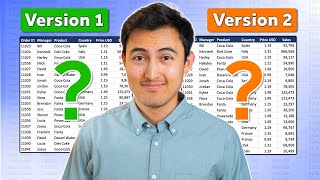
Excel - Concatenate Word Wrapped Cells that were Accidentally Split at Alt Enter - Episode 1119
Автор: MrExcel.com
Загружено: 2009-10-09
Просмотров: 1611
Описание:
Microsoft Excel Tutorial: Combine Word-Wrapped Cells
Welcome to another exciting episode of Dueling Excel, where Mike Girvin from ExcelIsFun and Bill Jelen from MrExcel.com go head to head to find the best solution for your Excel problems. In this episode, we tackle a common issue faced by many Excel users - how to rejoin word-wrapped cells that have been separated into two cells during a data dump.
Mark sent in a question about his data set where the word wrap in the original data got separated into two cells. This can be a frustrating problem, but fear not, we have some cool tricks and techniques to help you solve it. In this video, we will show you multiple ways to rejoin these word-wrapped cells and extract the desired records from the data set.
First, we will walk you through a step-by-step process using formulas and functions to rejoin the cells and extract the records. We will also show you how to use the filter function to easily extract the desired records without messing up the relative cell references. But that's not all, we also have a bonus solution for you - a quick and easy macro that will do all the work for you with just a click of a button.
So whether you prefer using formulas or macros, we've got you covered. Watch as Mike and Bill go head to head to find the best solution for this common Excel problem. And don't forget to subscribe to our channels for more exciting Excel tips and tricks. Thanks for watching and we'll see you in the next Dueling Excel episode!
Buy Bill Jelen's latest Excel book: https://www.mrexcel.com/products/latest/
You can help my channel by clicking Like or commenting below: https://www.mrexcel.com/like-mrexcel-...
Table of Contents
(00:00) Dueling Excel: Re-join word-wrapped cells that were split into two cells
(01:28) Fill blank cells with value from above
(02:04) Adding color to formula cells
(02:42) IF this cell equals the cell above
(03:17) Joining text with ampersand
(03:57) Works for single cell entries too
(04:40) Find last row for each group of records
(05:30) Sorting problem when you have relative references
(06:01) Use Filter instead of sorting
(07:35) Bill solution with a VBA macro
(09:05) Handling last record after the loop
(09:43) Clicking Like really helps the algorithm
#excel #microsoft #microsoftexcel #exceltutorial #exceltips #exceltricks #excelmvp #freeclass #freecourse #freeclasses #excelclasses #microsoftmvp #walkthrough #evergreen #spreadsheetskills #analytics #analysis #dataanalysis #dataanalytics #mrexcel #spreadsheets #spreadsheet #excelhelp #accounting #tutorial #excelduel #excelvba #excelformula #excelvalidation
This video answers these common search terms:
formula to join text
formula to concatenate in excel
combining records that we accidentally split in excel
External data pasted into Excel shows up with 1 row in columns A & C, but multiple rows in B. Today's dueling Excel Episode 1119 shows how to deal with this data.
Join the MrExcel Message Board discussion about this video at https://www.mrexcel.com/board/threads...
Повторяем попытку...

Доступные форматы для скачивания:
Скачать видео
-
Информация по загрузке: