How to Fix OnePlus 8 WiFi Bluetooth GPS Problem Solution | Network Hardware Repair in Urdu Hindi
Автор: Mobile hardware solutions
Загружено: 2024-12-20
Просмотров: 195
Описание:
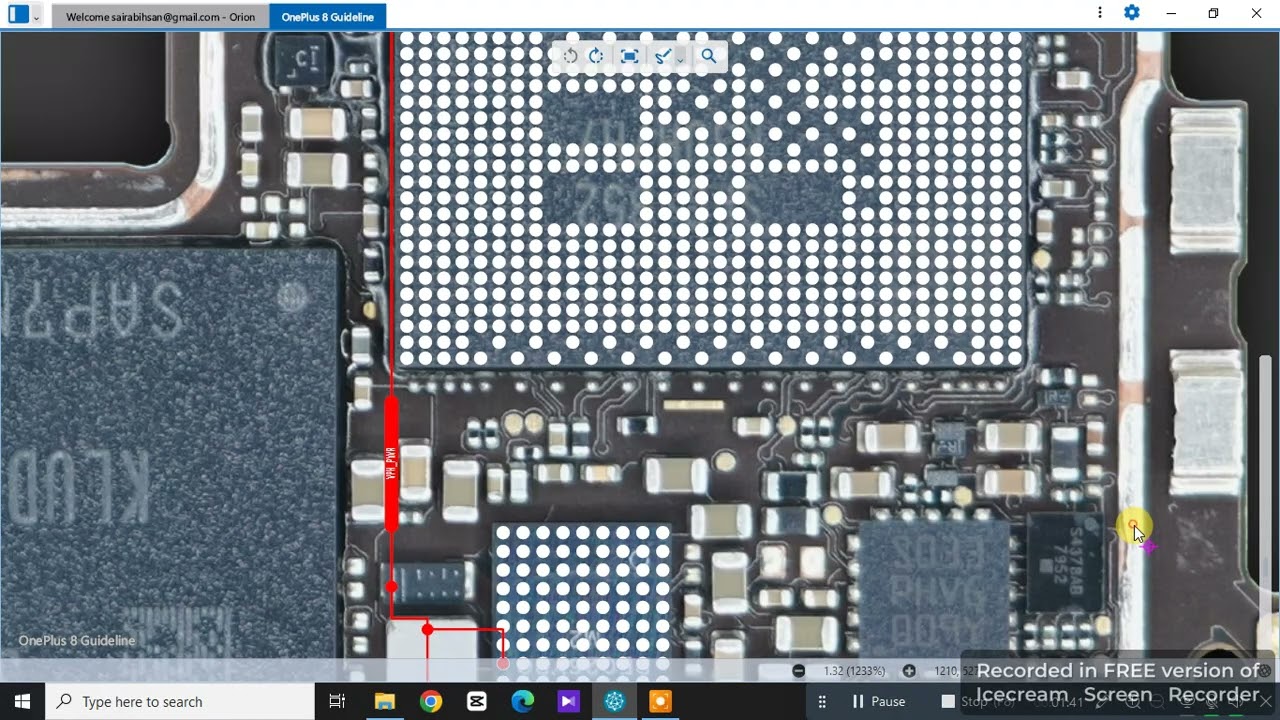
In this detailed video, learn how to fix OnePlus 8 WiFi, Bluetooth, and GPS problems with hardware troubleshooting and repair techniques. If your OnePlus 8 is facing WiFi disconnection, Bluetooth not pairing, or GPS signal issues, this step-by-step guide covers antenna checking, connector cleaning, module testing, and jumper solutions. Explained clearly in Urdu Hindi for mobile repair technicians.
📌 Covered Topics:
OnePlus 8 WiFi not working or disconnecting
Bluetooth pairing or connectivity issues
GPS signal loss or inaccurate location
Antenna and connector inspection
Hardware jumper and module repair solutions
🔧 30 Step-by-Step Instructions
Power off the OnePlus 8 device.
Remove SIM tray and carefully open the back cover.
Disconnect battery connector for safety.
Remove screws and internal shields to access motherboard.
Locate WiFi, Bluetooth, and GPS antenna connectors.
Inspect antenna flex cables and connectors for damage or dirt.
Clean antenna connectors with isopropyl alcohol (IPA).
Test antenna cable continuity with a multimeter.
Check antenna pins on the motherboard for corrosion.
Inspect WiFi/Bluetooth/GPS module solder joints.
Reflow solder joints if cold solder suspected.
Replace WiFi/Bluetooth/GPS module if faulty.
Check for broken or damaged antenna traces on motherboard.
Use jumper wires to repair broken antenna traces.
Inspect capacitors and resistors near antenna circuits.
Replace damaged SMD components.
Check power supply lines for WiFi/Bluetooth/GPS modules.
Test module voltage levels with a multimeter.
Verify proper grounding of antenna circuits.
Test WiFi connectivity after hardware checks.
Test Bluetooth pairing and audio transmission.
Test GPS accuracy and signal strength.
Use software settings to reset network configurations.
Perform a factory reset if software issues suspected.
Clean motherboard area with IPA if corrosion present.
Reassemble device carefully.
Reconnect battery and power on device.
Check network and GPS performance again.
Confirm stable WiFi, Bluetooth, and GPS functioning.
Final quality check and troubleshooting.
🔖 Hashtags
#OnePlus8WiFiProblem #OnePlus8BluetoothFix #OnePlus8GPSIssue #MobileRepairUrduHindi #WiFiBluetoothGPSRepair #OnePlus8HardwareSolution #MobileNetworkFix #UrduHindiRepair #OnePlus8AntennaRepair #MobileRepairGuide
Повторяем попытку...
Доступные форматы для скачивания:
Скачать видео
-
Информация по загрузке: