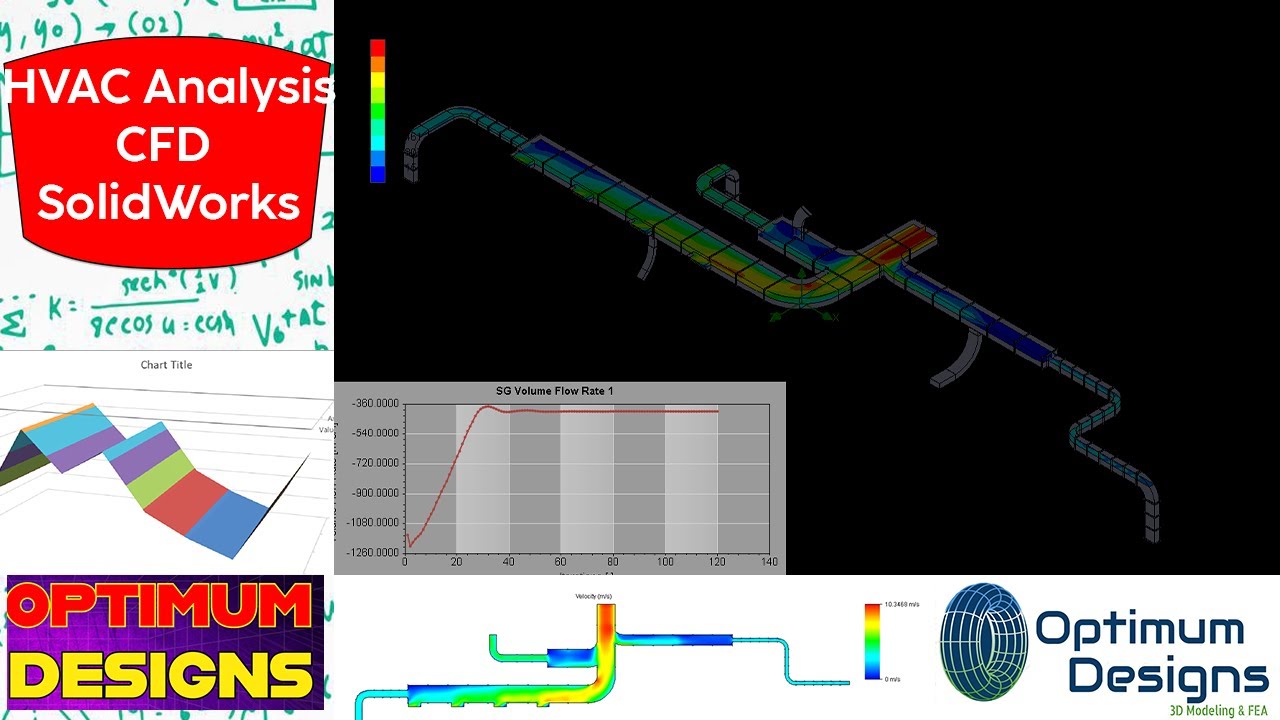
SolidWorks Tutorial ~ How to simulate HVAC Duct Air Analysis
Автор: Optimum Designs
Загружено: 2024-09-22
Просмотров: 622
Описание:
🎥 SolidWorks Mastery: Simulation Air Analysis insode HVAC at rate = 3300 m3/hr in SolidWorks 🚀✨🏗️
Welcome to my latest video where we dive into the fascinating world of engineering! In this episode, I’ll be showcasing the intricate design process of a ducted fan with outer casing using SolidWorks. 🛠️💻
🔍 What to Expect:
Step-by-Step Design Process: Watch as I meticulously create each component of the ducted fan, ensuring every detail is just right. From the initial sketch to the final assembly, you’ll see how creativity meets precision! 🎨📐
Flow Simulation & CFD Study: I’ll demonstrate how I applied advanced flow simulation techniques to analyze the airflow dynamics around the fan. 🌬️💨 This crucial step adds realism and value to the design, helping us understand the performance under various conditions.
Understanding Forces: Discover the forces that act on both the fan and its outer casing. I’ll break down how these forces influence the overall design and functionality, making it easier for you to grasp the engineering principles at play. ⚙️🔧
💡 💡💡💡💡💡💡💡💡💡💡💡💡💡💡💡💡💡💡💡💡💡💡💡
This project involves using Computational Fluid Dynamics (CFD) within SolidWorks to simulate the fluid flow around a ducted fan. The key challenge lies in incorporating a rotating region to accurately represent the fan's blades. m3/hr
Steps Involved:
Geometry Creation:
Build a detailed 3D model of the ducted fan in SolidWorks, including the fan blades, duct, and any surrounding structures.
Define the rotating region, which will represent the fan's blades.
Mesh Generation:
Create a high-quality mesh of the geometry to ensure accurate CFD results.
Pay close attention to the mesh near the rotating region and the fan blades to capture the complex flow patterns.
Boundary Conditions:
Define appropriate boundary conditions for the simulation, such as:
Inlet: Specify the incoming flow velocity, temperature, and turbulence parameters.
Outlet: Set the pressure or mass flow rate.
Walls: Apply no-slip or slip conditions based on the surface characteristics.
Rotating Region: Define the rotational speed and direction of the blades.
Fluid Properties:
Specify the fluid properties, such as density, viscosity, and thermal conductivity.
Simulation Setup:
Choose a suitable CFD solver and turbulence model based on the flow characteristics and desired accuracy.
Set up the simulation parameters, including time step, convergence criteria, and solution methods.
Running the Simulation:
Launch the CFD simulation and monitor its progress.
Check for convergence and ensure the simulation is running smoothly.
Post-Processing:
Visualize the simulation results, including velocity, pressure, temperature, and turbulence fields.
Analyze the flow patterns around the ducted fan to understand its performance and identify areas for improvement.
Key Considerations for Rotating Regions:
Mesh Quality: Ensure a high-quality mesh in the rotating region to accurately capture the complex flow patterns.
Boundary Conditions: Properly define the rotational speed and direction of the rotating region.
Turbulence Modeling: Choose a suitable turbulence model that can handle rotating flows and complex geometries.
Convergence: Monitor the simulation closely to ensure convergence and avoid numerical instabilities.
By following these steps and carefully considering the specific requirements of the ducted fan design, you can effectively use SolidWorks CFD to simulate the fluid flow and optimize the fan's performance.
👉 Join me on this journey of innovation and creativity! Don’t forget to like, subscribe, and hit the bell icon for more engineering content! 🔔👍
Let’s get started! 🎉✨
🔔 Subscribe to stay updated with more tutorials, tips, and tricks on SolidWorks. Hit the like button if you find this video helpful and leave a comment with any questions or suggestions for future content.
#solidworkstutorail #cranework #loadtesting #motionanalysis #CAD #engineeringdesign #mechanicaldesign #solidworkstips #solidworkstutorial #advancedsolidworks #3ddesigning #simulation
#nozzledesign #nozzles #rockstar #cfd #trailer #stressrelief #stress #analysis
#cfdsimulation
#hvac
#air
🌟 Watch More:
SolidWorks Motion Analysis Basics
Advanced Features in SolidWorks
Engineering Design Techniques
📅 Stay Tuned for Weekly Updates!
! 🏗️ Join us in mastering complex assemblies! ---Make sure to subscribe and hit the notification bell so you never miss an update! Thank you for watching and supporting the channel.
Your support helps me create more content like this. 😊 --### Links Subscribe 7th Designing! 🏗️
So, it is for EVERYONE beside 3D printings.
** NOT for NON-Peaceful using! **
💢"Don't stop trying, don't stop learning" 💢 🤳🎶
Повторяем попытку...
Доступные форматы для скачивания:
Скачать видео
-
Информация по загрузке: