🛠️ Fix Android TV Box Not Working - Stuck On Boot Mode - ⚠️ Do Not Throw Away Your TV Box ⚠️
Автор: LBC Service Group
Загружено: 2020-11-08
Просмотров: 8845
Описание:
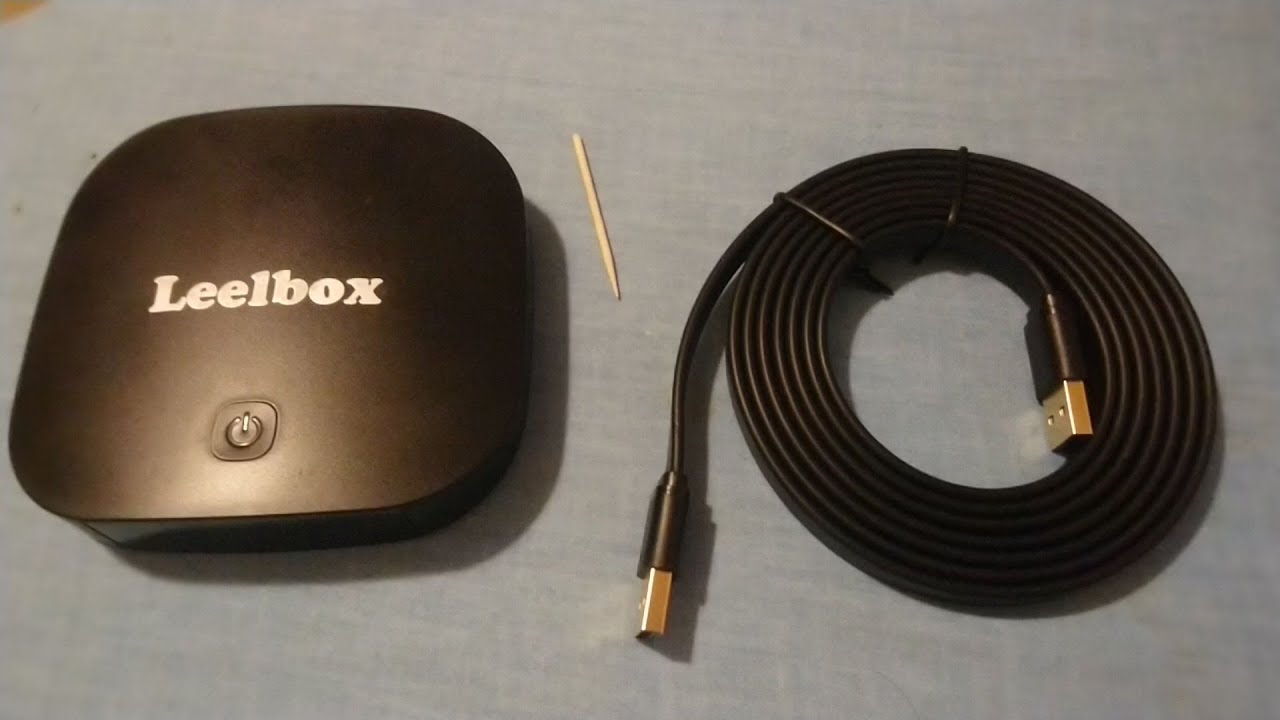
Having issues with your Leelbox Android Box (or any Android TV Box) that doesn't work and is stuck on boot mode? Here is how to fix it!
Things required to fix this problem:
1. A double-headed USB cable (A male to A male).
2. Toothpick or Q-Tip
3. An image file (.img extension) - Leelbox Q2 Mini image file was used for this video:
https://mega.nz/file/13x3GZDJ#bCma91n...
4. Driver Assistant:
https://chinagadgetsreviews.com/downl...
5. USB Burning Tool (Google search for USB Burning Tool, if doesn't work use the following)
https://mega.nz/file/ZHpUCQBb#XO0-nHT...
Thank you for watching! Please subscribe for more repairs and reviews.
======================================================
Gov-Auctions.org - #1 Government & Seized Auto Auctions. Cars 95% Off!
https://bit.ly/3fxL50u
“Woodworking Made EASY”. The World's Largest Collection of 16,000 Woodworking Plans.
https://bit.ly/3SM3GEo
======================================================
Android TV Box Not Working, Leelbox Android TV Box Not Working, Leelbox TV Box Not Working, Android TV Box Stuck on Boot, Android TV Box Reimage, USB Burning Tool, Android TV Box Factory Reset, Update Firmware, How to Update Firmware on Android TV Box, How to install Firmware, Leelbox Q2 Mini Not Working
======================================================
Повторяем попытку...
Доступные форматы для скачивания:
Скачать видео
-
Информация по загрузке: