How to password-protect a Secure Share
Автор: DociShield
Загружено: 2026-10-17
Просмотров: 4
Описание:
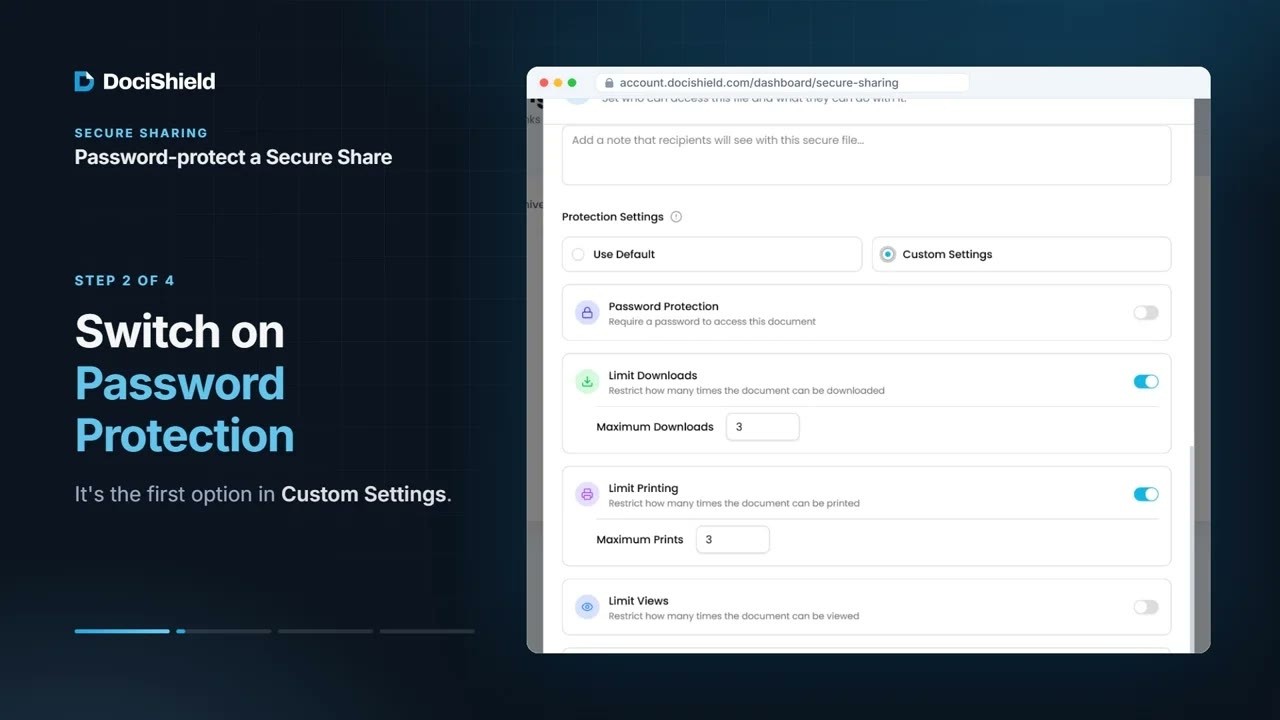
To password-protect a Secure Share, switch on Password Protection under Custom Settings in Send Secure File and enter at least 6 characters. Recipients see a Password Required page.
How to do it:
1. Choose Custom Settings: Under Protection Settings in the Send Secure File dialog.
2. Switch on Password Protection: It's the first option in Custom Settings.
3. Type the password: At least 6 characters. Give it to each recipient separately; the email never contains it.
4. Select Send Secure File: Recipients enter the password each time they open the link.
Full guide: https://docishield.com/documentation/...
Find more DociShield tutorials on this channel.
#DociShield #SecureSharing #Tutorial
Повторяем попытку...
Доступные форматы для скачивания:
Скачать видео
-
Информация по загрузке: