Xiaomi-OCR-0: Free Offline AI That Reads Receipts, PDFs and Handwriting (No GPU)
Автор: Genxt Tutorials
Загружено: 2026-10-09
Просмотров: 245
Описание:
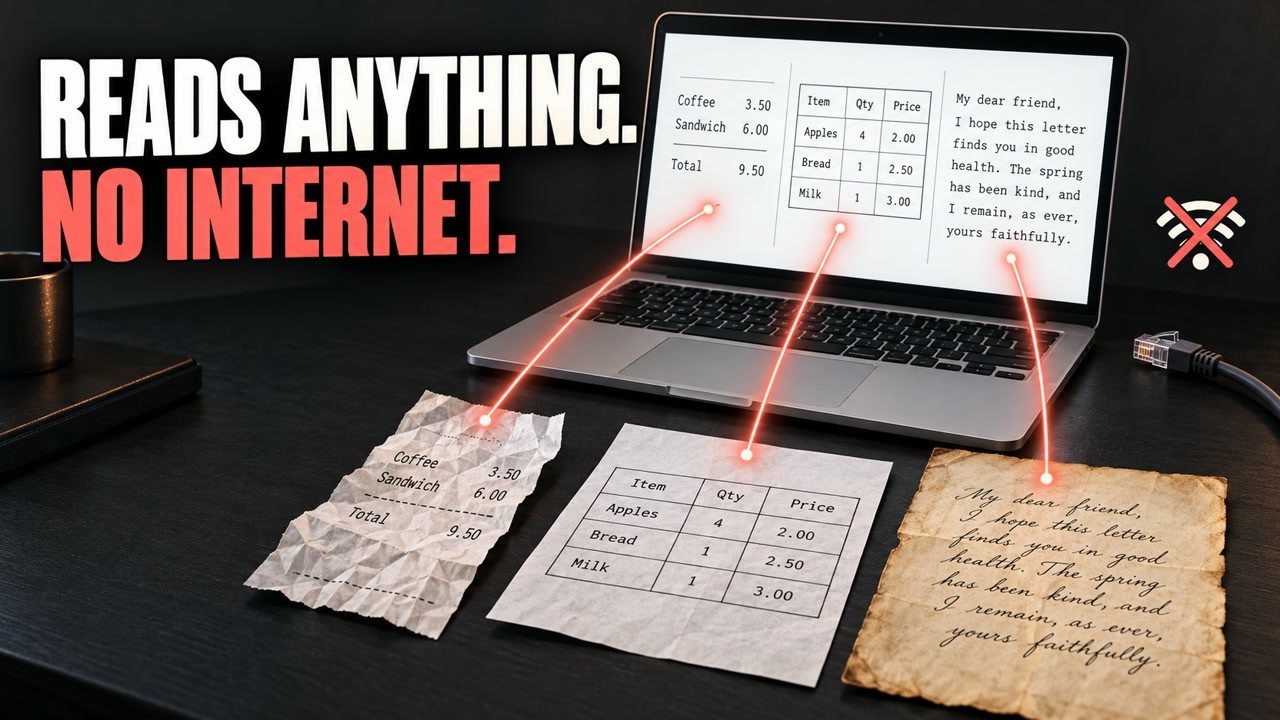
A team at Xiaomi just released a tiny, free AI that reads documents. I installed Xiaomi-OCR-0 on a PC with no graphics card, unplugged the internet, and gave it a receipt photo, a crooked scanned table, a maths sheet, a curved book page, a 3-page PDF, Abraham Lincoln's handwriting — and a Hindi notice.
⏱ Chapters
0:00 Intro
0:58 Install it
2:46 First test: a receipt photo
3:44 Offline: fields and questions
4:44 Whole pages: tables, handwriting, maths
6:01 The hard ones: a PDF, and Hindi
📋 Results (Xiaomi-OCR-0 via Ollama + the makers' Document Studio, page mode, no graphics card)
Receipt photo: every line and price correct, 32 seconds. Region mode: same text, 56 seconds on its first run.
Field extraction (store name, date, time, total, payment method): 5 of 5 correct, 9 seconds.
Questions: "How much did the olive oil cost?" → 7.99 in about a second. "If I take the 08:15 bus, when do I reach the airport?" → 09:16, worked out from the table.
Scanned timetable: every cell correct, 29 seconds. Maths worksheet: all 5 formulas exact, 14 seconds. Curved book page: every word, 17 seconds.
3-page scanned PDF: all pages and the table correct, 59 seconds.
Lincoln's handwritten Gettysburg Address: almost perfect — "cemetery" and "liberty" in small letters, "battle field" without the dash — 21 seconds.
Hindi notice: 6 words wrong or misspelled. Readable, but it needs fixing.
🛠 Commands used (Windows, PowerShell)
1. Install Ollama: https://ollama.com/download → "Download manually"
2. ollama pull longwayxu/xiaomi-ocr-0:bf16
3. Download the repo as a ZIP: https://github.com/SeerRay-Lab/Xiaomi... → Code → Download ZIP → Extract all
4. winget install -e --id Python.Python.3.12
5. In a NEW Terminal:
cd $HOME\Downloads\Xiaomi-OCR-0-main\Xiaomi-OCR-0-main
python -m pip install -r requirements.txt
(optional, for Region mode) python -m pip install paddlepaddle -r requirements-paddlex.txt
6. $env:XIAOMI_OCR_BACKEND="ollama"; $env:XIAOMI_OCR_MODEL="longwayxu/xiaomi-ocr-0:bf16"; $env:XIAOMI_OCR_LOCAL_URL="http://127.0.0.1:11434/v1"
7. python demo\server.py --port 8787
8. Open http://127.0.0.1:8787/?lang=en
💡 Notes
• The Ollama package is the one the model's page points to; the makers call it experimental.
• Region mode downloads a small layout model the first time you use it, so run it once while you're online.
• All test documents are made up, except Lincoln's page (the Bliss copy, public domain, via Wikimedia Commons) and the first page of Pride and Prejudice (public domain).
💻 Test machine
Virtual PC on an AMD Ryzen 9 7950X, 12 virtual processors, 16 GB RAM, no graphics card. Your speed will depend on your computer.
🔗 Links
Xiaomi-OCR-0 (Apache-2.0): https://huggingface.co/SeerRay-Lab/Xi...
Code and Document Studio: https://github.com/SeerRay-Lab/Xiaomi...
Technical report: https://arxiv.org/abs/2609.36136
Ollama: https://ollama.com
The narration uses an AI-generated voice (ElevenLabs Eleven v4). All steps and results are real and recorded on screen.
#AI #OCR #XiaomiOCR #FreeAI #OfflineAI
Повторяем попытку...
Доступные форматы для скачивания:
Скачать видео
-
Информация по загрузке: