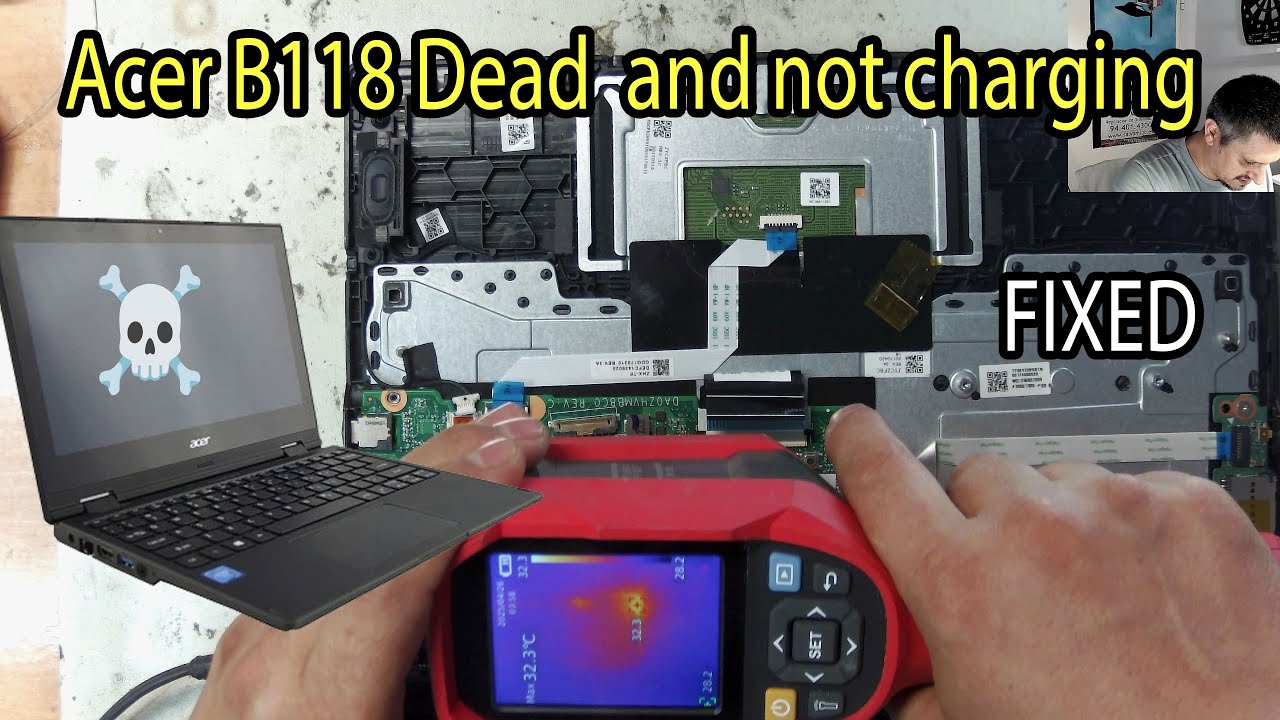
Can We Fix a Dead Acer TravelMate B118 for €0? Thermal Cam Diagnosis & USB IC Bypass
Автор: Salvamipc (Informatico)
Загружено: 2025-07-19
Просмотров: 300
Описание:
🔧 In this video, I repair a completely dead *Acer TravelMate B118* laptop. After a full diagnosis, I used a *thermal camera* to spot an unusually hot component: the **USB port protection IC**.
That tiny chip was shorting the entire board and preventing the laptop from powering on. Once identified, I removed the IC and *jumped (bypassed)* it to restore functionality — and it worked perfectly!
🛠️ This repair technique can apply to many other laptops that show no signs of life. USB protection chips often go bad and can take the entire board down with them.
----------------------------
🧪 What you'll see in this video:
✔️ Dead laptop diagnosis
✔️ Use of thermal camera for fault detection
✔️ Locating a shorted protection IC
✔️ Component removal and bypass
✔️ Final test – laptop back to life!
⚠️ *DISCLAIMER:*
This repair is shown for **educational purposes only**. Always verify schematics and understand the risks before bypassing any protection circuitry.
----------------------------
🌍 Based in Spain and need tech repairs?
💻 Visit 👉 https://salvamipc.es
We offer computer, mobile, and electronics repairs in **Bilbao and surrounding areas**.
----------------------------
🔑 *Keywords:*
acer travelmate b118 repair, dead laptop fix, thermal camera laptop repair, usb protection ic short, how to fix dead laptop, motherboard short circuit, thermal imaging diagnosis, laptop not turning on, salvamipc, bypass usb ic, laptop power issue repair, motherboard short repair, electronics repair, dead acer laptop
Повторяем попытку...
Доступные форматы для скачивания:
Скачать видео
-
Информация по загрузке:








![Эпизод 39 - Ремонт материнской платы MSI Katana 17 B13VGK [MS-15851 rev. 1.0]](https://image.4k-video.ru/id-video/WOJjm6AogsQ)
