SketchUp to LayOut – Creating Scaled Floor Plans, Sections & Drawing Pages
Автор: AECO Space
Загружено: 2026-01-07
Просмотров: 8
Описание:
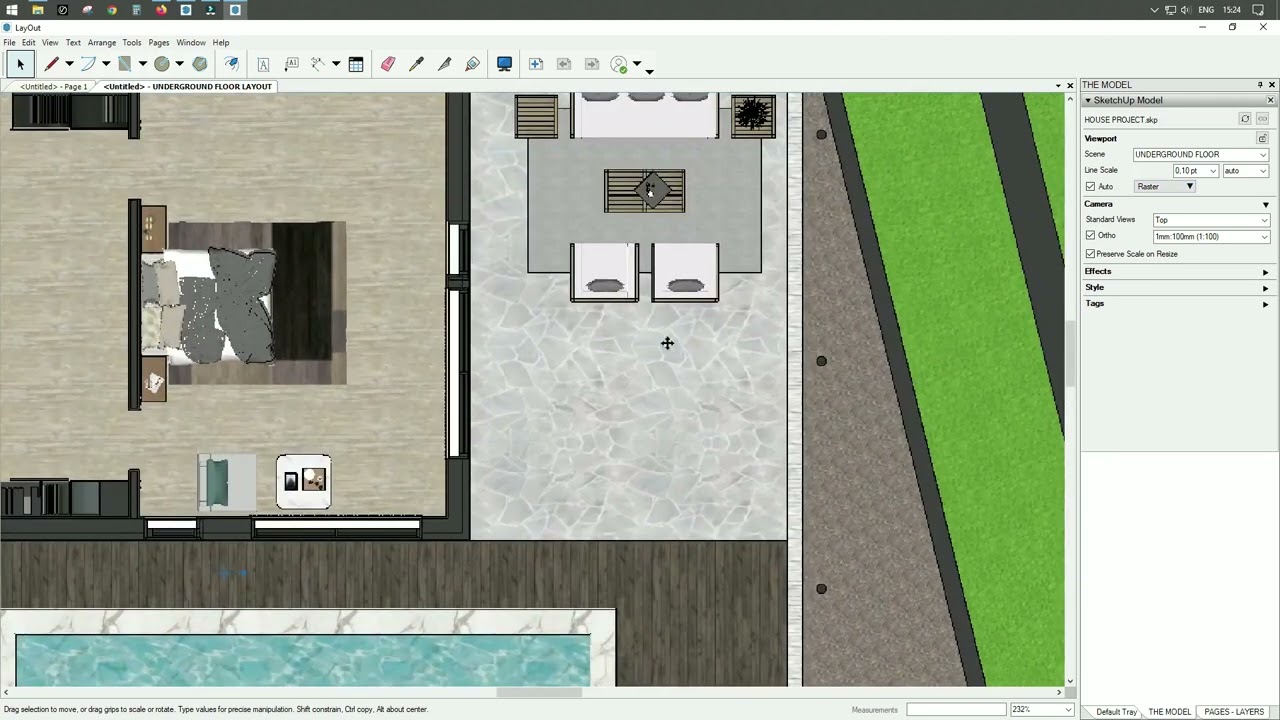
This lesson starts the architectural documentation phase by sending the completed SketchUp model to LayOut and setting up the first drawing pages with correct scales, scenes, and structure.
🔹 What you will be able to do after this lesson
• Send a finished SketchUp model to LayOut correctly
• Create a structured LayOut file with multiple drawing pages
• Place model viewports using predefined SketchUp scenes
• Set correct drawing scales for plans, sections, site, and 3D views
• Lock model viewports and prepare sheets for annotation
✔ The project is now ready for professional architectural drawings.
________________________________________
🔹 Course context
This video is part of the course
Complete Architectural Workflow in SketchUp – From Urban Plan to Drawings & Renders
It follows the Intro to SketchUp LayOut and begins the Project Drawings workflow.
________________________________________
🔹 What this lesson covers
• Sending the SketchUp model to LayOut starting from the underground floor scene
• Choosing a title-block template and setting up the drawing sheet
• Placing the model viewport on a dedicated “model” layer
• Locking the model layer to protect scale and position
• Creating drawing pages for:
o Underground floor plan
o Ground floor plan
o First floor plan
o Building section
o Site situation plan
o 3D project view
• Duplicating pages and switching scenes instead of rebuilding sheets
• Setting drawing scale and basic line-weight values
✔ One model, multiple drawings — controlled entirely by scenes.
________________________________________
🔹 What you will learn
• How to structure a LayOut file for architectural projects
• How to control drawings using SketchUp scenes
• How to apply correct scales for plans, sections, and site views
• How to separate model, title block, and annotations using layers
✔ Clean structure now prevents drawing chaos later.
________________________________________
🔹 Problems this lesson solves
• Model viewports moving accidentally while drawing
• Inconsistent title blocks across pages
• Drawings not set to real scale
• Rebuilding pages instead of duplicating correctly configured ones
✔ Most LayOut problems come from poor page and layer setup.
________________________________________
🔹 Who this video is for
• Architects producing drawings from SketchUp models
• Interior designers creating multi-storey plans and sections
• SketchUp users starting with LayOut documentation
________________________________________
🔹 Place of this lesson in the course
• Starts the Project Drawings phase
• Transforms the 3D model into structured drawing sheets
• Establishes the base for dimensions, annotations, and graphic refinement
✔ From this point on, the workflow is about drawings, not modeling.
Повторяем попытку...
Доступные форматы для скачивания:
Скачать видео
-
Информация по загрузке: