Installing Magic Lantern Firmware on the Canon T1i (500D)
Автор: Jon Ernstberger
Загружено: 2015-08-06
Просмотров: 32917
Описание:
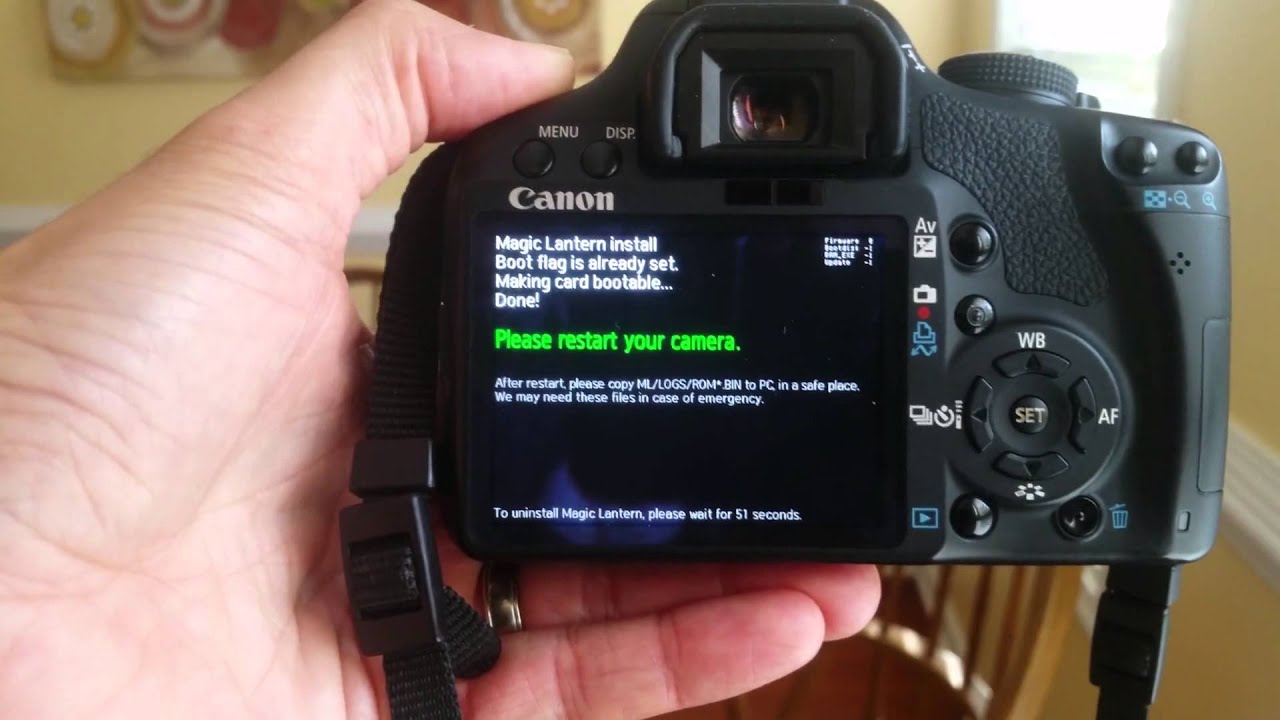
In this video, I demonstrate the installation of the Magic Lantern Firmware on the Canon T1i (500D). This unlocks a variety of wonderful features on the camera that are not available with the default firmware from Canon.
Warning: This will void any remaining warranty.
Magic Lantern Firmware: http://magiclantern.fm/
Canon T1i (500D): http://www.usa.canon.com/cusa/support...
You'll need:
1. A SDHC card formatted in your Canon DSLR camera.
2. A well-charged battery.
Once you download the firmware from the Magic Lantern site, you'll need to extract the contents of the .zip file onto the SDHC primary directory. Insert the card into the camera, turn the mode selection knob to 'Manual', and then press the "Menu" button. Navigate to the seventh drop-down (the one that looks like a wrench with three dots) and scroll down to the menu labeled 'Firmware'. Press the 'Set' button. There will be a statement about the current firmware version and then the option to 'Update'. Direct the menu highlighting to 'ok' and press 'Set'. The Magic Lantern firmware will be installed on your camera.
If this video was helpful, feel free to 'like' this video, leave positive feedback and subscribe to this channel at http://bit.ly/1Izuux4 !
Повторяем попытку...
Доступные форматы для скачивания:
Скачать видео
-
Информация по загрузке: