How to Download and Install the Low Fire Resource Pack in Minecraft 1.21.
Автор: Luprik
Загружено: 2024-07-09
Просмотров: 31917
Описание:
Site - https://texture-packs.com/resourcepac...
I'll show you how to download and install the Low Fire resource pack in Minecraft 1.21.
To do this, we need to download the file from the link below the video.
After it has downloaded, press win + R and write %appdata% and go to the .Minecraft folder.
Here we need to find the resource packs folder.
And put the downloaded zip file into it.
And that's it.
The resource pack itself is downloaded and installed.
Now let's go to Minecraft itself.
Here we go to the settings and then to the resource packs.
Here we click on our resource pack so that it appears in the selected column.
And finally, we can look at it.
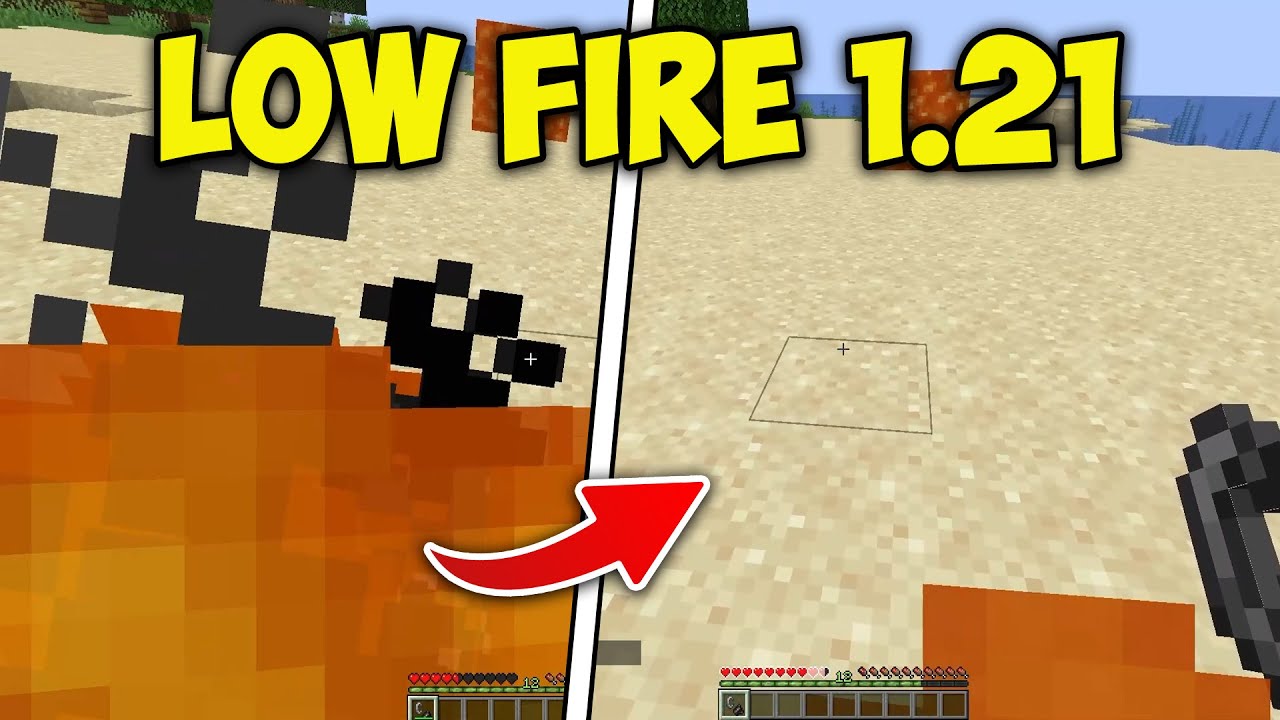
This is what the fire looks like without the resource pack, and this is what it looks like with it enabled.
And this is a pretty good resource pack.
Thank you for watching. And goodbye.
Повторяем попытку...
Доступные форматы для скачивания:
Скачать видео
-
Информация по загрузке: