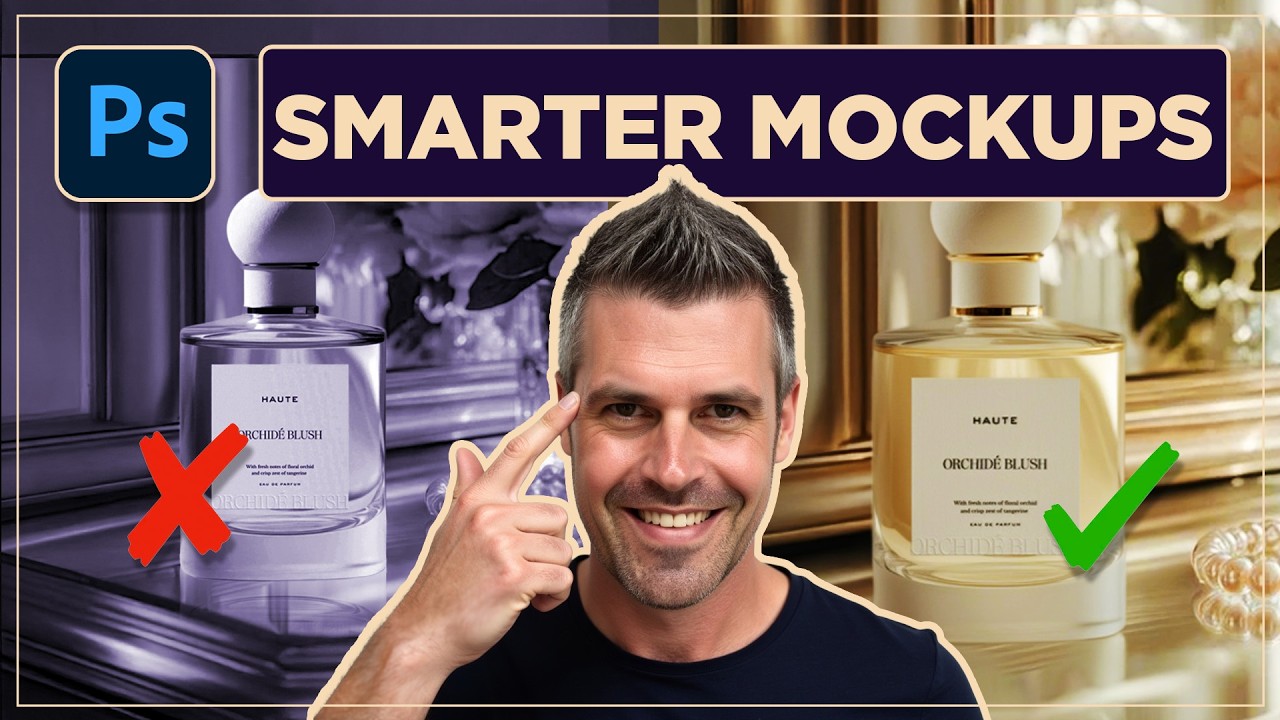
1-Click Product Mockups: New Photoshop AI Tool Saves Your Team Hours
Автор: Quietly Smart
Загружено: 2025-07-31
Просмотров: 131
Описание:
In this video, I show three practical ways to composite a product or character into a scene: the old manual Photoshop method, quick AI generations with ChatGPT/Sora/OpenArt, and the new Photoshop Beta feature called Harmonize that blends lighting, color, and shadows with far more control. We’ll use a perfume bottle and my Quietly Smart robot as examples, compare results, and talk about when each approach makes sense for real client work.
⚡ What you’ll learn
• When to use ChatGPT/Sora/OpenArt for fast concepting vs. Photoshop for controllable edits
• How Harmonize matches lighting, color, and reflections for believable composites
• Limitations to watch for (resolution loss, regeneration when moving subjects)
• How Firefly credits work, and why Firefly still isn’t great for full prompt-based image generation
00:00 Introduction to Photoshop’s New AI Tool
00:41 Old School Method: Background Removal
03:17 Using Sora and Open Art for Backgrounds
05:13 Comparing Results: Sora vs. Flux vs. Chat GPT
06:43 Photoshop Beta: The Harmonize Feature
08:42 Example: Adding a Robot to an Office
11:59 Generative Credits and Final Thoughts
🛠️ Tools used
Photoshop (Beta) · ChatGPT/Sora · OpenArt (Flux)
🤝 Work with me
Site → https://quietlysmart.ai
Chat → https://calendly.com/matt-wills-quiet...
LinkedIn → / matt-wills–
💬 Let’s talk
Questions about using these tools with your team or brand? Drop a comment—I’ll reply with honest, practical advice.
#Photoshop #Harmonize #Firefly #GenerativeFill #DesignWorkflow #Compositing #NoCode #QuietlySmart #MarketingDesign #Sora #OpenArt #Flux
Повторяем попытку...
Доступные форматы для скачивания:
Скачать видео
-
Информация по загрузке: