FreeCAD Meshes Made Easy! Complete STL / 3Mf Workflow
Автор: MangoJelly Solutions for FreeCAD
Загружено: 2026-07-18
Просмотров: 19893
Описание:
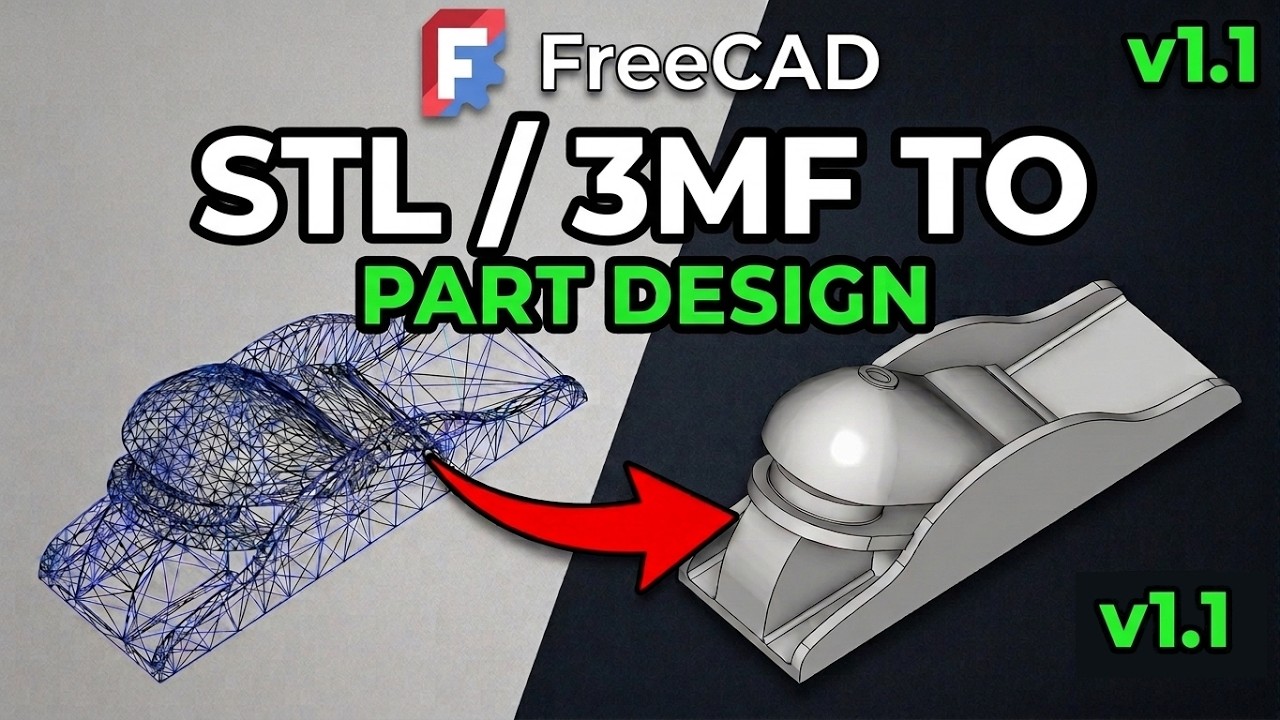
Working with STL, 3MF, OBJ and other mesh files in FreeCAD can be frustrating. Unlike STEP files, mesh models are made from thousands of triangles, making them difficult to edit, modify, or integrate into parametric CAD projects.
Note: if you are working with a STEP files, check out the video • FreeCAD Tool Makes Editing STEP files EASY... for editing and defeaturing it.
In this comprehensive FreeCAD mesh tutorial, I'll take you through a complete workflow for preparing, repairing, converting, and editing mesh files. Whether you've downloaded a model for 3D printing, reverse engineering, or product design, you'll learn how to transform it into a usable solid that can be modified inside FreeCAD.
We'll begin by importing as mesh file STL, OBJ and 3MF files correctly before checking whether the mesh contains multiple components. You'll learn why splitting components is essential, how to detect self-intersections, repair invalid meshes, verify manifold solids, and reduce mesh complexity through decimation when necessary.
From there, we'll convert the mesh into a shape, create a solid, refine unnecessary faces, and discuss when sewing should or shouldn't be used. Along the way I'll explain why face count has such a huge impact on performance and why many imported meshes become difficult to edit.
The second half of the tutorial explores several practical workflows for working with converted mesh models.
If you want to follow along, you can download the mesh file from this patreon post which will be made free on release of the video: / early-access-for-163050561
You'll learn how to:
• Modify a derived solid directly for quick design changes.
• Rebuild a fully parametric model using Sketcher, Part Design and SubShape Binders.
• Create accurate interface parts that fit existing mesh models.
• Use cross-sections to reverse engineer complex geometry.
• Correct transformation points and reposition imported meshes.
• Work around common problems caused by triangulated geometry.
You'll also discover the limitations of STL and other mesh formats, why STEP files are always the preferred option, and what to do when FreeCAD cannot successfully repair a damaged mesh.
If you've ever wanted to know how to edit STL files in FreeCAD, Convert STL's to a solid,
reverse engineer meshes from 3D scans or learn some of the features of FreeCAD's Mesh Workbench then this tutorial will help guide you along your path
This tutorial includes the complete workflow from importing a mesh through to producing editable CAD geometry suitable for further design work.
If you find the video helpful, please consider liking the video, subscribing to the channel, and leaving a comment. It really helps the channel grow and supports future FreeCAD tutorials.
Free download: The mesh model used in this video for follow the workflows is as follow:
---Add link here---
00:00 Introduction - Working with STL, OBJ and 3MF Mesh Files in FreeCAD
00:56 Importing Mesh Files into FreeCAD
02:22 Checking and Splitting Mesh Components
03:26 Evaluate and Repair Mesh Errors
05:00 Check if the Mesh is a Manifold Solid
05:37 Reduce Face Count with Mesh Decimation
07:57 Convert the Mesh into a Shape
09:33 Convert the Shape into a Solid
10:29 Refine the Solid by Merging Coplanar Faces
11:13 Overview of the Editing Workflows
12:02 Prepare the Mesh for Editing
12:41 Convert and Reposition the Mesh Origin
16:33 Workflow 1 - Modify the Derived Solid
22:32 Workflow 2 - Rebuild a Parametric CAD Model
33:00 Sketching on Non-Planar Faces
36:19 Alternative Part Workbench Workflow
37:30 Workflow 3 - Reverse Engineering with Cross Sections
41:25 Workflow 4 - Creating Interface Parts
43:40 When You Should Use STEP Instead of STL
_______________________________________________________
#FreeCAD , #CAD , #3DPrinting
Journey with me
Patreon
/ mangojellysolutions
Donate:
https://ko-fi.com/mang0
https://www.paypal.com/paypalme/darre...
Udemy:
FreeCAD 1.1 From Zero to 3D Print (Extended Version)
https://www.udemy.com/course/freecad-...
Freecad Ultimate Beginners Extended Version
https://www.udemy.com/course/freecad-...
FreeCAD Easy Parametric Modelling With Spreadsheets & Varsets
https://www.udemy.com/course/freecad-...
Subscribe:
/ @mangojellysolutions
Browse my Redbubble Shop:
http://MangojellyLabs.redbubble.com
Blog:
https://mangojellysolutions.blogspot....
Повторяем попытку...
Доступные форматы для скачивания:
Скачать видео
-
Информация по загрузке: