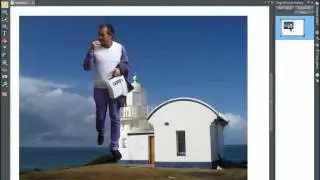
Photo editing tools and photo enhancements in Xara Designer Pro X | Introduction
Автор: Cristi Cotovan
Загружено: 2021-04-06
Просмотров: 9741
Описание:
In this Xara Designer Pro X tutorial we look at the photo editing tools and enhancements. If you are in a bind, Xara Designer Pro is not Photoshop, but it is still able to perform basic photo manipulations, beyond basic adjustments. You can adjust the contrast, brightness, darkness and light balance, saturation, sharpness, temperature as well as more advanced functions such as Levels, Curves, healing too and even special effects and stitching.
In this tutorial we look at the main photo editing functions only. I have prepared other videos for the other tools, but in this one we look at the main enhancements and the levels.
If you don't have Xara, you can get a FREE trial here:
https://cotovan.com/xara
More Xara Designer Pro Tutorials in this series:
• Graphics with Xara Designer Pro X
Thank you for your time and if you enjoy these tutorials and find them useful, feel free to subscribe to my channel, like, share and comment with your suggestions for more videos.
Are my tutorials useful? Buy me a coffee! I LOVE coffee:
https://www.buymeacoffee.com/cristi
-- SOFTWARE I use and recommend * --
Camtasia (includes 10% OFF coupon: CRISTI10): https://cotovan.com/camtasia
Snagit (includes 10% OFF discount code CRISTI10): https://cotovan.com/snagit
Transcription and Captions: https://cotovan.com/descript
Remote recording: https://cotovan.com/riverside
Audio clean up and processing: https://cotovan.com/auphonic
My newsletter platform: https://cotovan.com/convertkit
Disclosure: Some of these links take you to my website and some of them are affiliate links where I will learn a small commission if you make a purchase. This is at no additional cost to you and they help support my work. Thank you!
#xaradesignerpro #xaratutorial #photoediting
Повторяем попытку...

Доступные форматы для скачивания:
Скачать видео
-
Информация по загрузке: