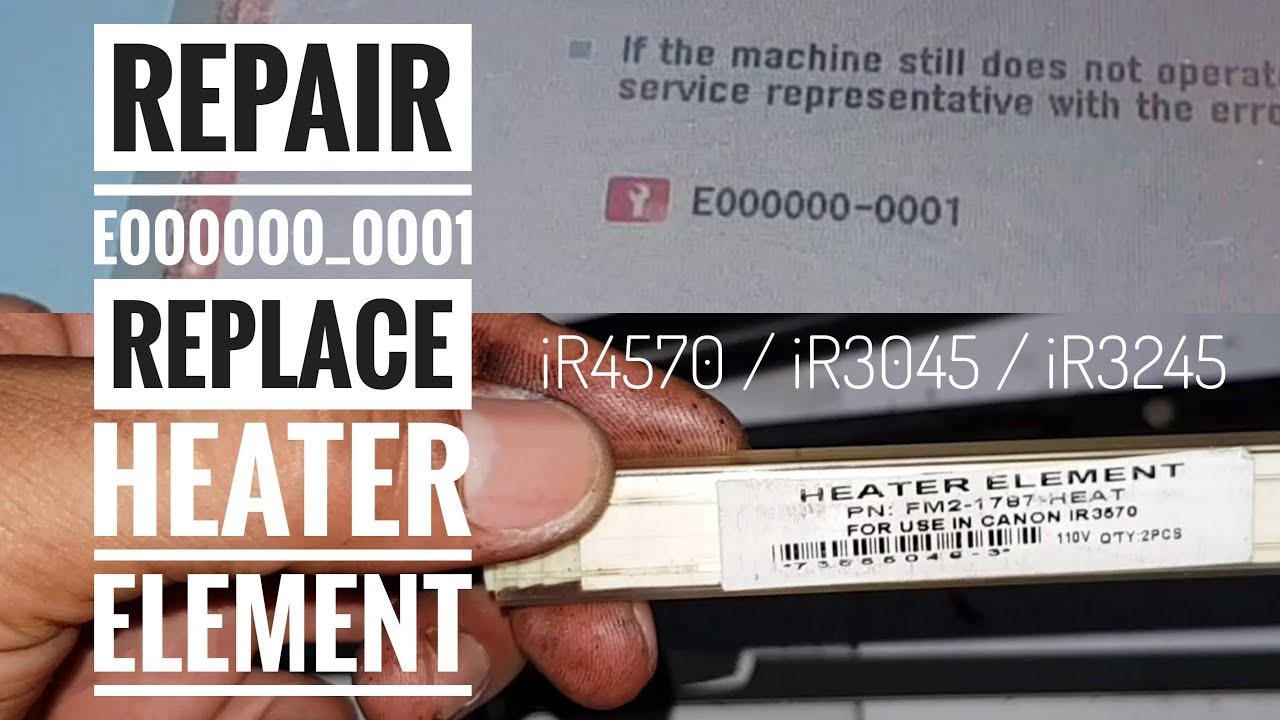
Canon IR2425 Error Code E000000-0001 | Quick Repair Tips
Автор: UK printer bahawalpur
Загружено: 2021-11-29
Просмотров: 53099
Описание:
Welcome to our detailed guide on resolving the Canon ImageRunner IR2425 error code E000000-0001. If you’re facing this error, you’re likely encountering issues related to the fuser unit or other critical components within your printer. This comprehensive video will provide you with everything you need to know to diagnose and fix the problem effectively.
What is the Error Code E000000-0001?
The E000000-0001 error code on the Canon IR2425 is a general error indicating a malfunction or fault within the printer, often related to the fuser unit. The fuser unit is responsible for bonding the toner to the paper during printing, and if it encounters issues, it can cause various errors. Understanding this error code is crucial for taking the right steps to resolve it.
Understanding the Causes
Before diving into the repair steps, it's essential to understand the potential causes of the E000000-0001 error:
Fuser Unit Malfunction: The most common cause of this error is a problem with the fuser unit. This unit might be overheating, malfunctioning, or may have a defective component.
Thermal Issues: Overheating can cause the fuser to fail. This could be due to blocked ventilation, a faulty thermostat, or other related issues.
Electrical Faults: Issues with the electrical connections or components associated with the fuser unit can also trigger this error code.
Sensor Problems: The sensors that monitor the fuser's temperature and operation might be malfunctioning or misaligned.
Step-by-Step Troubleshooting
1. Power Cycle the Printer:
Turn off the Canon IR2425 and unplug it from the power source.
Wait for a few minutes before plugging it back in and turning it on. Sometimes, a simple reboot can clear temporary faults.
2. Check the Fuser Unit:
Open the printer’s front cover to access the fuser unit. Inspect it for any visible signs of damage, such as burnt areas or broken components.
Ensure that the fuser unit is properly seated and connected. Sometimes, it may need to be removed and reinstalled to ensure a good connection.
3. Inspect the Thermal Sensors:
The fuser unit is equipped with thermal sensors that monitor its temperature. If these sensors are faulty or misaligned, they can trigger the error code.
Check the sensors for any dirt or damage. Clean them gently if needed.
4. Examine Electrical Connections:
Inspect the wiring and connections to the fuser unit. Look for any loose or damaged wires.
Ensure that all connectors are securely attached and free from corrosion.
5. Replace the Fuser Unit:
If the fuser unit shows signs of wear or damage, consider replacing it with a new one. Ensure that you use a compatible replacement part.
6. Check for Firmware Updates:
Sometimes, firmware issues can cause errors. Check the Canon website or contact Canon support for any available firmware updates that might address the issue.
7. Consult the User Manual:
Refer to the Canon IR2425 user manual for additional troubleshooting steps and recommendations specific to your printer model.
Effective Repair Tips
Use Genuine Parts: Always use genuine Canon parts for replacements to ensure compatibility and reliability.
Follow Safety Procedures: When working inside the printer, make sure to follow safety procedures, including unplugging the device and handling components carefully.
Seek Professional Help: If you’re unable to resolve the issue on your own, consider reaching out to a professional technician or Canon support for assistance.
Additional Resources
For further assistance, you can refer to the following resources:
Canon IR2425 User Manual – Detailed documentation on operating and maintaining your printer.
Replacement Parts and Tools – A list of recommended parts and tools for your Canon IR2425.
Chapters: 00:00 - Introduction
00:50 - Understanding Error Code E000000-0001
01:30 - Causes of the Error
03:00 - Step-by-Step Troubleshooting Guide
07:00 - Effective Repair Tips
09:00 - Additional Resources
10:00 - Summary and Conclusion
Conclusion
By following this comprehensive guide, you should be able to address the Canon IR2425 error code E000000-0001 efficiently. Remember, troubleshooting can sometimes involve a process of elimination, so be patient and thorough. If you have any questions or need further assistance, feel free to leave a comment below or reach out to Canon support.
Don’t forget to like this video if you found it helpful, and subscribe to our channel for more tech tips, troubleshooting guides, and printer maintenance advice. Your feedback is valuable to us, so please share your experiences or additional tips in the comments section.
Thank you for watching, and good luck with your Canon IR2425 repair!
#CanonIR2425 #ErrorCodeE0000000001 #PrinterTroubleshooting #CanonErrorFix #TechRepair
---
Feel free to adjust or add any specific details as needed!
Повторяем попытку...

Доступные форматы для скачивания:
Скачать видео
-
Информация по загрузке: