ycliper

Популярное

Музыка Кино и Анимация Автомобили Животные Спорт Путешествия Игры Юмор

Интересные видео

2025 Сериалы Трейлеры Новости Как сделать Видеоуроки Diy своими руками

Топ запросов

смотреть а4 schoolboy runaway турецкий сериал смотреть мультфильмы эдисон
Скачать

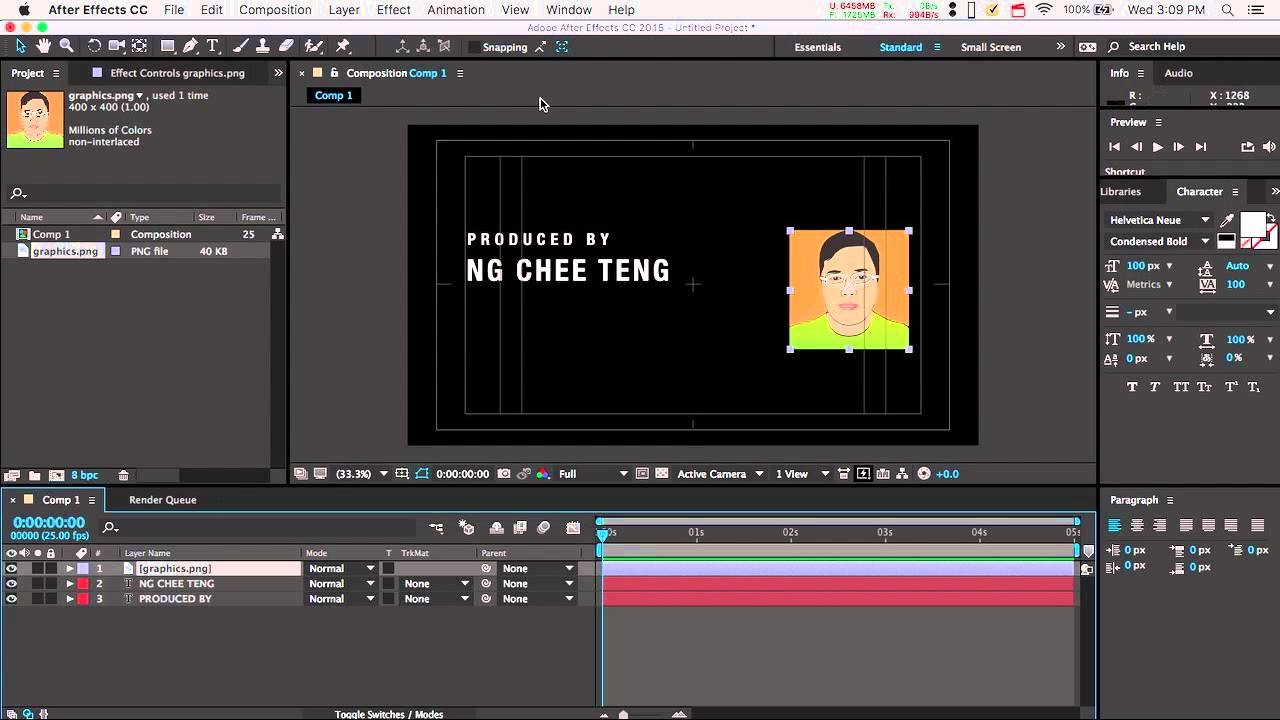
Creating a Simple Motion Graphics with After Effects CC 2015 Tutorial

Автор: Chee Teng Ng

Загружено: 2015-12-15

Просмотров: 1601

Описание: The built-in title tools of Premiere Pro, Final Cut Pro or Avid are all rather limited in creating visually compelling titles. What the industry professionals use is Adobe After Effects or Apple Motion to create 2D motion graphics for various uses such as TV title sequences, idents, bumpers or credits, etc. If three-dimensional graphics are required, a 3D tool such as Autodesk Maya may also be utilised on top of After Effects.

While most video editors are not designers or artists, they can learn just enough basics of After Effects to create simple motion graphics that will effectively make their videos more engaging for the viewers.

In this video tutorial, I am going to show you just enough of the basic essentials of Adobe After Effects CC 2015 to create a simple but powerful motion graphics for your credits. You can also easily apply this skill to create simple but effective title sequences for your videos using the same concepts.

Note:

There is a minor but annoying bug in Adobe After Effects. When you are placing the desired effect directly from Adobe Bridge, you will then see an error message. However, you can just click "OK" to ignore the message. The effect will still be applied. Alternatively, simply apply the desired effect directly from Effects & Presets panel in After Effects.

Further Tips:

1. This tutorial can also be used for After Effects CC 2014, CC or CS6 although there could be some minor but negligible differences.

2. If you wish to edit the After Effects composition later, you can simply update the composition in After Effects and save the After Effects project. It will automatically update the composition in Premiere Pro.

3. One way to deselect layers is to simply click on an empty space in the composition. Another way is to use the keyboard shortcut Cmd-Shift-A for Mac and Ctrl-Shift-A for Windows.

Не удается загрузить Youtube-плеер. Проверьте блокировку Youtube в вашей сети.
Повторяем попытку...
Creating a Simple Motion Graphics with After Effects CC 2015 Tutorial

Поделиться в:

Доступные форматы для скачивания:

Скачать видео

  • Информация по загрузке:

Скачать аудио

Похожие видео

After Effects с Нуля #1 — Начало работы | Интерфейс

After Effects с Нуля #1 — Начало работы | Интерфейс

Plant Face Portrait Effect Photoshop Tutorial

Plant Face Portrait Effect Photoshop Tutorial

Creating a Simple Motion Graphics with After Effects CC 2018 Tutorial

Creating a Simple Motion Graphics with After Effects CC 2018 Tutorial

ВОЙНА ИЗ ПОСЛЕДНИХ СИЛ. БЕСЕДА С ИГОРЕМ ЛИПСИЦЕМ @IgorLipsits_1950

ВОЙНА ИЗ ПОСЛЕДНИХ СИЛ. БЕСЕДА С ИГОРЕМ ЛИПСИЦЕМ @IgorLipsits_1950

[2026] Feeling Good Mix - English Deep House, Vocal House, Nu Disco | Emotional / Intimate Mood

[2026] Feeling Good Mix - English Deep House, Vocal House, Nu Disco | Emotional / Intimate Mood

Перетест Ai MAX+ 395 в жирном мини-ПК и тест AMD 8060s vs Intel B390

Перетест Ai MAX+ 395 в жирном мини-ПК и тест AMD 8060s vs Intel B390

ТОП 8 фишек в After Effects сэкономили мне 1000 часов жизни!

ТОП 8 фишек в After Effects сэкономили мне 1000 часов жизни!

Bright Abstract Neon Gold Lines Background video | Footage | Screensaver

Bright Abstract Neon Gold Lines Background video | Footage | Screensaver

After Effects на M1 Macbook Pro — обзор производительности в реальных условиях + сравнение с 16-д...

After Effects на M1 Macbook Pro — обзор производительности в реальных условиях + сравнение с 16-д...

120 МИЛЛИАРДОВ: КТО и Зачем создал БИТКОИН? Тайна Сатоши Накамото

120 МИЛЛИАРДОВ: КТО и Зачем создал БИТКОИН? Тайна Сатоши Накамото

Введение в интерфейс Adobe After Effects. Эпизод 2/48 [Adobe After Effects для начинающих]

Введение в интерфейс Adobe After Effects. Эпизод 2/48 [Adobe After Effects для начинающих]

How To Change a Background in Photoshop

How To Change a Background in Photoshop

Motion Graphic Product Animation in After Effects for Social Media Ads | Full Tutorial

Motion Graphic Product Animation in After Effects for Social Media Ads | Full Tutorial

Урок №1 Обзор интерфейса Canva

Урок №1 Обзор интерфейса Canva

Музыка для работы за компьютером | Фоновая музыка для концентрации и продуктивности

Музыка для работы за компьютером | Фоновая музыка для концентрации и продуктивности

❗️Трамп - Зеленський:перші підсумки | Віталій Портников

❗️Трамп - Зеленський:перші підсумки | Віталій Портников

How to import and synchronise video with audio from Zoom H5 in Adobe Premiere Pro

How to import and synchronise video with audio from Zoom H5 in Adobe Premiere Pro

Stylized Timeline Animation | Adobe After Effects

Stylized Timeline Animation | Adobe After Effects

Bright Abstract Neon Blue Lines Background video | Footage | Screensaver

Bright Abstract Neon Blue Lines Background video | Footage | Screensaver

Playlist,,Deep House,Music Played in Louis Vuitton Stores

Playlist,,Deep House,Music Played in Louis Vuitton Stores

© 2025 ycliper. Все права защищены.


  • Контакты
  • О нас
  • Политика конфиденциальности


Контакты для правообладателей: [email protected]