How to Install Kext on Hackintosh
Автор: Mac OS X Tutorials and App reviews from HowTech
Загружено: 2012-12-27
Просмотров: 64358
Описание:
Learn how to install custom kexts on PC with Mac OS X (Hackintosh).
Don't forget to check out our site http://howtech.tv/ for more free how-to videos!
/ ithowtovids - our feed
/ howtechtv - join us on facebook
https://plus.google.com/1034403827176... - our group in Google+
In this video tutorial we will show how to install kext on hackintosh.
To install a kext on hackintosh go to Safari browser. Type "kext helper b7". In results choose the first web page. In next page choose "Kext Helper b7.zip" to start download.
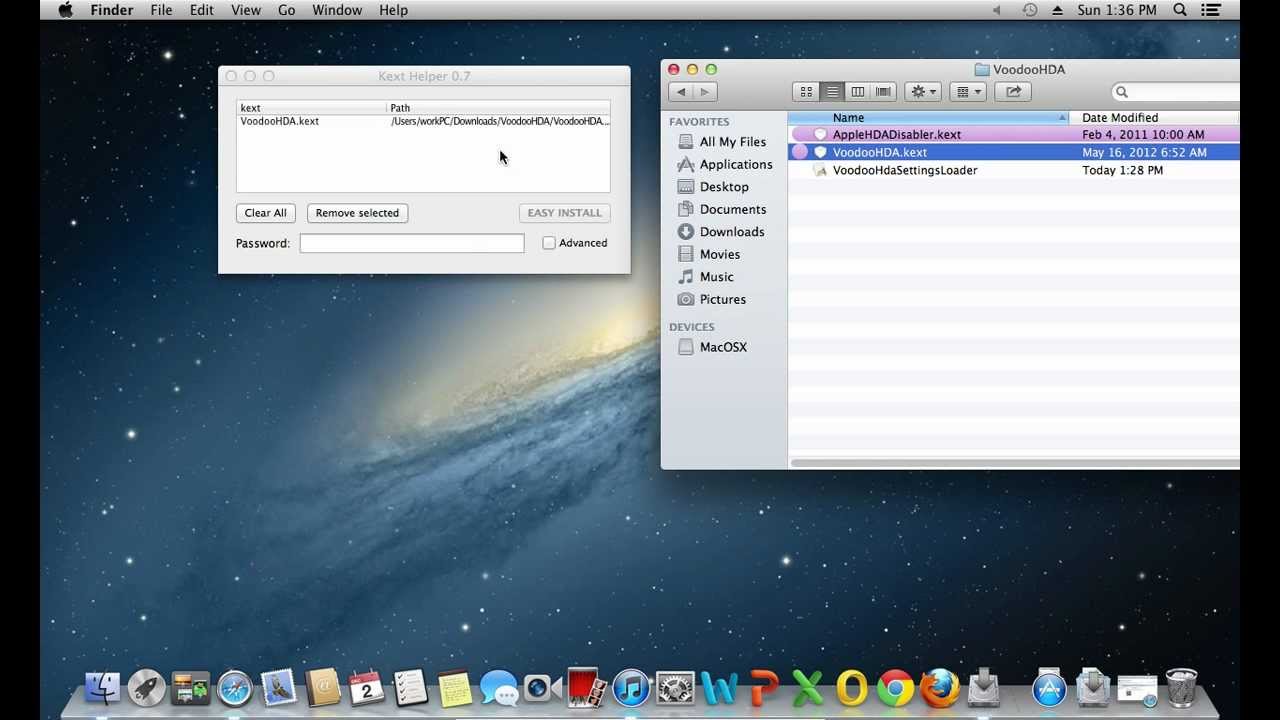
Open the downloaded file. In pop up window click "Open". To install a kext, drag and drop it to the program window.
Enter an administrator password and click "Easy install". Wait until the installation process is complete, click ok and reboot the PC.
Повторяем попытку...
Доступные форматы для скачивания:
Скачать видео
-
Информация по загрузке: